
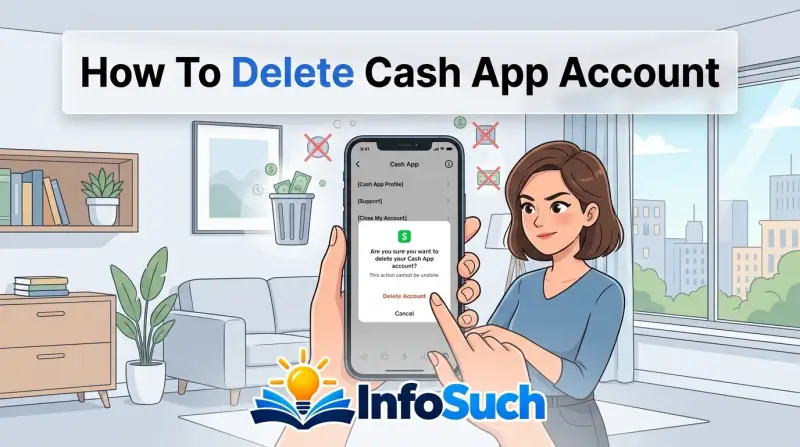
Trying to figure out how to delete cash app account? You're not alone. It's one of the most common finance questions people search for, and the answer isn't as simple as uninstalling the app.
Cash App makes you complete a few financial steps before it lets you close the account for good.
Cash App won't process a deletion request unless your balance is exactly $0.00, all pending payments are cleared, and any Bitcoin or stock holdings have been sold or transferred. That's a hard requirement built into the system. So if you're ready to move on, here's what you need to know before you hit that final button.
Quick Answer
You can delete your Cash App account only when your balance is $0.00. Pending transactions, Bitcoin, and stock positions must be cleared too. Open the app and request deletion through Support.
A 30-day waiting period follows, then your account is gone forever.
Why You Need to Read This Before Deleting Your Cash App Account
The in-app process takes about five minutes. Then you hit a 30-day waiting period before the account is permanently erased. As of 2026, Cash App's account closure flow still requires you to contact support through the app or go through the in-app chat prompts.
There's no website form to close your account.
The bigger risk is losing money. Every year, stories surface about users who deleted the app, only to realize later they had a small balance or a pending direct deposit on the way. Once the account is deleted, that money is gone.
Cash App won't cut you a check.
There's also a scam problem. Plenty of phishing pages and fake support accounts claim to help you delete your Cash App account. They're trying to steal your login info.
Legitimate deletion only happens inside the app or through verified support channels. The FTC has written extensively about these payment app scams, and you can find consumer alerts at FTC.gov.
So before you go hunting for a delete button, take a few minutes to read through this. It'll save you the headache of a lost balance, a messy tax season, or a permanent goodbye you didn't plan for.
Can You Delete Your Cash App Account? What to Know First
Yes, you can delete your Cash App account. But there are conditions, and they're non-negotiable.
Here's what Cash App checks before showing you the deletion option:
- Your available balance is $0.00
- You have no pending or unconfirmed transactions
- You have no open Bitcoin or stock positions
- Your Cash Card is deactivated (or you accept it will be closed)
- Your linked bank accounts are removed
If any of those are still active, the delete prompt either won't appear, or the support agent will tell you to clean things up first.
You also need to be at least 18 years old. If you're under 18, Cash App doesn't even offer account deletion in the standard flow. You'd need to contact support directly and explain the situation.
The same goes for accounts flagged for suspicious activity. If Cash App has restricted your account, you'll need to resolve that before you can close it.
| Requirement | Why It Matters | What to Do |
|---|---|---|
| $0.00 balance | Money can't be transferred after deletion | Withdraw to your bank account |
| No pending transactions | Pending payments may process after closure | Wait or cancel them |
| No Bitcoin or stock holdings | Assets can't be sold after deletion | Sell or transfer them |
| Cash Card closed | Card stays active if account isn't fully closed | Close it in the Cash Card settings |
| No linked bank accounts | Prevents stray future withdrawals | Unlink them |
It's also worth understanding the difference between deleting the app and deleting the account. Deleting the app from your phone does nothing to your account. Your funds, transaction history, and direct deposits stay active.
You'd just have no easy way to see them. Deleting the account is the permanent step.
One more thing: if you have multiple Cash App accounts, you'll need to close each one separately. Cash App doesn't offer a bulk closure option. And if you only want a fresh start, you might be better off deactivating instead.
We'll get to that later.
What Actually Happens When You Delete Your Cash App Account (and What You Lose)
Once you request deletion, Cash App doesn't erase your account instantly. There's a grace period. Most reports and Cash App's own help documentation point to a 30-day window.
During that time, the account is deactivated. You can't send or receive money. But you can still log in to reverse the deletion, if you change your mind.
After the 30 days, the account is permanently deleted. Here's what that means:
- Your transaction history is gone. No way to pull it back.
- Your $Cashtag is released after a while, and someone else could eventually grab it.
- Any remaining balance is forfeited to Cash App, per the Terms of Service.
- Your tax documents are no longer accessible in the app.
- Any recurring payments or direct deposits linked to the account stop.
You also lose access to your personal profile data, including your linked bank account details. Cash App may still keep some records for legal or regulatory reasons, but you as a user can't access them.
The big one to wrap your head around: there's no undo button. Once the account is gone, it's gone. That's why the money-safety checklist in the next section matters so much.
"Wait, can't you just reopen it?" No. If you cancel within the 30-day window, the account comes back. But if you miss that window, you're starting from zero.
You'd have to create a brand new account, and you'd lose all your transaction history.
Step-by-Step: How to Delete Your Cash App Account
The actual process is simple, but the steps are a little fiddly. Here's how to do it, based on the current Cash App interface.
- Open the Cash App app on your phone.
- Tap your profile icon in the top-left corner.
- Scroll all the way down and tap 'Support.'
- Type 'delete account' into the chat box.
- Tap the option that says 'Delete your account' or 'Close account.'
- Follow the prompts to confirm your identity.
- Enter your password or provide the verification code sent to your phone or email.
- Confirm that you understand the account is being deactivated.
Cash App will then process the request. Your account enters the deactivation period. You'll get an email confirmation.
If the in-app chat isn't working, you can email Cash App Support directly at support@cash.app. Be ready to verify your identity with your full name, $Cashtag, and linked email address.
Here's a quick reference table for the steps:
| Step | Action | Note |
|---|---|---|
| 1 | Open Cash App | Make sure you're logged in |
| 2 | Tap profile icon | Top-left corner |
| 3 | Scroll to Support | At the bottom of the profile page |
| 4 | Type 'delete account' | In the support chat |
| 5 | Choose the delete option | Follow the on-screen prompts |
| 6 | Confirm your identity | Password or SMS code |
| 7 | Wait for confirmation | Email arrives within minutes |
A few notes: the exact menu label might change between app versions. If you don't see 'delete account' in the chat responses, type 'close account' instead. The support bot recognizes both phrases.
For users outside the US, including the UK, the process is the same. But local regulations may affect how long Cash App keeps your data after deletion. You can find more details in the Cash App Support center.
One thing to watch out for: some users report that the deletion option doesn't appear at all. That usually means your account isn't eligible yet. Go back to the checklist and double-check your balance and pending activity.
The system blocks closure until everything is clean.
Before You Delete: The Money-Safety Checklist
This is the section that saves your money. Don't skip it. Work through each item before you request deletion.
It takes about ten minutes, and it's the difference between a clean exit and a headache.
Withdraw Your Cash App Balance to Zero
Open the app and check your available balance. If it's anything above zero, transfer it to your linked bank account. Tap the balance icon, hit 'Cash Out,' and choose your bank.
The money typically arrives within one to three business days. If you need it instantly, there's a fee, but it's worth it when you're closing the account.
Don't forget about pending deposits. If a direct deposit is scheduled to hit before you close, wait for it to land. Withdraw that too.
It sounds obvious, but people lose real money to this all the time.
Sell or Transfer Bitcoin and Stock Holdings
Cash App lets you hold Bitcoin and fractional stocks. If you have any, you can't delete the account until they're gone. You can sell them and withdraw the proceeds, or transfer Bitcoin to an external wallet if you want to keep it.
Stocks are trickier: Cash App doesn't allow transfers to other brokerages, so selling is usually the only option.
Keep in mind that selling Bitcoin is a taxable event. You'll want to download your transaction records before you close the account. More on that in the next section.
Cancel Your Cash Card and Unlink External Bank Accounts
Your Cash Card is tied to the account. When you delete the account, the card gets shut down automatically. But it's still a good idea to cancel it yourself in the app.
That way, no pending subscription charges can slip through.
Unlink any external bank accounts. Go to your profile, tap 'Linked Banks,' and remove each one. This prevents any weird syncing issues during the deletion process.
Check for and Cancel Pending Transactions
Tap the activity tab and look for anything marked 'Pending.' That could be a payment you sent, a request someone sent you, or a card purchase that hasn't cleared. If you try to delete with pending transactions, the system might block you. Cancel them or wait for them to settle.
Once all four items are done, you're ready to start the deletion process. This is the point where you download your records and think about taxes. That's exactly what the next sections cover.
Download Your Transaction History and Tax Documents First
You cannot access your transaction history after deletion. That's the rule, and it's absolute. Once the 30-day window closes, the data is gone.
No support ticket will bring it back.
So before you request deletion, take five minutes to download everything. You might not need it today. But tax season has a way of catching people off guard, and Cash App won't be there to save you.
Here's how to download your full transaction history:
- Open Cash App and log in.
- Tap your profile icon in the top-left corner.
- Select 'Account' or 'Statements.'
- Tap 'Download' next to the transaction history option.
- Choose the date range you want.
- Wait for the CSV file to be emailed to you.
| What You Download | What It Contains | Why You Need It |
|---|---|---|
| Full statement (CSV) | Every payment, request, and transfer | Proof of income, dispute resolution |
| Bitcoin activity | Purchase and sale dates, amounts | Calculating capital gains for taxes |
| Stock activity | Buy/sell records, corporate actions | Brokerage-style record-keeping |
| 1099-B (if issued) | Crypto sale proceeds, cost basis | Must be filed with your tax return |
| 1099-K (if issued) | Payment card and network transactions | Must be filed for goods and services |
The CSV export is plain text data formatted for spreadsheets. You can open it in Excel, Google Sheets, or any accounting software. Scope it to cover every year you've used the account.
Don't forget the tax forms. If Cash App issued you a 1099-K for the previous year, download the PDF now. Same goes for a 1099-B if you sold Bitcoin.
Once your account is deleted, the forms disappear from your dashboard. The IRS still expects to hear about that income, whether or not you have the form handy.
The Tax Side of Closing Your Cash App Account (1099-K and 1099-B)
Here's where deleted accounts turn into tax problems. Ignore it now, and you'll be scrambling in April.
Cash App issues two main tax forms. Each one serves a different purpose.
1099-K reports payments you received for goods and services. For the 2025 tax year, the IRS set the reporting threshold at $5,000 in gross payments. But Cash App may still issue a 1099-K at lower amounts depending on your state.
As of 2026, some states, like Massachusetts, Vermont, and Virginia, have thresholds as low as $600.
1099-B reports your proceeds from selling Bitcoin or other digital assets. Cash App issues this if you sold cryptocurrency. Unlike the 1099-K, there's no minimum threshold for tax liability.
Every sale is a taxable event. Even a $5 sale of Bitcoin can trigger capital gains or losses.
| Tax Form | What It Reports | Typical Threshold | What Happens After Deletion |
|---|---|---|---|
| 1099-K | Goods and services payments | $5,000 federally (as of 2025), state thresholds vary | No access to the PDF; you must download before closing |
| 1099-B | Bitcoin and crypto sales | No minimum | No access; cost-basis data is lost |
The key point: deleting your account doesn't exempt you from reporting. If you sold Bitcoin, you owe capital gains tax on any profit. The IRS already has visibility into Cash App activity via transaction reporting.
If you don't download your forms, you'll have to reconstruct your cost basis from your own records or by requesting a copy from Cash App's support team. That's slow, and it's not guaranteed after account closure.
The official guidance on cryptocurrency reporting comes from the IRS. You can reference their digital asset frequently asked questions at IRS.gov. It's worth checking before you make any assumptions about your tax situation.
Common Mistakes That Lock Up Your Funds or Delay Deletion
Mistakes here aren't just annoying. They can cost you real money. Here are the most common traps, based on aggregate user reports and Cash App support threads.
Leaving a small balance behind.
People see $3.47 in their account and figure it's not worth cashing out. That's exactly how the money disappears. If you delete with a nonzero balance, you forfeit it.
Cash App's Terms of Service are clear on this point. Always cash out to zero, even if it's a dollar.
Forgetting about a pending direct deposit.
Your paycheck might be scheduled to hit the day after you delete. That money has nowhere to go. Some users have reported losing entire paychecks this way.
Wait for all pending deposits to clear before requesting deletion.
Selling Bitcoin but forgetting the transfer. You sell the Bitcoin, and the proceeds land in your Cash App balance. Then you delete without cashing out. Same outcome.
The proceeds vanish.
Trying to delete while a dispute is open.
If you have an open chargeback or a payment dispute, Cash App puts a hold on your account. Deletion won't process until the dispute is resolved. Support has to lift that hold manually.
| Mistake | Consequence | How to Avoid |
|---|---|---|
| Nonzero balance at deletion | Money is forfeited permanently | Cash out to $0.00 before starting |
| Pending direct deposit | Paycheck lost | Wait for all deposits to clear |
| Unresolved dispute | Deletion blocked entirely | Resolve disputes with support first |
| Using a phishing site | Credentials stolen, account hacked | Only use the official app and support chat |
| Deleting the app, not the account | Account remains active, unused | Verify you've completed the in-app deletion flow |
Forgetting about auto-deposits or recurring charges.
Tons of people link their Cash Card to subscriptions, food delivery apps, or car insurance. If those charges still try to run after the account is closed, they'll fail. That's usually fine.
But if your bank account is still linked to Cash App, the system may attempt to pull funds to cover the negative balance. Unlink your bank accounts first.
Typing the wrong date range in your download.
You might grab only the last month of transactions, thinking that's all you need. Then you lose years of history. Scope your date range to cover the entire life of the account.
What If Cash App Won't Let You Delete Your Account?
This is a common problem. The deletion flow gets stuck, the support bot won't cooperate, or the page simply won't load. Here's how to troubleshoot, step by step.
First, check the basics:
- Is your balance exactly $0.00? Rounding errors count. Even 1 cent will block deletion.
- Do you have any pending transactions? Go to the activity tab and look for 'Pending.'
- Do you have open Bitcoin or stock positions? Close them.
- Is your account under review? Look for a banner or notification.
If everything looks clean and deletion still fails, you need to contact Cash App Support directly. The in-app chat is your best route.
Here's the process we recommend:
- Open Cash App and tap your profile icon.
- Scroll to 'Support.'
- Type 'delete account' and follow the prompts.
- If the bot won't help, type 'contact support' to reach a human agent.
- Provide your full name, $Cashtag, and the email address linked to the account.
- Ask for manual deletion and mention the issue you're hitting.
Response times vary. Some users get a reply within hours. Others wait days.
If support is unresponsive, you can escalate to a formal complaint with the Consumer Financial Protection Bureau. The CFPB accepts complaints about financial companies, which they forward to the business. You can file one at consumerfinance.gov.
Another possibility: your account is restricted. Restricted accounts can't be deleted until the restriction is lifted. You'll need to verify your identity by submitting a government-issued ID.
The page to do that is in the Banking section of the app, under 'Verify your identity.'
If you've forgotten your password, that's another blocker. Reset it first. Once you're logged in and verified, you can retry the deletion flow.
In rare cases, the app itself might be crashing. Update your Cash App to the latest version from your app store, then try again.
| Issue | Likely Cause | Fix |
|---|---|---|
| No delete option in chat | Account not eligible | Zero out balance, clear pending items |
| Support bot loops in circles | Bot can't process the request | Type 'contact support' for a human agent |
| Account under review | Unusual activity detected | Wait for review, submit ID if asked |
| Can't log in | Forgotten password | Reset password first |
| Restricted account | Fraud flag or legal hold | Contact support, verify identity |
Deactivate vs. Delete: Which One Actually Fits Your Situation?
Not everyone needs a permanent goodbye. Sometimes a break is enough. Here's the honest comparison between deactivating and deleting, so you can decide without regret.
Cash App doesn't have a standalone "deactivate" button like some other apps. But it does have a built-in grace period. When you request deletion, the account enters a 30-day deactivation window.
During that time, you can log back in and cancel the deletion. That's effectively your "deactivate" option.
So here's the practical decision tree:
- Want to stop using Cash App for a few months? Just log out and uninstall the app. Your account, balance, and history stay intact.
- Want to pause activity but keep the account ready for later? Request deletion, then cancel it during the 30-day window. The account goes back to normal.
- Want to permanently close your account and lose all data? Let the 30-day window expire.
| Situation | Deactivate (30-day window) | Delete (permanent) |
|---|---|---|
| Account is empty and unused | Works, you can reverse | Final closure |
| You'll need it later this year | Better choice | Gone forever |
| You're worried about fraud | Maybe, but you'd still exist | Safer for full removal |
| You have tax docs to preserve | Download anyway | Need to download first |
| You have Bitcoin holdings | Keep them, no tax event | Must sell, triggers tax event |
Here's who each option is best for:
Deactivate (cancel during the window): you're switching banks, you want a break from the notifications, or you're worried about impulse spending. You lose nothing, and you can come back anytime.
Delete (let the window expire): you're closing the account for privacy reasons, you've had a fraud scare, or you're simplifying your digital footprint. You want the data gone. You understand the tax implications.
One more thing to consider: if you only care about stopping cash flow, you can remove your Cash Card and unlink your bank accounts while keeping the profile itself. That gives you a dormant account with no spending power and no charges. Some users prefer this medium option.
Ultimately, deletion is a one-way door. If you're not certain, choose the gentler path. If you're certain, go ahead.
Just make sure all the money out, all the records saved, and all the tax forms downloaded.
The choice is yours. Weigh the risks, and you'll make the right call.
Frequently Asked Questions
Can I delete my Cash App account from the website?
No. Cash App only allows account deletion through the mobile app or by contacting support via the in-app chat. There's no website form for closing your account.
That's a deliberate security measure to prevent unauthorized closures.
If you try to find a delete option on the desktop version of Cash App, you won't find one. The website only lets you view your profile and manage your Card. You'll need to open the app on your phone to get the process started.
What happens to my money if I delete Cash App with a balance?
You forfeit it. Cash App states in its Terms of Service that any remaining balance is lost when the account is permanently deleted. This is why the money-safety checklist matters so much.
If you have $1.00 or $1,000 in your balance, the result is the same. The funds stay with Cash App. There's no automatic transfer and no later check in the mail.
Cash out to zero before you request deletion.
How long does it take to delete a Cash App account?
The request itself takes about five minutes. After that, Cash App enters a 30-day waiting period. If you don't cancel during that window, the account is permanently deleted.
During those 30 days, your account is deactivated. You can still log in to reverse the process, but you can't send or receive money. If you want to keep the account, log in before the month is up and cancel the deletion.
Can I reopen my Cash App account after deleting it?
No. Once the 30-day window expires, the deletion is permanent. You can't recover your transaction history, your $Cashtag, or your linked payment methods.
You can create a brand new Cash App account with the same phone number or email address. But you'll start fresh with a new $Cashtag and no transaction records. If you're not sure you're done, cancel during the waiting period.
Does deleting Cash App remove my tax documents?
Yes. Once the account is deleted, you lose access to your 1099-K and 1099-B forms in the app. Cash App won't mail you copies after closure.
That's why you need to download your statements and tax documents before you delete. The CSV export and PDF forms are the only records you'll have. The IRS still expects you to report your income and crypto sales, even without the forms.
Final Verdict: Your Safe-Delete Checklist Recap
Here's the last thing you'll need. Run through this checklist, and if every box is checked, you're clear to delete your Cash App account.
| Step | Status | Notes |
|---|---|---|
| Cash balance withdrawn to $0.00 | Yes / No | Even one cent blocks deletion |
| Pending transactions cleared | Yes / No | Includes direct deposits |
| Bitcoin and stocks sold or transferred | Yes / No | Selling Bitcoin triggers a taxable event |
| Cash Card deactivated | Yes / No | Prevents stray subscription charges |
| External bank accounts unlinked | Yes / No | Prevents negative balance pulls |
| Transaction history downloaded | Yes / No | Keep the CSV for at least 3 years |
| 1099-K and 1099-B forms saved | Yes / No | Needed for your tax return |
| Deletion requested in the app | Yes / No | Only works through the mobile app |
| 30-day waiting period started | Yes / No | You can cancel during this window |
If you've done all of that, you're ready. The process works. It's designed to be permanent, so take your time.
One last reminder. Watch out for phishing scams along the way. Cash App will never call you to "help delete your account." They won't ask for your password or your verification code outside the app.
If someone contacts you claiming to be support and asks for sensitive info, block them and report it.
Deleting your Cash App account is a clean break when done right. You clear your money, save your records, and close the door. That's the way to handle it.