
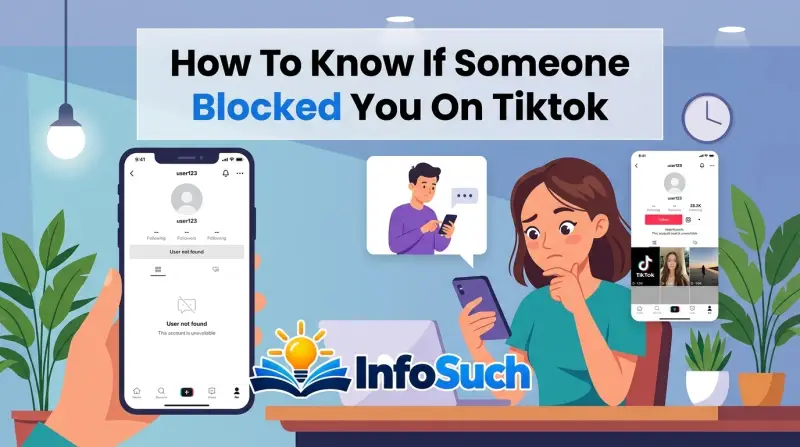
If you've ever typed "how to know if someone blocked you on tiktok" into a search bar, you already know how frustrating this is. There's no notification, no pop-up, no "this user has blocked you" screen. TikTok just silently deletes that person's world from yours, and you're left comparing screenshots with friends like a detective.
Here's the part that catches most people off guard: as of 2026, TikTok's official Help Center still doesn't offer any block notification system. A deleted account, a suspended account, a private account, and a blocked account can all look nearly identical from the outside. That's why so many users jump to the wrong conclusion.
Let's walk through the real signs, the false alarms, and the only checks that actually settle it.
Quick Answer
You can't get a definitive yes from TikTok itself. Search for the exact username while logged out or from a second account. If the profile appears there but not on your account, you've likely been blocked.
If the profile doesn't appear anywhere, the account may be deleted or suspended. A private account still shows a profile page. A block makes that profile vanish specifically for you.
Why It's So Hard to Tell if Someone Blocked You on TikTok
TikTok's blocking feature is built for discretion. When someone blocks you, TikTok removes your ability to see their profile, videos, livestreams, direct messages, or follower interactions. You don't get a reason, a warning, or a confirmation.
You just lose access.
That's intentional. The whole point is to let users create distance without confrontation. But it makes life miserable for the person on the receiving end, because your account suddenly looks like it fell off the internet.
Is it a block? Did they delete their account? Did TikTok suspend them?
Did they just change their username?
Here's the core problem: TikTok doesn't give you a way to distinguish between these scenarios from your own account. A blocked user and a deleted account both produce a "user not found" screen. A private account can hide content even when you're not blocked.
A suspended account may temporarily disappear too.
So the only reliable method is to change your vantage point. You need to see whether this person's profile is visible to the rest of the world, not just to you. If it exists for everyone else but not for you, that's a block.
If it doesn't exist for anyone, it wasn't personal.
This is exactly why people end up confused for days. They search, they refresh, they ask mutuals to check, and every answer seems to contradict the last one. It's not that they're bad at using TikTok.
It's that TikTok's design makes the answer genuinely hard to find.
The good news is that once you understand how blocking interacts with public and private accounts, the whole thing becomes a simple process of elimination.
How Blocking Actually Works on TikTok: Public vs Private Accounts
Before you start testing anything, you need to understand how TikTok treats public and private accounts differently. This is where most people go wrong.
A public account is open to everyone. Anyone on TikTok can search for it, watch its videos, follow it, and send direct messages depending on the user's message settings. Blocking someone on a public account hides the entire profile from that person.
They can't see your username in search results. They can't open your profile from a link. They can't follow you, message you, or see your content anywhere.
A private account is different. Only approved followers can see the videos, likes, and live streams. But the profile itself still exists in search.
You can still find the account, see the avatar, read the bio, and send a follow request. The content is locked, but the account is visible.
This creates a common false alarm. If someone has a private account and you're not following them, you can't see their videos. That's normal.
It doesn't mean they blocked you.
Blocking takes that one step further. If they've blocked you, even the profile page disappears entirely. You search for the username and get nothing.
You try to open a shared link and get "user not found." The account might be perfectly visible to everyone else, but it's gone for you.
There's one more layer that creates confusion. TikTok's search algorithm sometimes does weird things. A username can fail to appear in search results even when the account exists, especially if the username was recently changed or the account hasn't been active in a while.
That's why search alone is never a perfect test. You need to pair it with other checks.
The good news is that TikTok's official Help Center explains the core mechanics clearly. Blocking removes the blocked person's ability to interact with your account and hides your profile from them. That's the baseline you're working with.
The Step-by-Step Check: Search, Follow, DM, and Comment
This is the actual workflow. If you want to know whether someone blocked you, you need to run through these tests in order. Each one eliminates another possibility.
Step 1: Search for the exact username
Start with the exact username, not a partial one. Open TikTok's search bar and type the full handle. If the profile appears, you already know you're not blocked.
The account exists, and it's visible to you.
If it doesn't appear, don't panic. Try scrolling down, because sometimes search results get cached. Try the "Users" filter tab.
Then try opening the profile from a shared link if you have one.
If you still get nothing, the next step matters.
Step 2: Search from a different account or logged-out browser
Open a private or incognito browser window and go to TikTok's website. Search for the same username. Or grab a friend's phone and search there.
If the profile shows up for your friend but not for you, that's a strong signal you've been blocked. If it doesn't show up for anyone, the account is probably deleted, deactivated, or suspended.
This is the single most reliable test. It removes the "you" from the equation. If the rest of the internet can see this account and you can't, the block is targeted at you.
Step 3: Try to follow the account
If you find the profile from your own account, try tapping the Follow button.
On a public account, the follow should work instantly. If you tap it and nothing happens, or if TikTok shows an error message saying you can't follow this user, that's the block signal. The follow button might also just lag, which is why this test works best in combination with the others.
On a private account, tap Follow and see what happens. If a "Requested" or "Pending" status appears, you are not blocked. The account is simply private, and the owner will need to approve your request.
If TikTok blocks you from sending the request, that's a block.
Step 4: Try sending a direct message
This test only works if you've previously messaged this person. Go to your DMs and find the old conversation. Try sending another message.
If the message sends normally, you're not blocked. If you get a failure notice, it could mean a block, but it could also mean the other person changed their message settings to receive DMs only from people they follow.
The DM test is useful, but it's not definitive on its own. TikTok doesn't always show a clear "you're blocked" error in messages. Sometimes your message just sits there unfailingly and silently gets ignored.
That's not a block. That's a choice.
Step 5: Check your existing comments
Here's a trick that works in certain situations. If you've commented on this person's videos before, go to their profile from a second account and look at the comment section. If your comment is gone and you didn't delete it yourself, that's a sign.
But be careful. The account owner might have deleted your comment manually. TikTok's comment filters might have hidden it.
The video itself might have been deleted. So treat this as supporting evidence, not proof.
The if/then breakdown
- Profile visible to you? Not blocked.
- Profile gone for you but visible to a friend? Likely blocked.
- Profile gone for everyone? Deleted, deactivated, or suspended.
- Profile visible but private, and follow request goes through? Not blocked.
- Profile visible but Follow button does nothing? Likely blocked.
Run through this order every time. By the time you reach Step 2, you'll almost always have your answer.
Reading the Error Messages: "User Not Found" vs "No Content Available"
TikTok doesn't give you one universal error message for a block. Depending on your app version, your device, and how the account was created, you'll see different things. This is why people argue about what a "user not found" screen actually means.
Here's what each message usually indicates.
"Couldn't find this account"
This is the classic block message. It also appears when an account has been deleted, deactivated, or when the username changed. So the message alone doesn't tell you much.
You have to pair it with a search from another account.
"This account is private"
This one is straightforward. The person exists, their account is set to private, and you're not an approved follower. You are not necessarily blocked.
You just can't see their content.
"No videos available"
This often appears on a profile that exists but has no content. The person may have deleted all of their videos. It can also happen during a temporary suspension, where TikTok hides the account's content but keeps the profile shell.
"User not found"
This can mean a block, a deleted account, or a changed username. It's the most ambiguous message TikTok can show, and it's the one that fuels most of the panic.
"Something went wrong. Please try again."
This generic error is a technical glitch, not a social judgment. It can happen during a network outage, a server issue, or an app bug. Give it a few hours and try again before you conclude anything.
Here's a quick reference table:
| Message You See | Could Mean | Blocked? |
|---|---|---|
| Couldn't find this account | Block, deleted, deactivated, username change | Possibly |
| User not found | Block, deleted, suspended, username change | Possibly |
| This account is private | Private account, not approved follower | Unlikely |
| No videos available | Account exists but has no public videos | Unlikely |
| Something went wrong | TikTok technical glitch | No |
The message alone is never proof. Your next action is what matters.
Blocked vs Deactivated vs Suspended vs Private: A Side-by-Side Look
This is the comparison table that clears up most of the confusion. Print this one out mentally.
| Situation | Profile Searchable | Videos Visible | Can You Follow? | Can You DM? |
|---|---|---|---|---|
| Blocked | No (for you) | No | No | No |
| Deactivated account | No (for everyone) | No | No | No |
| Suspended account | Sometimes no | Usually no | No | No |
| Private account | Yes | No (unless approved) | Yes, request goes through | No (usually) |
| Username changed | No (old name) | Yes, under new name | Yes | Depends |
Let's break each one down.
Blocked
If someone blocks you, their profile disappears specifically for you. It remains visible to everyone else. You can't follow, DM, or see their content.
This is the only situation where the account is alive and well for the rest of the app but completely invisible to you.
Deactivated or deleted account
If someone deletes or deactivates their account, the profile disappears for everyone. There's no targeted behavior involved. A second account won't help, because the account is simply gone.
Sometimes deactivated accounts come back if the person reopens them within TikTok's timeframe. Deleted accounts are permanent.
Suspended account
When TikTok suspends an account for violating Community Guidelines, the profile can become temporarily hidden. Videos might disappear, or the entire account might be removed from search while TikTok reviews it. This happens invisibly to the account owner and to everyone else.
It looks identical to a block from your side, which is why it's so dangerous to assume.
Private account
A private account still shows up in search. You can see the username, avatar, bio, and follower count. What you can't see is the video content.
You can send a follow request and wait for approval. If the owner approved you and you still see nothing, then a block is more likely. If you were never approved, you're just seeing the private wall.
Username change
People change their usernames all the time. If you're searching for an old handle, you'll get "user not found" even though the account is alive and active under a new name. Before you conclude anything, ask a mutual friend for the current username or check your old DMs for the updated profile link.
This table alone answers about 80 percent of the "did they block me?" questions. The remaining 20 percent comes down to the checks we already covered, especially the second-account test.
If You're Already Following Them: Check the Follower List
Most of the advice online assumes you're starting from scratch. But a lot of people who suspect a block are already following the person. That changes the test slightly.
When someone blocks you on TikTok, the follow relationship is severed automatically. You are no longer following them, and they are no longer following you. From your perspective, the simplest check is your own following list.
Open your profile, tap Following, and search for their username. If they're not there anymore, either you unfollowed them at some point without noticing, or they blocked you. If you're sure you never unfollowed them, that's a strong block signal.
The same logic works with your follower list. If they were following you and now they're gone, it could mean they blocked you or they deliberately unfollowed you. A block removes them from your follower list.
So does an unfollow. That's why this check alone can't give you a definitive answer.
To separate the two, go back to the second-account test. If a mutual friend can still see their account and you can't, you're blocked. If the mutual friend can't see them either, the account is deleted or suspended.
One extra detail worth knowing: TikTok doesn't send a notification when someone unfollows you. It doesn't send one when someone blocks you either. That's why most people only find out by searching, opening a DMs thread, or noticing that familiar profile vanish from their list.
Common False Signs That Make People Think They're Blocked
There's a whole graveyard of wrong conclusions on TikTok, and most of them come from interpreting normal behavior as a block. Here are the biggest false signals.
Their profile picture disappeared
Maybe you see a gray silhouette or a blank avatar. That usually means the person changed their profile photo or deleted their account. It doesn't mean they blocked you.
A block hides the entire profile, not just the picture.
Their videos stopped showing up in your feed
TikTok's algorithm decides what you see. A drop in a creator's video impressions can happen for a million reasons. If you can still find their profile by searching, you're not blocked.
Your direct message won't send
This one is frustrating. You send a message, and it just spins or shows a red "not delivered" icon. It could be a block, but it could also be the person turning off DMs from non-friends.
TikTok allows users to restrict message access to people they follow. If the other person changed that setting, your message won't go through even though you're not blocked.
Your comment disappeared
A deleted comment is not a block. The creator may have deleted it, TikTok's auto-filter may have hidden it, or the video may have been removed. Unless your comment vanishes and you can no longer see the creator's profile at all, don't treat it as proof.
Search shows "no results found" for a few hours
TikTok occasionally has search indexing delays. A username might be temporarily missing from search results due to a cache issue. Wait 12 to 24 hours and run the search again.
You can't see their likes or comments
Likes and comments are tied to videos. If you can't see a video because it's private or because the account is gone, you won't see the interactions either. That's a symptom, not a separate clue.
The pattern here is simple. A block is an all-or-nothing event. It hides the whole profile from you.
If you can still see any part of the account, whether it's a profile, a bio, or a message that says "private," you're probably not blocked.
Why You Shouldn't Use Third-Party Block Checker Apps or Websites
If you search the app store, you'll find dozens of apps claiming to show you who blocked you on TikTok. Some websites offer the same "service." Don't download them. Don't enter your username.
Don't give them your phone number.
Here's what those tools actually do.
First, TikTok doesn't make block status public. There's no API that gives a third-party app access to who blocked whom. So any app that promises this information is either guessing or lying.
Second, most of these apps require you to log in with your TikTok credentials. That's a direct security risk. You're handing over your username, your password, and in many cases your two-factor authentication code.
The app can then take over your account, post spam, or sell your data. There's no official TikTok process that involves a third-party checker.
Third, using these tools can violate TikTok's Terms of Service. TikTok restricts unauthorized automated access to its systems. If the company detects an app attempting to pull block data, your account can be suspended or permanently banned.
That would be a harsh twist: you'd lose your account because some sketchy app told you someone blocked you.
The same goes for browser extensions that promise "profile viewer" or "block checker" features. They're not worth the risk.
If you want a second opinion, ask a mutual friend to search the username on their own phone. That's free, safe, and actually reliable.
Real Scenarios: Exes, Friends, and Creator Drama — What to Do
Real life rarely follows a clean rulebook. Let's walk through a few common situations so you can see how these tests apply.
Scenario 1: Your ex suddenly won't appear in search
You two broke up, you took a break from TikTok, and now you can't find them. Your first instinct is "they blocked me, right?"
Run the tests. Open your friend's phone and search the username. If the profile shows up there, you're blocked.
If it doesn't show up anywhere, they deactivated their account. A lot of people do this after a breakup to avoid the awkwardness of seeing exes online. That's not a block.
It's a digital vanishing act.
Scenario 2: Your friend's account went dark after an argument
You had a fight last week, and now their profile gives you "user not found." You're sure they blocked you. But before you create a new account to confront them, check with another friend.
If the account is gone for everyone, the friend may have deactivated their account temporarily. People do this when they're upset, overwhelmed, or just need a break. It's not about you.
It might become visible again in a few days.
Scenario 3: A creator you follow disappeared
They had a million followers, and suddenly their profile is gone. There's no way they blocked you specifically. More likely, TikTok suspended the account for a guideline violation, or the creator deleted it on purpose.
Search from a logged-out browser. If everyone gets the same error, it's not a block.
Scenario 4: You can see the profile but can't send a follow request
This is the most confusing one. The account appears with a private lock icon. You tap Follow, but nothing happens.
The button might even show "Requested" and then reset.
If you previously followed them, this can mean they blocked you. If you never followed them, it's probably a glitch or a restricted private account. Try again after a few hours.
If the behavior continues and a friend's device shows a normal follow request button, you've got your answer.
What to do after you confirm a block
Here's the uncomfortable part. Once you've confirmed the block, the respectful move is to leave it alone. Don't make a new account to check their page.
Don't ask mutual friends to send you screenshots. Don't use a family member's phone to watch their videos. TikTok's Community Guidelines allow users to block anyone for any reason, and trying to bypass a block goes against that boundary.
It stings. It feels unfair. But chasing it usually makes things worse.
What Happens When You Block Someone on TikTok: The Mirror Test
Understanding the reverse side of the block often clarifies the mystery. When you block someone, TikTok hides your profile from them. Your videos stop appearing in their feed.
Your username vanishes from their search results. They can't send you a DM, follow you, or comment on your videos.
From your side, the blocked person moves to a separate list in your settings. Their comments disappear from your videos. Their likes vanish.
They can still see your account if logged out, which is a loophole TikTok accepts.
Here's the mirror test that settles most confusion. Open your own settings, tap Privacy, then Blocked Accounts. If you can't find the person on this list, the block doesn't exist yet.
It's not them. It's you.
This test works because TikTok keeps an accurate record of every account you've blocked. The list lives in your settings and updates instantly. If the person you suspect is nowhere on that list, you haven't blocked them.
Which means whatever you're seeing, a block isn't the explanation.
Aggregate user reports indicate many people block someone and forget about it within days. The blocked person never knows, and the blocker moves on. Later, one person searches the other, finds nothing, panics, and assumes the block is aimed at them.
The mirror test ends that spiral immediately.
Technical Glitches: Cache Delays, App Updates, and Server Errors That Look Like Blocks
Not every missing profile is a social decision. TikTok's infrastructure has real, documented failures that create the exact same symptoms as a block. This section covers the glitches that fool people.
The most common one is search indexing delay. When someone changes their username, TikTok's search index can take hours to update. Sometimes it takes up to 24 hours.
During that window, the old username returns "user not found," even though the account is live under the new name. That's not a block. That's a lag.
App version differences also create false alarms. If your TikTok app is outdated, search and profile rendering behave differently than on the latest version. The app might fail to load a profile entirely.
Update the app through your device's app store and test again.
Server-side caching is another culprit. TikTok's servers cache profile data at multiple points. When a profile is heavily accessed, a cached error can persist for hours.
This is why some users report that a profile says "not found" on their phone but loads normally on their computer. The browser version isn't pulling from the same cache.
There's also the reverse issue. Sometimes a profile remains visible after a block, because TikTok's old cached metadata hasn't been purged. You might see the follower count and bio but fail to load the videos.
That's temporary. The cache clears, and the profile disappears completely.
Here's what to do when you suspect a glitch. Wait 12 to 24 hours. Search again.
Then search from a logged-out browser. If the profile loads there, the problem was on your app's side. If it loads from a friend's phone too, the problem was never you.
Glitches resolve. Blocks don't.
Blocking vs Restricting: The Comparison That Confuses Even Frequent Users
TikTok quietly rolled out a restriction feature that behaves differently from blocking. Most users don't know it exists, which makes it dangerous for your detective work.
Restricting an account limits interaction. A restricted user's comments appear only to them. Their DMs go into a filtered folder.
They can still see your profile and videos, though their interactions won't show up publicly. From the outside, a restricted person might think you're ignoring them. They won't necessarily think they're blocked.
| Feature | Block | Restrict |
|---|---|---|
| See your profile | No | Yes |
| See your videos | No | Yes |
| Comment on videos | No | Only visible to them |
| Send DMs | No | Goes to filtered folder |
| Follow you | No | Yes, still possible |
| See follower count | No | Yes |
| Notification to them | No | No |
This table reveals why restriction is the sly cousin of blocking. The restricted user sees everything but realizes their comments hold no weight. They might start asking mutual friends why you've gone silent.
They might check your profile and find it active. That's not a block. That's a quieter form of distance.
If someone has restricted you, the quick test is asking a friend to check whether your comment on that person's video appears publicly. If your comment isn't visible to your friend, and the creator still views your DMs, you're probably restricted rather than blocked.
For your own peace of mind, assume restriction is just a softer boundary. It means the person wants to reduce interaction without cutting you off entirely. Some people prefer it because it's reversible and less aggressive.
Either way, it's a clear signal that they're not interested in close engagement.
Can Muting Someone Trick You Into Thinking You're Blocked?
Muting is the gentlest control TikTok offers, and it causes more confusion than it should. If someone mutes you, they stop seeing your videos and posts in their feed. They don't unfollow you.
They don't block you. They just silence you algorithmically.
From your side, nothing changes. You can still see their profile, their videos, and their activity. Your feed still shows their content if the algorithm decides to surface it.
So if you're trying to figure out if someone blocked you, muting rarely causes false alarms.
But here's where the confusion creeps in. If someone muted you and you stop appearing in their feed, they might assume you deleted your account. If you notice they never like or comment on your videos anymore, you might assume they blocked you.
In reality, they just muted you. No one receives a notification. No one sees an error screen.
It's pure silence in the feed.
TikTok also lets you mute someone's direct messages without blocking them. That's a separate toggle. If you send a message and it goes through without a failure notice but never gets a reply, it's possible the recipient muted your messages or simply stopped opening them.
That's not a block.
The way to rule out muting is simple. Search for the person's profile. If it loads, you're not blocked.
Muting doesn't hide profiles. It only hides posts in the feed. You can still check their profile manually and see everything they've posted.
If the profile is visible, the block theory dies right there.
Does Blocking Someone Remove Your Comments and Likes From Their Account?
Yes, but not immediately, and not always completely. When someone blocks you, your likes on their videos disappear from the like counts. Your comments may remain visible to the account owner for a time, but they'll be hidden from everyone else once the block takes effect.
TikTok doesn't automatically scrub your comment history from someone else's profile. However, because you no longer have access to their account, you can't see them anyway. From their side, they might see a comment labeled "user not found" or "account unavailable."
If you had a conversation in the comments section, that thread becomes inaccessible to you. The account owner can still delete your comments manually if they want. They can also block you while keeping your comments visible, but that's rare.
Most blocks are meant to create distance, not preserve a record.
The practical takeaway is simple. Don't assume your old likes and comments are still visible. Treat them as gone.
If you're worried about a specific comment disappearing, screenshot it before you confront the person. After a block, that comment may be lost to you forever.
What Happens When You Block an Account That Previously Followed You?
The reverse situation happens more often than you'd think. You block someone on TikTok, and you later forget that they were following you. Then you start wondering why your follower count dropped and why you can't find their profile.
When you block someone who previously followed you, TikTok silently removes them from your follower list. They also remove you from their following list, assuming they were following you. The numbers update instantly, but TikTok doesn't send either party a notification.
The blocked person won't see your videos or profile anymore. They won't know why, unless they already had a suspicion. You, on the blocker's side, can still see their username in your blocked accounts list.
You can easily unblock them later if you change your mind.
One important detail: blocking someone does not unfollow them if you were following them. The block simply severs the ability to interact. When you unblock them, your follow relationship stays as it was before the block.
If you were following them before, you'll still be following them after the unblock. That catches a lot of people off guard.
If you block and unblock someone repeatedly, the follow status doesn't reset each time. It stays frozen in whatever state it was in before the first block. That's a useful fact to know if you're trying to clean up your account without losing your list.
Can You Still See a Blocked Account's Videos Through Duets or Stitches?
No. If someone blocked you, their videos disappear from every surface, including duets and stitches. You can't watch them directly.
You can't watch them through a friend's duet. You can't find them through a shared link.
This is one of the most common loopholes people try to exploit. They ask a mutual friend to duet the blocked person's video and then tag them. That doesn't work.
TikTok's block system is tied to the account, not the content. If you're blocked, you can't access the original video or any derivative versions that point back to the original.
What about a screen recording? A friend can record a video and send it to you directly through another app. That's technically possible, but TikTok's terms of service discourage circumventing blocks.
If TikTok detects that you're sharing content from a blocked account through duets or stitches, it can flag both accounts for review.
There's also a separate feature called "Stitch" that allows users to clip another person's video as a starting point. If you were blocked, you won't be able to stitch their content either. The option simply doesn't appear when you're on their profile, because you can't access their profile at all.
In short, a block closes the door on every content avenue, not just the direct ones.
How to Check if You're Blocked on the TikTok Web Version vs App
The app and the web version handle blocked accounts slightly differently. That difference can cause false conclusions if you're only checking on your phone.
On the mobile app, a blocked account usually returns a blank screen with "Couldn't find this account." On the web version, the same block might show an error message that says "This account is unavailable" or simply a gray page with no content. Neither message is definitive on its own, but the web version tends to be faster at updating blocks.
The web version also lets you search without being logged in. That's a huge advantage. Open an incognito window, go to TikTok's website, and search for the username.
If the profile appears, you're dealing with a targeted block. If it doesn't appear, the account is gone for everyone.
Another quirk: the web version may still show a cached profile for a while after a block. You might see the user's bio and follower count but no videos. That's because the browser version pulls from a different cache than the mobile app.
Give it a few hours and refresh the page.
If you're testing from a desktop computer, remember that TikTok's search algorithm behaves differently on the web. Usernames that fail to appear in mobile search might still show up on the web version, and vice versa. Always cross-check both methods before you draw a conclusion.
How TikTok's Block List Works With Multiple Accounts
If you have more than one TikTok account, you already know the struggle. A block on one account doesn't automatically block the person on your other accounts. You have to block them separately for each profile.
This matters more than you'd think. Someone might block you on your main account while you're logged into your backup account. When you search their username from the backup account, their profile shows up normally.
You immediately assume you were never blocked, but you were. You just checked from the wrong account.
To avoid this confusion, always note which account you're signed into before running any test. Check the username in the top right corner of your profile screen. If you're on your backup account, the results won't reflect what your main account sees.
This also explains why some people think a block is a glitch. They get blocked on their personal account, then they check from a work account and see the profile. They assume the block system broke.
In reality, the block only applies to the account that was blocked.
The same logic applies to blocking someone with multiple accounts. If you block a user on your main account, they can still find you through your secondary account. You must block them individually if you want to keep all your profiles hidden from that person.
Moving Forward: The Healthiest Way to Handle Being Blocked
Once you've confirmed a block, the real work begins. It's not about TikTok anymore. It's about what you do with the information.
First, respect the boundary. The person who blocked you made a deliberate choice. Whether it was a fight, a breakup, or just a drift, they decided they needed distance from you.
Trying to create a new account to check their page violates that boundary. It also risks your own account if TikTok flags you for block evasion.
Second, resist the urge to interrogate mutual friends. Asking someone to screenshot the other person's profile puts them in an impossible position. You're forcing your friends to choose sides in a conflict they didn't create.
The information you'd gain rarely changes the outcome anyway.
Third, give yourself permission to feel the sting. Being blocked is a small social rejection. It hurts, even when you didn't care much about the person.
Psychologists call this "ambiguous loss," and it's completely normal. You're grieving a connection that vanished without a clean goodbye.
Fourth, consider whether you want to address it. In some cases, a text message outside TikTok might be appropriate. Something like "Hey, I noticed I can't find you on TikTok.
Are we okay?" That's direct, respectful, and gives the other person a chance to explain if the block was accidental. If they don't respond, you have your answer.
Finally, let the block be the ending. TikTok doesn't offer closure. It offers a mute button for your anxiety instead.
Use it. The person who blocked you has moved on. Your next move is to do the same.
Frequently Asked Questions
Can someone see if I view their TikTok profile?
No. TikTok doesn't notify users when someone views their profile. So checking, rechecking, and third-party account searching won't trigger a notification.
This is true whether you're blocked or not.
If I block someone and then unblock them, can they tell?
No, TikTok doesn't send a notification when you block or unblock someone. The other person might notice the profile is available again, but they'll have no official notice that a block ever happened.
Why can I still see their account if they blocked me?
You probably can't. If you're seeing the profile, a bio, videos, or a follow button, you're not blocked. You might just be in a private account situation or dealing with a temporary search glitch.
Does TikTok tell you when someone blocks you?
No. There's no system notification, no email, and no in-app message. This is consistent with TikTok's Help Center documentation, which describes blocking as a silent action between accounts.
Can I send a video to someone who blocked me?
No. Once someone blocks you, you lose the ability to send them videos, messages, or any other content through TikTok. The block removes all direct interaction channels.
How long does a TikTok block last?
A block lasts until the person who initiated it decides to unblock you. There's no automatic expiration. Some people unblock after a few days.
Others never do.
The Final Decision Guide: Blocked, Deleted, or Just Glitchy?
By now, you have everything you need to solve this. Let's condense it into one simple decision path.
- Search for the exact username from your own account. If it shows up, you are not blocked.
- If it doesn't show up, search from a friend's phone or a logged-out browser.
- If the profile appears there, you have been blocked.
- If the profile doesn't appear anywhere, the account is deleted, deactivated, or suspended.
- If the profile appears but says "private," send a follow request. A successful request means no block.
- If the profile appears but the Follow button is unresponsive, try again later. If it stays broken, that's a block.
- If your DMs fail but the profile is still visible, check the message settings first before assuming the worst.
TikTok's silence can feel cruel, especially when you're left wondering. But the signs are there. You just have to look from the right angle.
Once you know, you can decide what to do next. Sometimes the answer is a relief. Sometimes it hurts.
Either way, you're no longer stuck in the limbo of not knowing. And honestly, that's worth more than any follower count.