
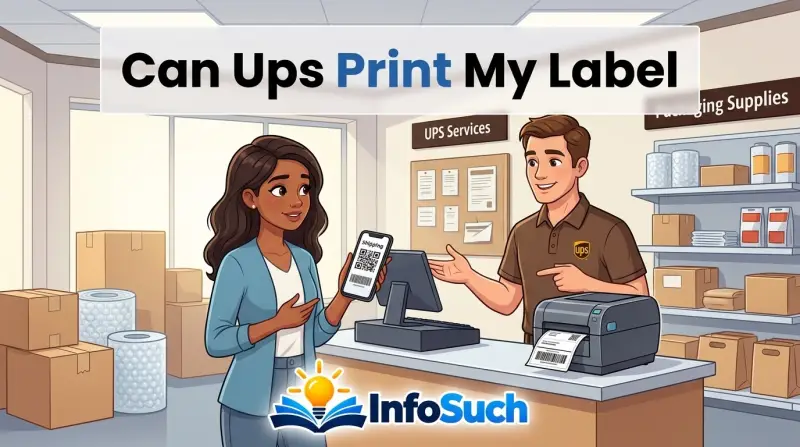
So, can UPS print my label? Yes, in most cases. The catch is that it depends on where you're standing and what kind of label you have.
If you're at a UPS Store or a UPS Customer Center, you're usually in good hands. If you're at a drop box or some Access Points, you're out of luck.
UPS's own documentation specifies that the standard labeling format is an 8.5 x 11-inch PDF, while thermal labels are 4 x 6 inches. As of 2026, most UPS Stores still offer in-house label printing. That said, the process has shifted heavily toward QR codes.
That shift changes how you should approach the counter.
Can UPS Print My Label? The Short Answer
Yes, usually. Most UPS Store locations will print it for you. A QR code means they can do it instantly.
A PDF label might come with a small fee. You may need to pay per page. The trick is knowing which location to visit.
How UPS Label Printing Actually Works
UPS doesn't run a single, uniform printing service. The experience changes depending on which location you choose.
When people say "UPS," they might mean a UPS Store, a UPS Customer Center, an Access Point, or a simple drop box. Each one handles labels differently. That's the first thing to understand.
Here's a quick breakdown of what to expect at each type of location.
| Location Type | Does It Print Labels? | What to Expect |
|---|---|---|
| UPS Store | Yes | Walk-in printing, small fee, or free with QR code |
| UPS Customer Center | Yes, usually | In-house labels for pickup or drop-off |
| UPS Access Point | Sometimes | Many partner locations have no printer |
| UPS Drop Box | No | No counter service at all |
The UPS Store is your safest bet. These are individually owned franchises, and most offer printing as a counter service. Some locations let you email your label PDF ahead of time so it's ready when you walk in.
Aggregate reviews report that most will help you without much fuss.
UPS Customer Centers are corporate-owned and handle more bulk shipping. They can usually print a label, but they're less common than UPS Stores. You'll find them in larger cities and industrial areas.
They're a solid option if you have one nearby.
Access Points are often small retail shops like bodegas or print shops. Some can print labels, but don't assume they can. Call ahead before you make the trip.
A quick phone call saves you from standing at a counter with a package and no way to label it.
Drop boxes have no staff and no printer. You can only drop off packages that already have a label attached. If you need printing, skip drop boxes entirely.
For the most current list of services, the official UPS help pages at ups.com cover what each location type provides.
QR Code vs. Printed Label: What's the Difference?
When you set up a return, you'll usually receive one of two things: a QR code or a PDF label. Understanding which one you have changes your next move.
A QR code is a scannable square that lives on your phone. It's linked to your return authorization and contains all the shipping details. When the associate scans it, the label prints automatically.
You never have to touch a printer.
A PDF label is a printable file you can view on a screen or save to your device. You can print it at home, at a library, or at the UPS Store. Some online sellers generate PDF labels directly from their shipping software.
Here's how they compare at the counter.
| Feature | QR Code | Printed PDF Label |
|---|---|---|
| What you get | Scannable code on your phone | File you can print |
| Speed | Fastest option | Slower, depends on where you print |
| Cost | Usually free | $1 to $2 per page at UPS Stores |
| Best for | Retailer returns | Sellers and manual shipments |
If you have a QR code, let the associate handle it. Don't try to convert it to a PDF yourself. The whole point of the QR code is that it removes the printing step.
Just show your phone to the associate and they'll do the rest.
If you have a PDF label, you have more control. You can check the label before you go, and you can print it at the store if needed. Just understand that the store might charge for the privilege.
How to Get Your Label Printed at UPS: Step-by-Step
Here's the exact process for getting a label printed at a UPS location. It works for both QR codes and PDF labels.
- Check your label type. Look at what the retailer sent you. Is it a QR code or a PDF? This determines everything next.
- Find the right location. Head to a UPS Store or UPS Customer Center. Skip Access Points unless you've confirmed they have printing.
- Prepare your package. Seal the box and make sure any old labels are removed. A clean surface helps the new label stick.
- Get your label ready. For a QR code, have your phone charged and the code visible. For a PDF, save the file where you can show it or email it.
- Call ahead if you're unsure. Some stores allow emailing the file directly. A quick phone call can save you a wasted trip.
- Bring the package to the counter. Have your ID if the label is for a return, since some retailers require it.
- Tell the associate you need a label printed. Be specific. Say "I need to print a return label" or "Can you scan this QR code for a return?"
- Let them handle the printing. For a QR code, they'll scan it. For a PDF, they'll either access your email or take the file from your phone.
- Verify the label. Check that your name, address, and tracking number look correct. A small typo can cause a delivery headache.
- Pay any printing fee. If there's a charge, they'll tell you before printing. If you didn't ask earlier, now's the time.
- Get your receipt. The receipt includes the tracking number, which you'll need for refunds or proof of return.
If the label is prepaid, you won't pay shipping at the counter. Only the printing fee applies, and only if the store charges one. QR code returns usually skip that fee entirely.
If the QR code won't scan, stay calm. Ask the associate if they can manually enter the return reference number. Most systems have a workaround.
How Much Does It Cost to Print a Label at UPS?
There is no single UPS printing price. That's the honest answer.
UPS Stores are independently owned franchises. That means the owner sets the price for extras like printing. As of 2026, you'll typically pay between $1 and $2 per page.
In our research, most locations keep it simple. A single-page label is usually around $1 to $2. If your label runs multiple pages, the cost goes up per page.
That's worth knowing before you hand over a two-page shipment form.
QR code returns are different. Since the retailer already covered the label, most stores won't charge you for printing it. The scanning step is free.
That's why QR code returns are so popular.
Printing your own label at home costs you paper, ink, and time. But it avoids the store fee entirely. If you have a printer and a scale, it's often the cheapest route.
Here's a quick pricing breakdown for the most common scenarios.
| Scenario | What It Usually Costs |
|---|---|
| QR code return printed at UPS | Free |
| PDF label, one page | $1 to $2 |
| PDF label, two pages | $2 to $4 |
| Print at home | Cost of paper and ink only |
| Drop off with pre-printed label | Free |
Before you agree to anything, ask for the price. A good store will tell you upfront. If they quote something surprising, you can always take your package elsewhere.
When It's Worth It (And When It's Not)
If you're already at a UPS counter with a package and no label, the decision is made. Print the label and move on. But if you're standing in your kitchen with time to think, the calculation gets more interesting.
When printing at the store makes sense:
- You don't own a printer or it's out of ink
- Your return comes with a QR code (it's free at the counter)
- You're traveling and need a quick turnaround
- The package is oversized and you need help getting the weight right
- You're returning something fragile and want the associate to verify the label matches
When printing at home makes more sense:
- You have a working printer and a scale
- You're sending multiple packages at once
- You want to avoid the store fee entirely
- You're shipping during peak return season and want to skip the line
Here's the honest math. A single store-printed label costs $1 to $2. If you're shipping once a month, that's pocket change.
If you're shipping every week, that's $50 to $100 a year for something a $30 printer could do at home.
Time matters too. A trip to the UPS Store takes at least 20 minutes. Printing at home takes five.
If you value your time at all, the home printer wins whenever you have one available.
Who each option fits best:
| Situation | Best Option | Why |
|---|---|---|
| First-time returner | UPS Store | Simple, they handle the process |
| Frequent online shopper | Home printer | The fee adds up across many returns |
| Small business owner | Thermal printer | Pennies per label at high volume |
| Traveler without a printer | UPS Store | No setup needed |
| Someone returning a large item | UPS Store | Associates can help with weight and size |
One more angle worth considering: package pickup. If you have a printer, you can schedule a UPS pickup and skip the store entirely. That only works if the label is already printed and stuck to the box.
Common Mistakes People Make (And How to Avoid Them)
Most label problems aren't technical failures. They're planning mistakes. Here are the ones we see most often.
Walking up to a drop box with an unlabeled package.
A drop box has no staff and no printer. It only accepts packages with a label already attached. If you show up with nothing, you'll carry your box to the nearest store or back home.
Assuming every Access Point can print.
Access Points are partner locations like grocery stores and print shops. They are not all created equal. Some have a full UPS counter setup.
Others are just a shelf and a scan box. Call ahead before you make the trip.
Not checking the printing fee in advance.
UPS Stores are franchises. Pricing is set by the owner, not by corporate. One location might charge $1 per page, another might charge $2.
Just ask before they hit print. There's no awkwardness in knowing the price.
Leaving old labels on the box.
A fresh label can't go over an old one. The barcode scanner will get confused. Shipping software also does a poor job when it reads two tracking numbers.
Peel off old labels before you arrive.
Arriving with a dead phone.
Your QR code lives on your phone. If your battery dies, you're stuck. Charge it before you head out, and screenshot the code as a backup.
Most in-store systems accept screenshots, though the live code is always preferred.
Showing up with an unsealed package.
Some stores will still help you print a label, but they'll make you tape the box first. It slows down the line and annoys the staff. Seal the box before you walk in.
Forgetting that some PDFs need to be emailed.
Not every store can pull a file off your phone directly. Many locations require you to email the label to the store's address. They then print it from the store's computer.
The front desk will tell you how they handle it when you arrive.
Not verifying the shipping address before you leave.
It's the most expensive mistake on the list. Once a package is scanned into the UPS system, it's in motion. A wrong address means a delayed package and a headache.
Check the label against the original order before you walk away.
Frequently Asked Questions About UPS Label Printing
Can I email my UPS label to the store for printing?
Yes, many UPS Stores accept emailed label files. The associate will print the PDF from the store's computer. Call the location first to get the correct email address, since it varies by franchise.
Some stores only accept files on a phone or USB drive, so confirm the method before you go.
Can UPS print a label without a QR code?
Yes, they can print from a PDF file as well. If you have a saved label file from the sender or from UPS.com, the store can print it for a small fee. You can show the file on your phone or email it to the store.
QR codes are faster, but PDFs work fine.
Does UPS charge to print a label?
It depends on the location. Most UPS Stores charge between $1 and $2 per page for PDF printing. QR code scans are usually free, since the return is already paid for by the retailer.
Always ask for the price before the associate prints, and you won't get any surprises.
How long does it take to print a label at UPS?
Usually under two minutes. If you have a QR code, the associate scans it and the label comes out of the printer immediately. If they need to open an email and print a PDF, it takes a minute longer.
The wait in line is typically the longest part of the visit.
Can I print a label at a UPS drop box?
No, drop boxes are completely self-service. They have no printer, no screen, and no staff. You can only use them with a label that's already printed and attached to your package.
If you don't have a label, you need a UPS Store or Customer Center.
Does UPS print return labels for Amazon items?
Yes, UPS Stores handle Amazon returns. If you chose a UPS Store as your return location, you'll get a QR code from Amazon. Bring the unsealed or sealed package to the counter, show the code, and the associate will print the label and take the package.
Final Decision Guide: Which Option Should You Use?
Here's a quick reference for every common situation you might face.
| Your Situation | Best Move | Why |
|---|---|---|
| QR code return from a retailer | Go to a UPS Store | Free, fast, and no printer required |
| PDF label and no home printer | Go to a UPS Store | Small fee, but the label gets done right |
| PDF label and a working printer | Print at home | Saves the fee and the trip |
| More than five shipments per week | Buy a 4×6 thermal printer | Cost per label drops to pennies |
| One-off prepaid label, already printed | Use a drop box or counter | No printing needed at all |
| Shipping from a seller portal | Use their pre-generated label | The label is already attached |
If you're standing in a UPS Store right now, don't overthink it. Let them print the label. Pay the $1 or $2 if it applies.
The alternative is wasting time traveling back home to print a piece of paper.
If you're planning ahead, the decision is about volume. Once a month, the store fee is trivial. Every week, buy a printer.
It's genuinely that simple.
The final takeaway from our research: QR codes are the way forward. They're free, they require no printing on your end, and they make returns nearly painless. If you have the choice between a QR code and a PDF label, always pick the code.