
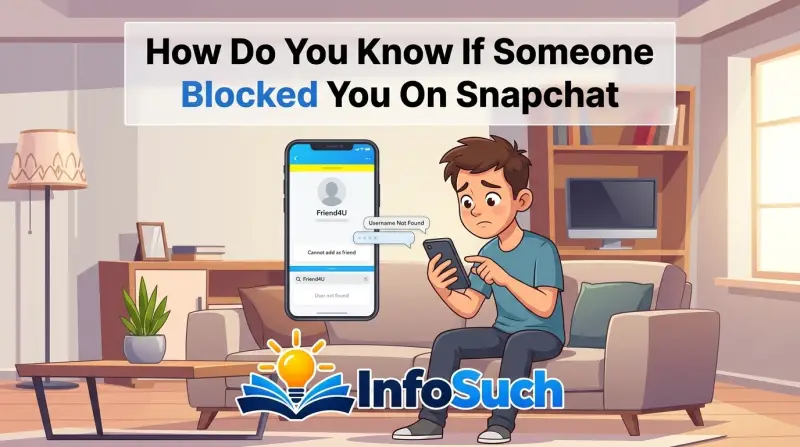
So you've typed someone's username into Snapchat more times than you'd like to admit. You're wondering: how do you know if someone blocked you on Snapchat? Look for three signals.
A missing search result. A message stuck on "Pending." A Snap Score that won't load. If all three line up, you've likely been blocked.
Snapchat's official support documentation confirms that blocked users lose access to the blocker's profile, Story, and chat. As of 2026, the app still sends no notification when you're blocked. That silence is why so many people end up guessing.
It makes a block easy to confuse with an unfriend, a deactivation, or a simple privacy setting change. Let's untangle that mess.
Why This Is So Confusing
The biggest reason people get this wrong is that Snapchat gives you no warning. There's no "You have been blocked" banner. No red flag.
One day you're chatting normally. The next day, the person's profile exists only in your memory. The app just goes silent.
Other ways a profile can get hidden make it worse. Removing someone as a friend looks similar to a block in some respects. A person who turns their account private disappears from search if you aren't friends.
An account that gets deactivated wipes away all traces too. Three very different situations, all with one same symptom: you can't see what they're doing.
There's also the wildcard of privacy settings. On Snapchat, if someone sets their account to "Only Friends," non-friends can't view their Story or Snap Score. If you've been removed as a friend, you might not see their Story or score even though you're not blocked.
That's the look-alike that fools most people.
The fix? You don't rely on one clue. You use a sorting process.
Quick Answer: The Three-Signal Test
To know if someone blocked you on Snapchat, search their exact username. Send a single test message. Check their Snap Score and Story.
If all three fail, you're blocked.
That may sound too simple, but it holds up. Snapchat's block feature hides your profile from the blocked person completely. It also blocks the reverse direction.
When you can't find them, can't message them, and can't see their activity, the block is almost certain.
Here's what each signal tells you:
- Search result: You won't find the exact username in Snapchat's search function.
- Test message: A direct message stays stuck on "Pending" and never says "Delivered."
- Snap Score and Story: Their score is missing or won't load. Their Story ring is gray or gone.
If only one signal shows up, don't jump to conclusions. You might be dealing with a deactivated account or a privacy change. Two or three signals together give you a much stronger answer.
How Blocking on Snapchat Actually Works
When someone blocks you, their account becomes invisible to you in almost every way. You can't find them in search. You can't send messages.
You can't view their Story. Snapchat's own support center spells this out under its blocking guide. You can check the official Snapchat Support Center for the exact wording.
The block is also one-way. They can still see you if they look you up. You'll never see them.
It's not a mutual removal like on some other platforms. That asymmetry is what makes blocked accounts feel so oddly empty.
Here's a quick table that maps what changes after a block:
| Feature | What happens when you're blocked |
|---|---|
| Search by username | Your search shows "No Results" or nothing appears |
| Chat | Messages won't send; they stay on "Pending" |
| Snap Score | Score disappears from their profile or fails to load |
| Story | Story ring vanishes from your feed and friends list |
| Profile | Their name may still appear in old threads, but the profile looks blank |
| Friends list | They're removed automatically |
A deactivated account causes most of these same symptoms. That's why the steps in the next section matter so much. You're not just looking for one sign.
You're checking whether the whole profile is gone or just hidden.
Step-by-Step: How to Check If Someone Blocked You on Snapchat
This is the process we recommend based on how Snapchat's app actually behaves. Do the steps in order. Don't skip the username step.
Each one eliminates another possibility.
Step 1: Search for Their Exact Username
Open Snapchat. Tap the search icon at the top. Type their exact username.
Not their display name. Their username is the unique @handle connected to the account.
If the profile appears in search, you're not blocked. Stop worrying immediately. Then check the button on their profile.
If it says "Add Friend," you've been unadded. If it says "Chat" or "Send Chat," the friendship is still active.
If the search returns "No Results," that points toward a block, a deactivation, or an account that no longer exists. You can't tell which from this step alone. That's why you need the next two steps.
Step 2: Send a Test Message
The second signal is the chat status. Send a direct message to the person you suspect blocked you. Just a single message.
Nothing dramatic.
Watch what happens to the delivery status. If the message stays on "Pending" for more than a few minutes, that's a red flag. Normally, a Snapchat message either changes to "Delivered" or "Opened" quickly.
"Pending" means Snapchat can't connect you. Blocking is one of the main causes.
But here's a catch: "Pending" can also appear when the other person has their app closed, lost internet access, or turned on Airplane Mode. So don't base your answer on one message alone. Give it a few hours.
Then check again.
Step 3: Check Their Snap Score and Story
After the test message, go back to their profile if you still have a path to it. That could be through an old chat thread or a group chat you both share.
If you can see their Snap Score, you're not blocked. The number loads and updates. If the score is missing, hidden, or the profile shows zero information, that's a strong secondary signal.
Same goes for their Story. In your chat list or friends list, you'd normally see a colorful Story ring around their profile. If the ring is gray, gone, or you can't tap it, the content is hidden from you.
That could mean a block, a private friends-only Story, or a removed friend.
Here's a table that summarizes how the three signals sort out:
| Symptom | Blocked | Removed as friend | Deactivated |
|---|---|---|---|
| Username appears in search | No | Yes | No |
| Direct message gets delivered | No | Yes | No |
| Snap Score visible | No | Yes, unless account is private | No |
| Story visible | No | Yes, unless account is private | No |
The "private account" note is important. If someone removes you as a friend, and their account uses the "Only Friends" privacy setting, the Story and Snap Score become invisible to you even though you weren't blocked. The username still appears in search.
That keeps the search signal reliable.
What Your Chat History Tells You
Your old chat thread holds more information than you might think. It's also the reason some people miss a block entirely.
After someone blocks you, the chat thread with them often disappears from your inbox completely. You'll open Snapchat, scroll to where they used to be, and find an empty gap. That's a very common experience.
It's also why many people don't realize they've been blocked until they try to search for the profile.
Other times, the chat stays in your inbox but behaves differently. You can tap it and still see past messages. But if you try to send something new, the message stays on "Pending" forever.
A thread that never resolves to "Delivered" after days is a telltale sign.
The bigger point: if the thread is gone, you can't rely on it. If the thread is still there, it gives you a way to run the three-signal test from the previous section. Tap their name inside the thread, and you'll jump to their profile.
From there, you can check the Snap Score and Story visibility directly.
Group chats add another angle. If you and the person share a group, their name may still appear in the member list even after a block. Tapping that name usually opens a stripped-down profile with no Story ring and no visible score.
It's one more clue you can check without needing a fresh chat thread.
Blocked vs. Unfriended vs. Deactivated: The Comparison Guide
The three situations look alike from a distance. Up close, they each leave a different pattern of clues. Learning to read those patterns stops you from jumping to the wrong conclusion.
You Are Blocked
The block is the most complete cutoff. Every access point gets closed.
- Search: Username does not appear in results. Not even a partial match.
- Chat: Messages stay on "Pending" permanently. They never switch to "Delivered."
- Snap Score: Completely invisible. The profile either shows nothing or fails to load.
- Story: No ring. No content. The story is entirely hidden from your view.
- Chat thread: Often disappears from your inbox. If it stays, it is dead and unresponsive.
Blocking is a one-way action. The person who blocked you can still see your profile if they search for it. But you cannot see theirs.
That asymmetry is a key clue to look for.
You Are Removed as a Friend
Being unfriended is less severe than blocking. The person removed you from their friends list, but you are not banned.
- Search: The username appears in results. That is the biggest difference from a block.
- Chat: Messages still send and deliver. You can keep chatting unless they have also blocked you.
- Snap Score: If the account is public, you can still see the score. If the account is private, the score becomes hidden. That is a trap scenario.
- Story: Same as the score. Public account means you can still view it. Private account means you lose access.
- Chat thread: Stays in your inbox. You can still tap it and see past messages.
The removal is reversible. You can send a new friend request. But if they removed you for a reason, they might ignore it.
The Account Is Deactivated or Deleted
A deactivated account is a ghost. It is not a personal action against you. The person simply left the app.
- Search: The username does not appear. No results at all.
- Chat: Messages stay on "Pending." They never deliver because the account no longer exists.
- Snap Score: Gone. The profile will not load any data.
- Story: Vanished. No ring. No content.
- Chat thread: Usually disappears. If it remains, you cannot interact with it.
The critical difference between a block and a deactivation is that the deactivation affects everyone. Ask a mutual friend to search for the username. If they get "No Results" too, the account is gone.
If only you get no results, you are blocked.
Side-by-Side Comparison Table
| Clue | Blocked | Unfriended | Deactivated |
|---|---|---|---|
| Username in search | No | Yes | No |
| Message delivers | No | Yes | No |
| Snap Score visible | No | Depends on privacy | No |
| Story visible | No | Depends on privacy | No |
| Affects other users | No | No | Yes |
| Chat thread remains | Sometimes | Yes | No |
| Profile has any data | No | Yes | No |
The "Depends on privacy" line is the one that trips people up. If the person you unfriended has a private account, you lose access to their score and story even though you are not blocked. The search result is the only reliable tiebreaker in that case.
What You Should NOT Do (Seriously)
When you suspect a block, the urge to push back is strong. Resist it. Some actions make things worse or violate Snapchat's terms.
Do Not Create a Fake Account
Creating a second account to "test" whether you are blocked violates Snapchat's Terms of Service. The platform explicitly prohibits using multiple accounts to circumvent blocks or other restrictions. If Snapchat detects the same device or IP address accessing a blocked profile through a new account, both accounts can face suspension.
Beyond the rules, it is also a respect issue. If someone blocked you, they made a deliberate choice. Trying to find a way around it sends a message you probably do not want to send.
Do Not Keep Sending Messages
A single test message is fine. Sending ten messages hoping one will slip through is not. Each message stays on "Pending" and takes up space on both ends.
You gain nothing, and you fill your inbox with dead threads.
If the message is not delivering after one attempt, the block is very likely. More messages will not change the outcome.
Do Not Confront Them on Another Platform
Texting, calling, or messaging the person on Instagram or WhatsApp to ask "Did you block me?" rarely ends well. If they blocked you, they already chose not to engage. Confronting them elsewhere can feel like harassment, especially if the block was about setting a boundary.
There is an exception. If you believe the block was accidental or caused by a misunderstanding, a polite single message on another platform is okay. But keep it brief.
"Hey, I noticed I can't find you on Snapchat. Did something happen?" That is enough. Do not push for an explanation.
Do Not Ask Mutual Friends to Spy
Asking a mutual friend to check the person's profile for you is tempting. It is also a bad look. It puts the friend in an awkward position and can damage your reputation.
If the person finds out you asked someone to check, they may feel their privacy was disrespected.
The three-signal test gives you enough information on your own. You do not need a go-between.
Common Mistakes That Fool People
Even with a clear process, people misread the signals. Here are the most common errors.
Mistake 1: Searching by Display Name Instead of Username
Snapchat allows multiple people to use similar display names. Searching "Sarah Johnson" might bring up five different Sarahs. If the person you are looking for set their display name to something generic, you might not find them even if you are not blocked.
Always search by the exact username. That is the unique identifier. Display names are not reliable.
Mistake 2: Assuming One Clue Means a Block
A single pending message is not proof of a block. The person might have their phone off, be in Airplane Mode, or have a dead battery. A single "No Results" in search might mean the username is spelled wrong.
The rule is three signals or none. Two signals is borderline. One signal is not enough to be sure.
Mistake 3: Forgetting That Private Accounts Hide Profile Details
This is the most common mistake by far. A person who removes you as a friend and has their account set to "Only Friends" will appear to be blocked if you only check the score and story. The score disappears.
The Story ring turns gray. You think you are blocked.
But the username still appears in search. That is the giveaway. Check search first, and you will avoid this mistake.
Mistake 4: Checking Too Quickly
You send a test message and it shows "Pending" for two minutes. That is not long enough. The person might be on a slow connection or in a spotty area.
Give it a few hours. Check again the next day.
A block is permanent. It will not change. A temporary network issue will resolve.
Mistake 5: Confusing a Mute or Hide with a Block
Snapchat has a "Hide" feature that removes someone from your friends list without notifying them. You can also mute someone's stories. Neither of these is a block.
The hidden or muted person can still see the profile, send messages, and view the story if they are a friend.
The signs of a mute are subtle. You will not see their story in your feed, but you can still view it by visiting their profile. That is not a block.
Real Scenarios: What This Actually Looks Like
These examples show how the three-signal test works in real situations.
Scenario 1: The Post-Argument Block
You had a disagreement with a friend. The conversation ended awkwardly. A few days later, you notice they are missing from your friends list.
You run the test. Search for their username. No results.
You send a message from an old chat thread. It stays on "Pending" for 24 hours. You check their profile through a group chat.
The Snap Score is gone. The Story ring is gray.
All three signals point to a block. The conclusion is clear. You have been blocked.
The right response is to accept it. Give them space. If they want to reconnect, they will unblock you.
Pushing will only reinforce their decision.
Scenario 2: The Accidental Removed Friend
You notice a friend's profile looks different. Their Snap Score is missing. Their Story is not updating.
You wonder if you are blocked.
You search for their username. It appears. That is signal one working against a block.
You send a message. It delivers normally. That is signal two working against a block.
The missing score and story are explained by a privacy setting change. The person switched their account to "Only Friends." You were removed from their friends list, but you are not blocked. You can send a new friend request if you want to reconnect.
Scenario 3: The Deactivated Account That Looks Like a Block
You go to check on an old friend. Their profile is gone. You search for their username.
No results. You send a message from a past chat. It stays on "Pending."
You check with a mutual friend. They also cannot find the profile. That is the key difference.
A block only affects you. A deactivation affects everyone.
The conclusion is that the person deleted their account. It is not personal. They may have left Snapchat for good.
You can reach out on another platform if you want to stay in touch.
FAQ: Quick Answers to Common Questions
Can someone block you and still appear in your friends list?
No. When someone blocks you, Snapchat removes them from your friends list automatically. If they still appear in your list, you are not blocked.
You may be unfriended, but not blocked.
Can you still see their Snap Score if they blocked you?
No. A block hides the Snap Score completely. You will see a blank profile or a loading error.
If you can still see a number, even a frozen one, you are not blocked.
Does blocking delete your chat history on their end?
No. The chat history remains visible to the person who blocked you. They can still read the old messages.
The block only prevents new messages from arriving. You may lose access to the chat thread on your end, but they keep the record.
Will a blocked person know they were blocked?
Snapchat does not send a notification. Most people figure it out when they cannot find the person in search or their messages stay on "Pending." It is not a secret, but it is not announced either.
Can you block someone and still receive their messages?
No. The block is absolute. No messages, no snaps, no calls.
Nothing gets through from the blocked person. If you want to stop messages but not block, you can mute the person instead.
If you unblock someone, do you get your old chats back?
No. Unblocking a person does not restore the chat history. You start fresh.
The old messages are gone for both of you, unless one of you saved them before the block.
Final Decision Guide: So Were You Blocked or Not?
You have the clues. Now let's make a call. Run through the three-signal test one more time.
Write down what you saw for each clue. Then compare it against the table below.
| Signal | Blocked | Not Blocked |
|---|---|---|
| Username in search | No exact match | Exact match appears |
| Test message status | "Pending" for 12+ hours | "Delivered" or "Opened" |
| Snap Score on profile | Missing or blocked | Score displays |
| Story ring on profile | Gray or absent | Colored and viewable |
| Chat thread still active | Dead, no new activity | Active or recently updated |
If your results match the "Blocked" column on at least three signals, the block is the most likely answer. If you only matched one signal, you probably missed a privacy setting or the person's phone is off.
There's one last check. Ask a mutual friend to search for the username. If they can see the profile, you are blocked.
If they cannot, the account is gone.
What to Do After You Confirm the Block
Awkward moment. The block is real. What happens now?
First, stop checking. Every repeated search adds frustration. The score won't come back, and the story won't reappear.
You are wasting your own time.
Second, archive or delete the chat thread. Snapchat gives you that option. Clearing it removes the visual reminder and helps you move on.
You can still find the person again through search if they ever unblock you, but the thread doesn't need to sit there.
Third, decide if you should reach out elsewhere. That depends on why the block happened. If it came after a fight, respect the boundary.
If it happened without any explanation, a quiet message on another platform is okay. Keep it short and non-confrontational.
Finally, resist overthinking. A block is a statement about the other person's boundaries, not your worth. It happens to thousands of people on Snapchat every day.
Let it sit. Focus on the relationships that still say "Delivered."
Why Snapchat Doesn't Notify You
Snapchat's block feature works in silence on purpose. The company doesn't send a "You have been blocked" push notification or an email. That's a design choice.
Privacy is the core reason. Snapchat's help center emphasizes giving users control over their experience. A silent block lets someone cut off a contact without triggering a confrontation.
It allows for clean breaks, especially in situations where the other person might respond aggressively.
There's also a practical side. If Snapchat notified people about blocks, users could simply block and unblock rapidly to send messages. It would turn the feature into a communication tool instead of a privacy shield.
So the block stays quiet and permanent.
The downside is that you end up guessing. But now you know the signature signs. You can diagnose the block without an official alert.
Can You Tell If Someone Blocked You Without Sending a Message?
Yes. Several methods don't require sending a message at all.
Check Snap Map
If the person shared their location with you, their Bitmoji and location would appear on the Snap Map. A block removes you from that view entirely. Open the map and search for their location.
If you see nothing, that's a clue.
This only works if they had location sharing enabled. Many users turn that off. So don't rely on it alone.
Inspect Your Friends List
Scroll through your friends list. A blocked person disappears entirely. If they were on the list before and now they're gone, that's a strong sign.
Just make sure you didn't accidentally remove them.
Check a Shared Group Chat
If you and the person were in a group together, open that group. Tap on their name in the member list. The profile will load with no Story ring and no Snap Score.
That's a good secondary signal.
Look at Your Chat Search
Type their username in the chat search bar at the top of the inbox. If the thread appears but won't respond to messages, that's a partial signal. If the thread appears at all, you are probably not blocked, just unfriended.
Watch for Story Rings in the Stories Tray
If their Stories used to appear in your Stories tray and now they're missing, that could indicate a block or a privacy change. Combined with a missing search result, it becomes more reliable.
None of these methods alone are conclusive. But stack them together, and you have a solid picture without ever hitting send.
How Long Should You Wait Before Reaching Out?
There is no universal timer, but patience is your friend. The general rule is at least 48 to 72 hours after you've confirmed the block. That gives both of you time to cool down.
If you immediately reach out on another platform, you risk looking pushy. The block already signaled a boundary. A respectful pause shows you understand that.
Give it a few days.
If the block came from a casual acquaintance or someone you barely know, skip the outreach entirely. They made their choice. There's nothing to salvage.
If the block came from an ex-partner or a close friend, the situation is more complicated. Waiting a week before a single, honest message is reasonable. Something like: "I know you blocked me on Snapchat.
I'd like to talk if you're open to it." Short and direct.
After that, let go. Sending more than one follow-up is harassment territory. One message is enough.
The rest is up to them.
Remember that in many cases, the block is not about you at all. It could be about cleaning up their friends list, moving on from their past, or setting a boundary. Time will give you the clarity that constant checking never will.