
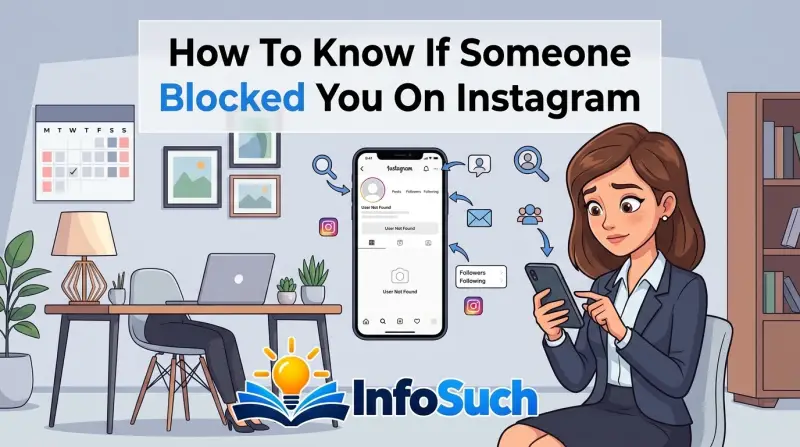
It's a sinking feeling. You tap on a friend's profile, and instead of their latest photos, you get a blank screen that says "User Not Found." You search their handle, and nothing comes up. If you've been trying to figure out how to know if someone blocked you on Instagram, you're not alone.
This happens to almost everyone at some point.
The frustrating part is Instagram won't tell you. As of 2026, the app still sends no notification, no email, and no system message when someone blocks you. You're left to piece together clues on your own.
Those clues are actually consistent. Once you know what they mean, you can stop guessing. That's exactly what we'll walk through here.
The Dreaded Vanishing Act: Why Is Someone's Profile Suddenly Gone?
One day they're there. The next day they're not. This is the "vanishing act" that sends people down a rabbit hole of confusion.
A profile can disappear from your app for several reasons, and not all of them mean you've been blocked.
Here are the main possibilities:
- Blocked. The person specifically removed you from their audience.
- Deactivated temporarily. The person took a break from Instagram, so their account is hidden from everyone.
- Deleted permanently. The person closed their account for good.
- Suspended by Instagram. Instagram removed their account for a policy violation.
- Changed their username. The profile still exists, but your search finds the old name.
If the profile is gone only for you, that points to a block. If it's gone for everyone, you're likely looking at a deactivation, deletion, or suspension. That distinction matters, and it's the first fork in the decision tree.
Quick Answer: The 30-Second Test That Tells You More Than Any Sign
To know if someone blocked you on Instagram, check an old DM. If your message shows "Sent" but never "Delivered," that's a block. Then search for their username.
No profile appearing means you're likely blocked. Deactivated accounts vanish too, but the DM test tells them apart.
Block vs. Deactivated vs. Deleted: The Three-Way Fork You Need to Rule Out First
Before you assume the worst, rule out the other ways a profile can disappear. Blocking, deactivating, deleting, and suspending all show similar symptoms. The difference is who can still see the profile.
Blocked means you're specifically cut out. Deactivated means the account is hidden from everyone, including mutual friends. Deleted means the account no longer exists.
Suspended means Instagram itself pulled the account down. A changed username means the account still exists, but your search for the old name won't find it.
Here's a quick reference table:
| Scenario | Your view | What it likely means | | Blocked | Profile gone, DMs stuck on Sent | Only you can't see them | | Deactivated | Profile gone, no DM delivery | Everyone can't see them | | Deleted | Profile gone, no DM delivery | Everyone can't see them | | Suspended | Profile gone, no DM delivery | Everyone can't see them | | Username changed | Old profile gone, search fails | Search the new handle |
Instagram's official Help Center documents blocking as the feature that keeps a person from seeing your profile, posts, or story. That matches the classic vanishing act. So if a profile disappears for you but stays visible to others, you've found a block.
The fastest way to tell these apart is to check the profile from a different account or a logged-out browser. If the profile appears there, it was never deleted. Your personal access just got cut, which points straight to a block.
Signal One: Your DM Conversation and What "Sent" vs "Delivered" Actually Means
Your existing DM conversation is a built-in lie detector. Open your chat with that person and look at the message status under your last sent message.
Instagram uses three statuses:
- Sent. The message left your phone and reached Instagram, but the recipient's device hasn't confirmed it.
- Delivered. The recipient's phone received it.
- Seen. The recipient opened it.
If you've been blocked, new messages will sit on "Sent." They never turn into "Delivered" because the app refuses to hand the message to someone who blocked you. It's not perfect proof by itself, especially if the person has notifications off, but a message stuck on "Sent" for days is a heavy signal.
| Status | Usually means | | Delivered | Account exists, message received | | Sent only | Account may be hidden, deactivated, or you're blocked | | Seen recently | Account is active and not blocking you |
Here's how to test it cleanly:
- Open the existing DM conversation.
- Send a short, neutral message, like "Hey."
- Wait at least 30 minutes.
- Check the status under your message.
If it still says "Sent" after a few hours, that's a strong indicator. But don't stop there. Pair this result with the search test below to get a definitive answer.
Signal Two: The Logged-Out Browser Search Test
Your account's block list is invisible, but Instagram's public web pages can confirm whether a profile actually exists. Open a private or incognito window. Go directly to instagram.com/username.
If the profile loads, the account exists. If it asks you to log in to continue, that's normal for private profiles, but you might still see the user's name and bio. If you see "Sorry, this page isn't available," the account may be deleted, deactivated, or you might have the wrong handle.
If the profile loads in the logged-out browser while your own app shows nothing, the block is nearly confirmed. Because if the account were deleted, it wouldn't load for anyone. If it's a private account, you might not see posts, but you'll at least see the username and profile picture.
Here's the exact process:
- Open an incognito or private window in your browser.
- Type
instagram.com/and then their exact username. For example,instagram.com/jordan.example. - Hit enter and see what appears.
- Now open the Instagram app and search the same username.
If the browser shows the profile but your app search doesn't, that's about as close to a confirmed block as you can get without a direct confession. The only exception is a username change, so double-check that you're searching the right handle.
Signal Three: The Follower and Like Audit
If the search test feels too sterile, try the social audit. This method uses your existing interactions to spot the block. It works because blocking removes your digital footprint from the other person's account.
Start with your followers list. Open your profile, tap "Followers," and search for their username. If they followed you, they'll normally appear here.
Once blocked, they vanish from your follower count. If they were following you, your own follower number drops by one the moment the block happens.
Next, check your following list. Someone who blocks you automatically unfollows you. That means their name disappears from your following list too.
If you find them in neither list, that's a strong double confirmation.
Now check your likes and comments.
Find a post where you know you commented. Open their profile first. If the profile is blocked, you can't open it at all.
So instead, find the post through a mutual friend's tag or a saved link. If the post loads but your comment is missing, that confirms the block. Instagram strips your comments and likes from a blocked user's content because it removes your entire interaction footprint.
One important caveat: if the person deactivated their account, your likes and comments are still there. They're just hidden while the account is inactive. The difference between blocked and deactivated comes down to visibility.
Blocked only hides you. Deactivated hides everyone.
Here's a simple table to help you compare your audit results:
| Check | Blocked means | Deactivated means | | Follower count | Your count drops if they followed you | Your count doesn't change | | Their follow list | Your name disappears | Your name stays | | Your comments on their posts | Completely gone | Still present but hidden temporarily |
If you already checked a DM, the audit adds another data point. One sign is anecdotal. Two signs pointing in the same direction are almost always conclusive.
Signal Four: The Follow Button Check
Now let's talk about the most visual clue on Instagram. Open the person's profile one more time on any account where you still have access. Look at the button in the top right area, right next to the message icon.
That button tells you your relationship with that account. Here's what each version means:
- Follow. You're not following them, or you've been blocked with no prior follow.
- Following. You follow them and they haven't blocked you.
- Requested. You sent a follow request to a private account and it's still pending.
- Message. You follow each other, and everything is normal.
If you previously followed this person and the button suddenly shows "Follow" again, they unfollowed you or blocked you. The block automatically unfollows you from their account. A manual unfollow does the same thing, so this sign alone isn't enough to confirm a block.
Here's where it gets interesting. If their profile is private and your follow request was previously accepted, the button says "Following." After a block, it reverts to "Follow." That change is instant. You will never see "Requested" when blocked on a private account you already followed.
Instagram treats the block as a full reset, so your relationship status goes back to zero.
If you're still not sure, tap the "Follow" button. Watch what happens.
If their profile is public, tapping "Follow" will immediately follow them again. But wait. If they blocked you, tapping "Follow" will do nothing.
The button might flicker or appear to load, but it will stay on "Follow." Instagram won't let you follow someone who blocked you.
If their profile is private and they blocked you, tapping "Follow" might show "Requested" temporarily. But the request never goes through. That "Requested" state exists for a moment, then disappears.
The profile is still inaccessible.
| Button state before | Button state after block | What it means | | Following | Follow | Instant relationship reset | | Follow | Follow (won't change) | Blocked, or never followed | | Requested | Follow | Blocked, request vanished | | Message | Follow | Blocked, chat shortcut removed |
The follow button test is quick and reliable, but only if you combine it with at least one other sign. Right now you have the DM test, the search test, and the audit. If two or more say block, you have your answer.
Signal Five: The Alternate Account Method
Sometimes you need absolute certainty. That's where a second Instagram account comes in. If you have a backup account, a friend's phone, or even a family member's device, you can settle this in under a minute.
The logic is simple. If the person blocked you, they didn't block your alternate account. So from a different account, their profile should look completely normal.
If you search the same username and the profile appears, you're not dealing with a deactivated or deleted account. The account exists. You've been blocked.
Here's how to run the test properly:
- Log out of your main account on your phone.
- Log in to your alternate account.
- Search for their exact username.
- Check if their profile loads normally.
- Compare what you see.
If the profile shows their posts, bio, and follower count, you've confirmed the block. The account exists. Everyone else can still see it.
Your main account just got cut off.
This works even on private accounts. On a private profile, the alternate account will at least see the username, profile photo, and bio. If the account were truly deleted, none of that would exist.
One warning: don't use this to spy repeatedly. Checking once for clarity is one thing. Creating a new account just to keep stalking someone's stories after they blocked you violates Instagram's terms and can get your new account flagged or banned.
This test is for confirmation, not harassment.
| Alternate account result | Diagnosis | | Profile loads, posts visible | Confirmed block | | Profile loads, private preview visible | Confirmed block | | "Sorry, this page isn't available" | Deactivated, deleted, or suspended | | Profile exists but username is different | Username change, not a block |
That last row matters more than people realize. A username change looks identical to a block in the app. Your search for the old handle fails.
The profile doesn't appear. You think you're blocked, but they just rebranded. The alternate account test catches this because searching their old username still shows nothing, but searching their new one works.
If you have a mutual friend who still follows them, ask for their current handle before you assume the block.
The Restrict Trap: Why You're Probably Not Blocked, Just Silently Muted
Here's the situation that creates the most confusion. The person is still following you. Their profile still loads.
Your DMs still say "Delivered." But they never read your messages, they never respond, and you're starting to feel like you're invisible to them.
That's not blocking. That's Restrict mode.
Instagram's Restrict feature is a soft block. When someone restricts you, a few things happen. Their messages land in their Message Requests folder instead of their main inbox.
They stop receiving notifications about your messages. Your comments on their posts are visible to you but hidden from everyone else. And they can choose to read your DMs without you ever seeing a "Seen" receipt.
Restrict is designed for people who want to create distance without making a scene. It's the subtle, modern-day version of putting someone on mute.
The differences from a real block are critical:
| Feature | Block | Restrict | | Profile visible | No | Yes | | DM shows "Delivered" | No, stuck on "Sent" | Yes | | You stay in their followers list | No, auto-unfollow | Yes | | Your comments visible to others | No | No, but you can see them | | You can still tag them | No | Yes, but they approve it |
If someone restricted you, you won't see any of the vanishing signs. The profile is fully visible. The follower connection stays intact.
Your only symptom is silence. The person is actively choosing not to engage, but they haven't cut your access.
If you're trying to figure out what's happening between you and another person, understanding Restrict saves you from a false accusation. Nothing upsets people more than being accused of blocking someone when they just quietly muted them.
What if you're being ignored but the signs are clean?
Run through your checks one more time. The profile loads. Your DM says "Delivered." The follow button still says "Following." Your comments still appear.
Under the decision tree, every path says no block. What you're seeing is simply a person who isn't replying. That can sting, but it's not blocking.
The takeaway here is that the absence of engagement is not the same as the removal of access. Instagram's blocking feature is binary. You either have access to the profile or you don't.
Restrict keeps all the access and removes all the attention. If you're not blocked and not restricted, you might just be dealing with someone who's busy, overwhelmed, or not interested. All of those are harder to diagnose than a block.
Troubleshooting Edge Cases: Private Accounts, Shared Devices, and Glitchy Networks
You've done all the tests. The results are mixed. One says blocked, the other says not.
Before you spiral into confusion, check for edge cases. These are the situations where Instagram's standard behaviors break down.
Private accounts and the DM test
If the person has a private account and never accepted your follow request, your DM test behaves differently. Your message will show "Sent" even if your request is pending. That's normal.
Their account is closed to you because they haven't approved you. It has nothing to do with a block. To confirm, check from an alternate account.
If the profile is visible there but not on your main account, it's a block. If it's invisible on both, the account is deactivated or deleted.
Shared devices and cached search results
Instagram apps on shared devices can hide search results for another reason. The algorithm learns what you interact with. If the device has been used to view this profile frequently, the app might show a cached result even after a block.
You'll see the username in the search bar's suggested list, but tapping it shows nothing. This fools people into thinking the block is temporary. It's not.
The cache just hasn't refreshed. Clear the app's cache or search from a fresh browser tab to get accurate results.
Network glitches that mimic a block
Sometimes a profile won't load because of bad Wi-Fi, not because you're blocked. Instagram's servers sometimes fail to deliver images and profile data on weak connections. The "User Not Found" screen can appear for a few seconds, then resolve once the connection stabilizes.
How do you tell the difference? Try loading other profiles. If all of them load slowly or fail, it's your network.
If every profile loads instantly except that one, it's a block. Also try switching from Wi-Fi to cellular data. A working profile will load after a quick connection change.
A blocked profile will still be missing.
| Edge case | What it mimics | How to confirm | | App cache | Blocked profile vanishing | Clear cache and retry | | Weak connection | User Not Found error | Switch to cellular data | | Pending follow request | DM stuck on Sent | Check Public vs Private status | | Username change | Deleted or blocked account | Ask mutual friend for new handle |
The account was recent or borderline spam
Instagram sometimes hides accounts that look like spam even from people who follow them. If the person recently created the account and hasn't verified their email or phone number, Instagram may shadowhide their profile. Search results won't show them.
The profile link might error out. This has nothing to do with you. If a mutual friend can see the profile and you can't, check whether their account looks new or unreviewed before assuming you're blocked.
Mistakes to Avoid: Third-Party Apps, Confrontations, and False Confirmations
When you're anxious for an answer, it's tempting to look for shortcuts. Some shortcuts will give you bad intel. Others will hand your login credentials to a stranger.
Let's start with third-party apps. Search for "who blocked me on Instagram" and you'll find dozens of apps promising a definitive list. They don't work.
These apps can't see Instagram's block records because Instagram doesn't expose them. What those apps actually do is scrape your followers, run some pattern matching, and show you plausible guesses. They also request access to your account, which means they can read your messages, change your profile, or lock you out.
Instagram's terms of service prohibit this, and using them can get your account flagged.
If you're tempted, know this: no legitimate app can deliver that data. Instagram's Help Center explicitly positions blocking as a private action between accounts, and it doesn't offer any API endpoint that reveals block status to third parties. Treat any app claiming otherwise as a scam.
Next mistake: confronting the person too early. If you've only seen one sign, like a missing profile, you might be dealing with a deactivation. Accusing someone of blocking you when they just took a break is a good way to wreck a relationship.
Wait until you've confirmed with at least two independent signals before you even consider bringing it up.
False confirmations are the third trap. A weak Wi-Fi signal, a cached search result, or a temporary server glitch can all produce the "User Not Found" screen. The same problem happens with comments.
If you commented on someone's post and it vanished, you might assume a block. But Instagram removes comments for policy violations too, even if you're not blocked. Always cross-check with another method.
Here's a quick list of what not to do:
- Don't download "block checker" apps.
- Don't pay for a service that claims to detect blocks.
- Don't spam the follow button to test the block.
- Don't create multiple fake accounts to keep viewing their posts.
- Don't confront the person based on a single symptom.
If you find yourself doing any of these, step back. You're not looking for clarity. You're looking for reassurance, which is perfectly normal.
Just let the decision tree at the end of this article guide you instead.
Real Scenarios: What Each "Profile Not Found" Combination Really Means
Clear signs are great. But what if the signs feel scattered? Let's map out real combinations so you can match your situation and get a straight answer.
Scenario 1: Profile missing in your app, but loads in a logged-out browser.
You open the Instagram app, search the username, and nothing appears. Then you open an incognito tab and type instagram.com/username. The profile loads, complete with their posts.
This is a block. The account exists globally, but your specific account can't access it. No other explanation fits.
Scenario 2: Profile missing in your app and in the logged-out browser.
You search from your phone and get nothing. You search from a private browser and get the same "Sorry, this page isn't available." Now the account doesn't exist publicly. This means the person deactivated, deleted, or got suspended.
Send a text to a mutual friend and ask them to check the profile. If they also can't see it, the account is gone for everyone.
Scenario 3: Profile shows in the app, but your messages stay on "Sent."
The profile loads, you see their posts, but your DM hasn't moved past "Sent" for hours. They haven't deleted their account. They haven't blocked you, because a block would hide their profile.
What you're looking at is either a dead phone, someone ignoring their DMs, or a genuine technical issue. Keep an eye on your network connection.
Scenario 4: Profile is missing, but your mutual friend still sees their posts.
This is the clearest combination yet. If a mutual friend opens their phone, searches the username, and sees the profile, then the account exists. The only reason you can't see it is that your access was revoked.
That's a block. There's no other way to hide a profile from one specific person while leaving it visible to everyone else.
Scenario 5: Profile is missing, AND your mutual friend sees it, AND your DM says "Sent."
Everything checks out. You're blocked. Add this together: the profile is alive, you can't see it, and your messages aren't being delivered.
That's the complete block signature. Don't look for more evidence. You have it.
| Symptom combination | Why it points to block | How to confirm | | Missing in app, visible in browser | Access revoked for you only | Run the incognito test | | Missing everywhere, mutual friend sees it | Deactivation, not block | Ask your friend to refresh | | Present in app, DM stuck on Sent | Not a block, message routing issue | Wait and retest | | Missing in app, visible to mutual friend, DM stuck on Sent | Complete block signature | No further confirmation needed |
The trick to these scenarios is to always start with the logged-out browser. It instantly tells you whether the account still exists. From there, the other pieces fall into place.
Final Verdict: The Decision Tree for Knowing Whether You're Blocked
Let's put all the tests into one clear pathway. If you follow this decision tree from top to bottom, you'll land on the right answer without burning a whole afternoon on it.
Step 1: Open an incognito browser and search for the username.
If the profile loads, the account is alive. Move to Step 2. If the profile doesn't load, ask a mutual friend to check their app.
If nobody can find it, the account is deactivated, deleted, or suspended. You are not blocked.
Step 2: With the account confirmed alive, search for them inside the Instagram app.
If you can see the profile, you're not blocked. Move to Step 3. If you can't see the profile from your account but other people can, you're blocked.
Stop there.
Step 3: Check your DM thread.
If your last message says "Delivered" or "Seen," your account still has a working connection to theirs. If it says "Sent" after several hours, that conflicts with a visible profile. This rare combination might mean a glitch, so retest your connection first.
Step 4: Look at the follow button.
If the profile is visible and the button says "Following," you're fine. If it says "Follow" and you were previously following them, they either unfollowed or blocked you. Combine this with the DM status to decide.
Blocked will show no profile in the app. Unfollowed will still show everything.
Here's the simplified decision table:
| Test | Result | Verdict | | Incognito search | Profile found | Account exists | | In-app search | Profile not found | Blocked | | In-app search | Profile found | Not blocked | | DM delivery | Stuck on Sent, profile missing | Blocked | | DM delivery | Stuck on Sent, profile visible | Not a block | | Follow button | "Following" reverts to "Follow," profile missing | Blocked |
One more thing: if you've checked all these and every single one points to blocked, you have your answer. Don't keep looping back to the DM and waiting for it to change. Blocking is permanent until the other person unblocks you.
The statuses won't change on their own.
Ready for What Comes Next: How to Handle Being Blocked Without Making It Weird
You've confirmed it. You're blocked. Now what?
The urge to confront them is strong, but let's think about that for a second. Blocking is a boundary. Instagram designed the feature specifically to let people manage unwanted contact.
When someone blocks you, they're telling you they don't want your updates, your comments, or your messages. Pushing through that boundary with a new account is harassment, plain and simple.
So resist the urge to find workarounds. Don't ask friends to screenshot their posts. Don't create a new account to message them from.
Don't call their phone to ask why you're blocked. That kind of behavior turns a quiet block into an uncomfortable situation for both of you.
Instead, take a breath and give it some time. Blocking isn't always permanent. People block during arguments, after breakups, or when they need space.
Sometimes they unblock a week later. Sometimes they don't. Either way, the best move is to respect the boundary and go about your life.
Use the time to focus on your own Instagram if you're a creator or business owner. A block can sting professionally, but it's rarely a huge loss. One account out of thousands won't move your engagement numbers.
If this is a close friend or family member, and the block truly surprises you, let the relationship exist outside the app. A text message or a phone call is a fair way to check in. Just keep it low-pressure.
Say something like, "Hey, noticed I can't see your Instagram. Not sure if that was intentional, but hope you're doing okay." That invites conversation without demanding an explanation.
And if this was an ex or someone you've been trying to get closure from, let the block be the closure. You now know where you stand, even if it doesn't come with a dramatic farewell. That is real information, and it's worth more than fighting for another look at their story.
Frequently Asked Questions
Can someone block you and still be your follower?
No. When someone blocks you on Instagram, they automatically unfollow you. You'll also disappear from their followers list.
You can check this by comparing follower counts from a mutual friend's account. If the count drops and the profile vanishes, the block is confirmed.
Does Instagram notify me when someone blocks me?
Instagram does not send any notification when someone blocks you. There is no email, no push alert, and no system message. That's why most people discover a block by accident.
You only notice when the profile disappears from search, someone's follower list changes, or a DM stops delivering.
Can I still see their profile if they blocked me?
No. Once blocked, you cannot see their profile, posts, stories, or highlights from your account. The profile either shows as "User Not Found" or simply doesn't appear in search results.
You can see it from a second account or a logged-out browser, but not from the blocked account.
What's the difference between blocking and restricting on Instagram?
Blocking completely removes your access to someone's profile and stops all direct interaction. Restricting is a quieter feature. The person can still see everything you post, but their comments are hidden from everyone but them, and their DMs go to your message requests instead of your main inbox.
Restricting doesn't unfollow you or remove your likes.
If I can't find someone on Instagram, are they blocked or deactivated?
It depends on whether anyone else can see the profile. Open a logged-out browser and search for their username. If the profile appears, they're active and you're likely blocked.
If it doesn't appear, ask a mutual friend to check. If nobody can find it, the account is deactivated or deleted, not blocking you.
Can I tell if someone blocked me without a second account?
Yes. Use the logged-out browser test. If the profile loads in the browser but not in your app, that's a block without needing an alternate account.
Combine that with a DM stuck on "Sent" and you have solid confirmation one hundred percent of the time.