
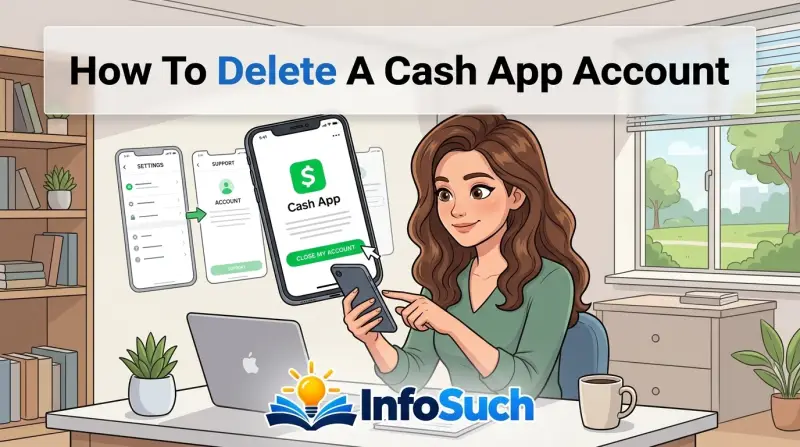
You've decided to close your Cash App account. Maybe you're tired of the fees, worried about security, or just cleaning up your digital wallet. Either way, you need to know exactly how to delete a Cash App account without losing money or locking yourself out of your own funds.
Deleting a Cash App account isn't like deleting a social media profile. It's a financial action with real consequences, including a 30-day grace period before permanent deletion. As of 2026, Cash App reports over 57 million active users, and more of them are searching for this exact process every month.
Getting it wrong can cost you. You might lose access to your transaction history, forget about a pending direct deposit, or accidentally forfeit a Bitcoin balance you forgot to move. This guide walks you through every step, every warning, and every mistake to avoid.
The Real Risk of Deleting Cash App: What You Must Know First
Closing a Cash App account is irreversible in the most literal sense. Once that 30-day window closes, your account is gone. Your transaction history disappears.
Your $Cashtag becomes available for someone else to grab. Any tax documents you needed for last year's returns suddenly become impossible to retrieve through the app.
That's not fear-mongering. That's how the system works.
When you initiate deletion, Cash App holds your account in a "pending closure" state for 30 days. During that time, you can still log in and cancel the deletion if you change your mind. But if you don't cancel, the account is permanently deactivated.
No re-activation. No "sorry, I changed my mind" support ticket that fixes everything.
Before you hit that final button, you need to understand what you're giving up. Cash App does not provide a way to download your full transaction history after closure. If you need records for taxes, disputes, or personal budgeting, you must extract them before initiating deletion.
The other major risk is direct deposits. If you have payroll set up to hit your Cash App account, deleting it mid-cycle means your next paycheck goes into a void. There's no redirect.
There's no forwarding address. That money bounces back to your employer, and you're stuck waiting for a paper check.
Bitcoin is another trap. If you hold any Bitcoin in your Cash App wallet, the account must be completely zeroed out before closure. That means transferring it to an external wallet or selling it back to USD and withdrawing the proceeds.
The app will not let you close the account with a crypto balance sitting there.
Quick Answer
The fastest way to delete a Cash App account is through the mobile app. Open Profile, tap Support, select Something Else, then choose Close Your Account. You must have a zero balance.
You must cancel pending direct deposits first. Your account enters a 30-day pending state. After that, your account is permanently deleted.
What "Deleting" Actually Means: The 30-Day Grace Period Explained
Let's clear up a common misunderstanding. When you delete your Cash App account, the app doesn't vanish instantly. Cash App uses a standard 30-day pending deletion window.
This is a safety mechanism designed to protect you from accidental closures and to ensure all pending transactions can be settled.
Here's exactly how the timeline works:
| Day | What Happens |
|---|---|
| Day 0 | You submit the closure request. Account enters pending status. |
| Day 1–29 | You can log in and cancel the deletion at any time. |
| Day 30 | Account is permanently deleted. You lose access to history and data. |
During this window, your account is essentially frozen. You can't send or receive money. You can't trade Bitcoin.
You can't make purchases. But you can log in to cancel the deletion or contact support if something goes wrong.
Why does Cash App do this? Two reasons.
First, it protects you from impulsive decisions. If you accidentally delete the account while frustrated, you have a month to reconsider. Second, it gives Cash App time to settle any lingering transactions.
Pending card payments, ACH transfers, and direct deposits all need to clear before the account can be fully erased.
One thing most people don't realize: if you try to sign up for a new Cash App account with the same phone number or email during that 30-day window, the system may block you. The old account is still on file. You'll need to wait until the deletion finalizes before creating a new one.
Also important: uninstalling the app is not deletion. Deleting the app from your phone does nothing to your actual Cash App account. Your account remains active, your money stays there, and anyone with your login credentials can still access it.
Uninstalling is just removing the icon from your phone. True deletion requires going through the in-app process.
Before You Do Anything: The 7-Step Pre-Deletion Checklist
This is the part most guides skip. Everyone tells you how to click the buttons, but nobody warns you about what happens if you don't prepare. Here's your safety checklist before you even think about closing.
Settle Your Cash App Balance
Your account balance must be exactly zero before you can close. That means withdrawing every cent to your linked bank account.
Open the app, tap your balance in the top left corner, and hit Withdraw. Choose Instant or Standard transfer. Standard transfer takes 1 to 3 business days, while Instant arrives within minutes but costs 0.5% to 1.75% of the amount.
If you're closing the account anyway, just use Standard and save the fee.
Wait. Don't assume the withdrawal went through. Verify that the money actually arrived in your bank account before you proceed.
Pending withdrawals can complicate account closure.
Move Your Bitcoin Before It's Too Late
If you have any Bitcoin sitting in your Cash App wallet, you need to move it. Cash App will not let you close an account with a non-zero crypto balance.
You have two options. Sell the Bitcoin and withdraw the USD, or transfer it to an external Bitcoin wallet. Cash App supports native Bitcoin withdrawals.
You'll need your external wallet's address and a network fee for the transaction. Bitcoin transfers can take up to 2 hours to confirm on the blockchain. Plan accordingly.
Cancel Any Pending Direct Deposits
If your employer or government benefits (like Social Security or stimulus payments) are set to deposit into your Cash App account, stop that immediately. Contact your payroll department and update your direct deposit information before you initiate deletion.
If a direct deposit arrives while your account is in the 30-day pending window, it can complicate things. Worst case, the transfer fails and your funds bounce back to the sender. That means delayed paychecks and annoyed HR departments.
Save Your Transaction History and Tax Documents
Once your account is deleted, your transaction history is gone. Permanently. There's no customer service request that will magically restore it.
That's a core reality of the process.
Before closing, scroll through your activity tab and screenshot or export any records you might need. This includes payment history, Bitcoin transactions, and any documents related to taxes. Cash App provides a way to download your tax forms for the previous year.
Do that first.
If you've traded Bitcoin or stocks through Cash App, you'll receive tax forms (like 1099-B) for the year. Once your account is deleted, you may not receive future forms or be able to access past ones. Save everything you can now.
Unlink Your Bank Account and Card
Removing your linked bank account and debit card before deletion is a good habit. It prevents any accidental charges or connection issues during the pending period. While Cash App should handle this automatically upon closure, manually unlinking gives you peace of mind.
Go to your profile, tap Linked Banks, and remove any connections. This is especially important if your Cash App account is linked to a shared or joint account.
Screenshot Your Profile and Cashtag
Your $Cashtag becomes available for reuse once your account is permanently deleted. If you ever want to reopen a Cash App account with the same username, there's a chance someone else will have already snagged it.
Screenshot your profile, your $Cashtag, and any important account information. This includes your profile photo, display name, and the email address associated with the account. You might not think you need it now, but future-you might be grateful.
Update Any Recurring Payments You Forgot About
Subscriptions. Rent. Split bills with your roommate.
If you've set up recurring payments through Cash App, other people may still have you in their system for future charges. Go through your Activity feed and identify any recurring charges. Contact the merchant or the person you're paying and update your payment method.
This is the step that trips people up. They delete their account, then three weeks later someone tries to collect a payment and gets an error. It's not embarrassing, it's messy.
Step-by-Step: How to Delete Your Cash App Account
Alright, let's get to the actual process. The steps are largely the same on iPhone and Android, but there are a few small differences in how the menus appear.
On Your iPhone (iOS)
Open the Cash App app on your iPhone. Make sure you're logged into the account you want to delete, not another account you might have. Tap your profile icon in the top right corner.
Scroll down to the Support section. Tap "Something Else." Then select "Close Your Account."
The app will show you a warning screen listing what you'll lose. Read it. This isn't a placeholder.
Cash App actually lists the consequences of closing. Then tap "Close My Account." Confirm your decision. You'll receive an email confirming your request, and the 30-day countdown begins.
On Android
On Android, the process is nearly identical. Open Cash App, tap your profile icon in the top right. Scroll down to Support, tap "Something Else," then choose "Close Your Account." You'll see the same warnings and the same confirmation screen.
The only difference on Android may be in how support requests are displayed, but the flow is essentially the same. Both operating systems require you to confirm via email, and both start the same 30-day pending period.
What the App Will Ask You (and What to Type)
When you select "Close Your Account," Cash App might ask for a reason. This isn't mandatory, but you have a few options. Some versions of the app will ask you to type "Close Account" into a text field to confirm.
Do that. Some users report being asked to type "Delete" or select from a list of pre-written responses. Just follow the on-screen prompts literally.
Don't overthink this step. It's just a safety measure to make sure you're not accidentally fat-fingering your way into closing an account.
If you run into any issues, your last resort is contacting Cash App support directly through the app before you close it. Once the account is gone, the support channel through the app goes with it.
What Happens After You Hit "Close Account"
You submitted the request. Now what?
The moment you confirm, Cash App sends a confirmation email to the address on file. That email is your receipt. Keep it.
You'll want it if anything goes sideways during the 30-day window.
Once confirmed, your account enters a restricted state. You can still log in, but your functionality drops dramatically. Here's what changes immediately:
| Feature | Before Deletion | During 30-Day Pending Window |
|---|---|---|
| Send money | Available | Locked |
| Receive money | Available | Locked |
| Bitcoin trading | Available | Locked |
| Stock investing | Available | Locked |
| Withdraw balance | Available | Available until zero |
| View transaction history | Available | Available |
| Cancel deletion | N/A | Available |
| Contact support | Available | Available |
Your $Cashtag stops appearing in search. If someone tries to send you money, they'll get an error message saying the recipient can't be found. This is normal.
It doesn't mean the account is fully deleted yet.
After the 30-day window expires, the account is permanently purged. Cash App deletes your personal information, transaction history, and linked payment methods. Your $Cashtag goes back into the pool of available usernames.
Someone else could claim it tomorrow.
There's no way to reverse this. No support ticket, no phone call, no supervisor override. Once that 30th day passes, the account is gone for good.
One more thing to understand. During the pending window, Cash App may still process certain actions automatically. If you have a pending stock sale or a Bitcoin transfer that hasn't cleared, it could complete during this period.
That's why the pre-deletion checklist matters. You want everything settled before you press the button.
Can You Change Your Mind? How to Cancel the 30-Day Countdown
Yes. You can cancel the deletion. But only during the 30-day pending window.
The process is simple. Open the Cash App app and log in with your credentials. You should see a banner at the top of your home screen that says something like "Account Pending Deletion" or "Close Requested." Tap on it.
Then select the option to cancel the closure request.
Cash App may ask you to verify your identity again. This is standard. They want to make sure it's actually you, not someone who stole your phone.
Enter your PIN, confirm via biometrics, and follow the prompts.
Once you cancel, your account returns to full functionality. You can send money, receive payments, trade Bitcoin, and access all your features as if nothing happened. The pending closure status disappears, and you're back to normal.
Does the 30-day clock reset if you cancel and then request deletion again? Yes. Each time you submit a new closure request, a fresh 30-day window begins.
If you cancel, then immediately request deletion again, you're starting over from day one.
What if you change your mind after the 30 days? Then it's too late. Your account is permanently deleted.
The only thing you can do is create a brand new Cash App account with a different email address or phone number. You'll start completely fresh. No transaction history, no contacts, no $Cashtag.
One common misunderstanding is that support can restore a deleted account. They can't. Once the deletion finalizes, Cash App support has no way to recover your data.
Their internal systems purge the account from their databases. It's not sitting in a backup somewhere. It's gone.
So if you're having second thoughts, act early. Don't wait until day 29 and hope customer service can fix it. They can't.
The 5 Biggest Mistakes People Make When Closing Cash App
Our research shows that most problems with account deletion come down to user error, not Cash App glitches. Here are the five mistakes we see most often, and how to avoid them.
Forgetting About a Pending Direct Deposit
This is the most expensive mistake you can make. Someone closes their account, then their paycheck arrives three days later. The transfer bounces, the employer gets a failed payment notification, and payroll has to scramble to issue a paper check.
If you have direct deposit set up through Cash App, update your payroll information before initiating closure. Check with your employer's HR department. Confirm that your next payday will not route through Cash App.
This is also true for government benefits. Social Security, unemployment, and stimulus payments can all be tied to your Cash App direct deposit. Verify with the relevant agency before closing.
Ignoring a Non-Zero Bitcoin Balance
Cash App won't let you close your account if you have Bitcoin sitting in the wallet. But here's the trick: the error message isn't always obvious. Some users report the app accepting the deletion request, then showing an error at the confirmation screen because of the crypto balance.
Check your Bitcoin balance before you even start the closure process. If the number is anything above zero, transfer it out or sell it first. The transfer takes time.
Bitcoin transactions aren't instant. Give yourself a buffer.
Closing Before Withdrawing Your Main Balance
This sounds like common sense, but you'd be surprised how many people skip it. They tap through the closure screens without checking their available balance. Then they realize their account had a few hundred dollars sitting there.
Cash App requires a zero balance for closure. If there's money in your account, the system will prompt you to withdraw it first. But don't rely on that prompt.
Check your balance manually, withdraw everything, and verify the funds landed in your bank before you begin.
Skipping the Transaction History Backup
We covered this earlier, but it deserves repeating. Once your account is deleted, your transaction history is permanently gone. Cash App doesn't provide post-closure access to statements or records.
If you need to prove a payment for a rent dispute, an invoice for freelance work, or documentation for tax purposes, back it up now. Screenshot your activity feed. Export any tax forms.
Store them in a secure location outside the app.
Confusing App Deletion with Account Deletion
This one drives support teams crazy. People uninstall the Cash App from their phone and assume their account is gone. It's not.
Uninstalling the app removes the software from your device. Your account remains active on Cash App's servers. Your money stays in place.
Anyone with your login credentials can still access your funds.
If you want the account gone, you have to go through the official deletion process. There's no shortcut. There's no "delete app" button that does double duty.
When Deleting Is the Wrong Move (and What to Do Instead)
Sometimes deleting your Cash App account is the right call. Sometimes it's an overreaction.
Let's be honest. If your main complaint is that you're spending too much money through the app, deletion is a band-aid. You're removing the temptation, but you haven't fixed your spending habits.
And you're losing a useful financial tool in the process.
Here are three scenarios where you might want to pause before pulling the trigger.
You're Worried About Security
High-profile data breaches and social media horror stories make people nervous. It's understandable. But closing your Cash App account because you read a scary headline might be unnecessary.
Before deleting, take a security inventory. Change your password. Enable two-factor authentication.
Review your linked devices and log out of any you don't recognize. These steps address most security concerns without requiring you to abandon the platform.
If you've actually been a victim of fraud or unauthorized transactions, that's different. In that case, contact Cash App support immediately and follow their security protocols. Deleting the account can actually complicate an open fraud investigation.
You're Frustrated with Customer Support
Cash App's customer service is notoriously hard to reach. Email tickets take days. There's no phone number you can call.
It's a legitimately frustrating experience.
But deleting your account won't resolve pending support tickets. If you have a dispute in progress, canceling the account can actually delay resolution or even void your claim. Wait until your support issues are resolved before closing.
You Just Want a Fresh Start
Maybe your account has a cluttered transaction history. Maybe you share an account with an ex. Maybe you just want to reset your $Cashtag.
If a fresh start is what you're after, check if you can just edit your profile instead. Cash App lets you change your display name and $Cashtag (with a fee for the latter). You can unlink and relink bank accounts.
You can clear most of your digital footprint without losing your account history.
Only delete if you truly want out.
What to Do Instead of Deleting
If you're on the fence, here's what we suggest in our research:
| Option | Best For | Requirement |
|---|---|---|
| Unlink bank and card | Reducing fraud risk | Keep account active |
| Change $Cashtag | Rebranding your public identity | $Cashtag fee applies |
| Enable 2FA | Security hardening | Free |
| Set spending limits | Curbing impulse purchases | Free |
| Take a break | Temporary pause on usage | Just don't open the app |
| Delete account | Complete exit | Zero balance, 30-day wait |
None of these are permanent. You can always revisit your decision tomorrow, next week, or next year. Deletion is the only irreversible option.
Legal and Tax Implications: What the IRS Still Knows About You
Deleting your Cash App account does not delete your tax obligations. The Internal Revenue Service still expects you to report income and capital gains, even if the app itself is gone.
Cash App issues Form 1099-B for Bitcoin sales and stock trades that meet certain thresholds. If you sold Bitcoin or securities through Cash App in the previous tax year, you'll receive a 1099-B. That form reports your gross proceeds and is sent to the IRS as well.
You may also receive a 1099-K for payments received. This form applies to business transactions. If you sell goods or services and receive payment through Cash App, the IRS receives a copy of your 1099-K as well.
What happens when you delete your account before tax season? You might not receive your forms electronically. That doesn't mean your information vanished.
The IRS still has the data Cash App already filed.
You're still responsible for reporting those transactions on your tax return. Failing to do so can trigger penalties, interest, and possibly an audit.
Here's the practical advice from our research: download all your tax forms before you delete your account. Cash App provides a section for tax documents within the app. Look for statements labeled 1099-B, 1099-K, or related schedules.
Save them as PDFs. Store them in a secure folder on your computer or cloud storage.
If you need an old tax form after deletion, you can request transcripts directly from the IRS. The Internal Revenue Service has a Get Transcript tool online, and you can also file a tax return with missing information by manually recording your transactions. It's more work, but it's possible.
For the official tool, visit the IRS website.
Another legal consideration: the Consumer Financial Protection Bureau oversees consumer complaints about mobile payment apps like Cash App. If you close your account while a complaint is unresolved, you may lose access to the communications and evidence related to that complaint. Screenshot everything before you go.
Finally, know that Cash App is a financial services company bound by anti-money laundering regulations. They retain certain records for a period even after account closure. This is required by federal law.
So while your account data is deleted from the front-end, some records may persist in compliance archives. This is not a loophole to launder money. Don't even think about it.
The bottom line: deleting your account is a financial decision with tax implications. Treat it with the same seriousness as closing a bank account. If you suspect fraud or unauthorized transactions, the Federal Trade Commission has published consumer protection resources on their site.
You can review those guidelines at ftc.gov.
Cash App Support: When You Actually Need to Contact Them
Cash App support has a reputation. And it's not a good one.
There's no phone number you can call. There's no live chat with a real human on demand. The primary support channel is an in-app email ticketing system, and response times vary wildly.
Some users report answers within 24 hours. Others wait a week or more. Our research indicates the average response time hovers around 48 to 72 hours for most non-urgent requests.
So when should you actually reach out during the deletion process?
If your account has a zero balance, no pending transactions, and no health issues, you probably won't need support at all. The deletion process is straightforward when everything is clean. But problems happen.
Here are the situations where contacting support is justified:
| Situation | What to Do | Expected Outcome |
|---|---|---|
| Deletion request fails with no clear reason | Contact support via the app | They'll identify the block and walk you through it |
| Balance shows zero but system says otherwise | Contact support with screenshots | They'll correct the account status |
| Direct deposit arrives during pending window | Contact support immediately | They'll help route it back or cancel closure |
| You are locked out and want to cancel deletion | Contact support for identity verification | They'll assist with account recovery |
| You suspect fraud or unauthorized activity | Contact support and file a complaint | They'll flag the account and guide next steps |
To reach support, open the app and navigate to your profile. Scroll to the Support section. Tap "Something Else" and then choose the topic that matches your issue.
You'll get the option to send a message or start an email ticket.
Be specific in your message. Include your $Cashtag, the exact error message you're seeing, and steps you've already taken. Screenshots help immensely.
Vague messages like "help, my account won't close" take longer to resolve because the support agent has to ask clarifying questions.
Here's a hard truth. Cash App support cannot restore a deleted account. Once the 30-day window closes, the account is gone.
No amount of ticket submissions or angry emails will bring it back. Don't wait until day 29 to report a problem. Escalate early.
One more thing. Cash App's support team has known limitations. They're not trained financial advisors.
They won't give you tax advice or investment recommendations. They handle account mechanics, not personal finance strategy. Keep your questions focused on the platform itself.
For fraud or unauthorized transactions, you have other options. The Consumer Financial Protection Bureau accepts complaints about mobile payment apps. The Federal Trade Commission also takes reports of fraud.
These agencies won't fix your account, but they can pressure Cash App to respond to legitimate complaints.
Cash App vs. Venmo vs. PayPal: Should You Switch or Just Close?
You've made the decision to close Cash App. Now the question is, what comes next?
Some people quit Cash App entirely and go back to their bank's mobile transfer system. Others move to a competing app. A few just stop using peer-to-peer payments altogether.
Here's how Cash App stacks up against the other major players:
| Feature | Cash App | Venmo | PayPal | Zelle |
|---|---|---|---|---|
| Primary function | P2P payments | P2P payments + social feed | P2P + merchant payments | Bank-to-bank transfers |
| Bitcoin trading | Yes | No | Limited | No |
| Stock investing | Yes | No | No | No |
| Social features | Minimal | Strong feed | Minimal | None |
| International use | U.S./U.K. only | U.S. only | 200+ countries | U.S. banks only |
| Customer support | In-app only | In-app + email | Phone, chat, email | Varies by bank |
| Instant transfers | Yes, with fee | Yes, with fee | Yes, with fee | Typically instant |
Venmo is the closest direct competitor. It offers the same peer-to-peer transfer function with a social feed that lets you see friends' transactions. If you're the type who likes seeing emoji-laden payment notes, Venmo is the more social option.
If you don't care about the social aspect, Venmo's feed might feel like noise.
PayPal is the better choice if you buy or sell things online. It's the most widely accepted digital wallet for e-commerce, and it offers buyer and seller protection that Cash App doesn't. eBay, Etsy, and thousands of independent stores all accept PayPal. If you're deleting Cash App because you need merchant-friendly features, PayPal is the natural home.
Zelle is different. It's not a standalone app like the others. It's integrated directly into your bank's mobile app.
That makes it incredibly convenient. No new account, no new password, no new app. Just a transfer feature built into your existing banking relationship.
The downsides of Zelle? No fraud protection in many cases. Zelle is designed for trusted transactions, not commercial payments.
Once you send money, it's nearly impossible to reverse. Cash App and PayPal at least offer dispute mechanisms. Zelle doesn't.
If you use Cash App for direct deposit or paper checks, you'll also be losing those features. Venmo doesn't offer direct deposit. PayPal has limited banking options.
Zelle, through your bank, may offer check deposits but not the same hybrid features.
Here's a decision tree to help you pick your next move:
- If you mainly send money to friends and family, use Zelle through your bank. It's free and already on your phone.
- If you buy or sell online, switch to PayPal for its buyer and seller protection.
- If you want to keep some financial features like stock trading, look at a brokerage app like Robinhood or Fidelity instead.
- If you just want to leave the ecosystem entirely, your bank already has all the tools you need.
Closing Cash App doesn't obligate you to replace it. Some people just want out. That's completely valid.
The goal is to find what works for your specific situation, not to jump into another app on autopilot.
FAQs: Last-Minute Questions Before You Delete
You've read through everything. You're almost ready to hit that close button. But a few questions are nagging at you.
Here are the answers to the most common last-minute concerns.
Will I lose my money if I delete my Cash App account?
No, as long as you withdraw everything first. Your Cash App balance must be at zero before the account can be closed. Withdraw all remaining funds to your linked bank account and verify the transfer lands.
Standard transfers take one to three business days. Instant transfers arrive within minutes but carry a fee between 0.5% and 1.75%.
Can I reopen a deleted Cash App account?
No. Once the 30-day pending window expires, your original account is permanently deleted. You cannot restore it, retrieve transaction history, or recover your $Cashtag.
You can create a brand new account with a different email or phone number, but you'll be starting from scratch.
How long does Cash App keep your data after deletion?
Cash App retains certain records to comply with federal anti-money laundering regulations. However, your user-accessible information is purged after the 30-day pending window closes. Your transaction history, profile details, and linked payment methods become unavailable to you.
Some compliance records may persist internally, but you won't be able to access them.
What happens to my Bitcoin when I close my account?
You must transfer or sell all Bitcoin before initiating closure. Cash App won't process the deletion request if you have a non-zero cryptocurrency balance. If you sell, withdraw the USD proceeds to your bank.
If you transfer, send it to an external Bitcoin wallet. Bitcoin network fees apply to transfers, and confirmations can take up to two hours.
Will deleting my account affect my credit score?
No. Cash App doesn't report to credit bureaus. It's not a credit card issuer or a lending platform.
Closing your Cash App account has zero impact on your credit score, credit history, or credit utilization.
Can I delete my Cash App account without the mobile app?
No. The deletion process requires you to be logged into the Cash App mobile application. There's no web-based portal for account management or closure.
If you don't have the app, download it from your app store, log in, and navigate through the support menu.
Final Verdict: What I'd Do If I Were Deleting Today
You've made it to the end. You know the risks, the steps, and the alternatives. Now it's decision time.
If you're certain you want to delete your Cash App account, here's the exact sequence we'd recommend:
| Step | Action | Time Required |
|---|---|---|
| 1 | Check your balance and withdraw all funds | 5 minutes |
| 2 | Move or sell any Bitcoin holdings | 10 minutes to 2 hours |
| 3 | Cancel direct deposits and update payroll | 30 minutes |
| 4 | Download tax forms and screenshot transaction history | 15 minutes |
| 5 | Unlink bank account and card | 5 minutes |
| 6 | Navigate to Profile > Support > Something Else > Close Account | 5 minutes |
| 7 | Confirm deletion and save confirmation email | 2 minutes |
| 8 | Update any recurring payments with new payment methods | Varies |
Give yourself a full afternoon for this. Rushing leads to mistakes. Missing a step means delayed paychecks, lost tax records, or forfeited crypto.
After you submit the deletion request, put a reminder on your calendar for day 29. That's your last chance to cancel if you have second thoughts. After day 30, there's no going back.
The 30-day grace period is a gift. Use it. Don't assume you'll never want to reconsider.
Many people request deletion during a moment of frustration, then realize they still need Cash App for rent splits or freelance payments. Canceling within the window is easy. Restoring a deleted account is impossible.
Deleting a Cash App account is a permanent financial decision. We've laid out every step, every warning, and every alternative. The choice is yours.
Just make sure you're making it with open eyes and a zero balance.