
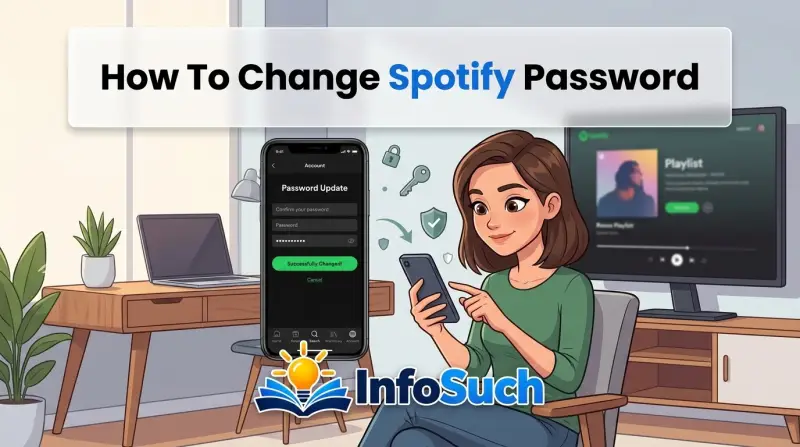
If you're trying to figure out how to change spotify password, you probably fall into one of two camps. You know your current password and want a fresh one. Or you're locked out and need a way back in.
Both are fixable in a few minutes, but the steps differ.
As of 2026, Spotify still asks for a minimum of 8 characters. NIST's password guidance agrees that length beats complexity. So a long passphrase is easier to remember and harder to crack.
Let's walk through both paths so you can pick the right one.
Quick Answer
To change your Spotify password, log in and visit your account settings. If you forgot it, use the "Forgot your password?" link on the login page. Either way, you'll need access to your account email.
The whole process takes about 2 to 5 minutes.
First, Which Situation Are You In?
Stop here and answer one question: do you know your current password? If yes, go directly to Branch 1. If no, skip to Branch 2.
Picking the wrong path wastes time.
If You Know Your Current Password
Then the direct route is your friend. You stay signed in, prove the old password, and swap in a new one. You don't need a reset email or any waiting.
This is the fastest path.
If You're Locked Out or Forgot Your Password
Then you'll use Spotify's email reset flow. This also applies if someone else changed your password and locked you out. Spotify sends a one-time reset link to the account email.
It expires in about 24 hours, so don't sit on it.
Branch 1: How to Change Your Spotify Password (When You're Logged In)
This branch is for people who can still sign in. You'll use your current password to prove identity. The exact taps differ by device, but the flow is the same.
On the Spotify Mobile App
- Open the Spotify app and make sure you're signed in.
- Tap your profile photo in the top-left corner.
- Select "Settings and privacy."
- Scroll down to the "Account" section.
- Tap "Change password."
- Enter your current password, then your new password twice.
- Tap the "Change password" button to save.
After you save, your other devices may lose access quickly. If the app asks you to sign in again, use the new password. If you don't see "Change password," your account may be linked to Apple, Google, or Facebook.
In that case, look for a "Set password" option instead.
On the Spotify Desktop App or Web Player
- Open the desktop app, or go to the Spotify web player and sign in.
- Click your profile name in the top-right corner.
- Choose "Account" from the dropdown. This opens the Spotify account page in your browser.
- Scroll to the "Security" section.
- Click "Change password."
- Enter your current password and the new one twice.
- Confirm the change.
The desktop app doesn't have a password menu buried inside the window. It opens your account page in a browser instead. That's normal, not a glitch.
Branch 2: How to Reset a Forgotten Spotify Password
This branch is for locked-out users. You need access to the email tied to your Spotify account. If you've lost that inbox, contact Spotify Support directly for account recovery.
Step-by-Step Reset Flow
- Go to the Spotify login page on any device or browser.
- Click the "Forgot your password?" link under the password field.
- Enter your Spotify username or the email address linked to the account.
- Click the send button.
- Open your email inbox and wait for the message from Spotify.
- Click the reset link inside the email.
- Enter a new password that's at least 8 characters.
- Click the confirm button.
The reset link expires after about 24 hours. If the page says it's invalid, request a new one. And don't reuse the old password when you pick the new one.
What to Do If the Reset Email Never Arrives
- Check your spam or junk folder. Gmail sometimes filters these into "Promotions."
- Wait 10 to 15 minutes. Email delivery can lag, especially at peak times.
- Try the "Resend email" button on the Spotify reset page.
- Double-check that you used the email linked to the account. A different one won't work.
- If you signed up with Apple, Google, or Facebook, login usually goes through that provider. Check that provider's password or session first.
If you've done all this and still see nothing, contact Spotify Support through their official site. They'll guide you through identity verification. This is the same path for accounts where the email address is outdated or no longer exists.
What Happens After You Change Your Spotify Password
Your playlists, saved songs, and followers stay intact. The password change doesn't touch your data. The main side effect is a broad sign-out, and that catches people off guard.
Devices That Stay Signed In vs. Devices That Don't
According to Spotify's official help documentation, changing your password signs you out of all active sessions. In our research, though, that sign-out doesn't always hit every device at the same moment. Phones and desktops tend to lose access fast.
Smart TVs and game consoles can lag behind.
| Device or service | Typical effect after a password change | What to do | | Phone or tablet app | Usually signed out within minutes | Log back in with the new password | | Desktop app | Usually signed out within minutes | Re-enter your credentials | | Web player | Active session may stay until the page reloads | Refresh and sign in again | | Smart TV / set-top box | Can take longer to catch up | Restart the app or force quit | | Car integrations (Android Auto, Apple CarPlay) | Follows the phone's login state | Reconnect your phone and approve | | Third-party apps (Last.fm, Shazam) | Access stays active until you revoke it | Revoke access in account settings if needed |
One thing to know: third-party apps and integrations usually keep working. Spotify sees those as separate authorized apps with their own access tokens. If you want to cut them off, go to your account settings and revoke each app manually.
Also, before you move on, check your active sessions. In account settings, open "Devices" and remove anything you don't recognize. That step matters most if you changed the password because your account was hacked.
Common Mistakes to Avoid During a Spotify Password Change
People mess this up more than you'd think. Usually it's a small oversight, but it costs time and frustration. Here's what goes wrong most often.
Forgetting That Reset Links Expire
That email from Spotify isn't a standing invitation. The reset link expires after roughly 24 hours. If you click it days later, you'll land on an expired page.
Request a new one instead of refreshing the old link.
Checking the Wrong Email Inbox
Spotify sends the reset link to the address on file. If you set the account up with an old email, that's where the link goes. Check every inbox you've ever used, including the spam folder.
If you truly can't access that inbox, account recovery gets harder.
Reusing Your Old Password
Spotify's system accepts a new password that's identical to the old one. That defeats the whole purpose. If you're changing it for security reasons, pick something genuinely new.
A password that's been exposed in a breach stays a risk even if you "change" it back to the same thing.
Typing the New Password Before You're Ready
The field only shows dots, so typos hide. If you enter a new password with a typo, you'll lock yourself out again. Use the "show password" toggle if it's available.
Or type it in a secure note app first, then copy it over.
Ignoring the Devices Section
After a password change, your account settings show a list of active sessions. If you skip this, old sessions can stay alive for a while. Check the "Devices" section and remove anything you don't recognize.
That's especially important if you suspect unauthorized access.
If You Signed Up with Apple, Google, or Facebook: Special Cases
This trips up a lot of people. If you created your Spotify account through a social login, there's no password to change. Not in the traditional sense.
Spotify shows a "Set password" option instead, which works differently.
How Social Login Works on Spotify
When you sign up with Apple, Google, or Facebook, Spotify links your identity to that provider. You authenticate through the provider, not through Spotify itself. So the password you really need to manage belongs to Apple, Google, or Facebook.
What to Do If You Want a Password Anyway
Go to your Spotify account settings and look for "Set password." That lets you create a standalone Spotify password. After that, you can sign in with either method. Your email address stays the same, and your playlists don't change.
What to Do If You're Locked Out
If you can't get into the provider account, Spotify's reset flow won't help. You need to recover the Apple, Google, or Facebook account first. Visit that provider's account recovery page and follow their steps.
What to Do If You're Getting Phishing Emails
This is worth a warning. Scammers know social login confuses people. They send fake "your Spotify password is compromised" emails to trick you into handing over credentials.
Spotify's official reset emails come from spotify.com addresses. Anything else is suspect.
How to Create a Strong Spotify Password You'll Actually Remember
The trick is making it strong without making it impossible. Length matters more than complexity. A long passphrase beats a short string of random symbols every time.
The Passphrase Method
Pick four unrelated words and string them together. Something like "BlueCactusMountainTeapot" works well. It's over 20 characters, easy to type, and hard to guess.
Add a number or symbol if the site asks for one.
What to Avoid Entirely
- Birthdays, anniversaries, or any date someone can find online
- Pet names, kids' names, or street names
- "Password123" or any variant of that
- Your email address or parts of it
- Song lyrics or artist names (Spotify users pick these constantly)
Why Reusing Passwords Is Dangerous
If you use the same password on Spotify and a random forum, a breach on that forum exposes your music account too. Credential stuffing attacks automate this. Bots try leaked username and password combos across thousands of sites.
Spotify's official security help recommends a unique password for your account.
How to Check If Your Password Is Leaked
Look up whether your email has appeared in known data breaches. If it has, change your Spotify password now. Use a fresh password, not a variation of the old one.
The same logic applies to any email address you've used for multiple accounts.
Extra Security Options: Password Managers and Two-Factor Authentication
A password manager takes the brain work out of this. You generate one long random password, store it in the vault, and let the manager autofill it. That's safer than remembering a passphrase, even a good one.
Why a Password Manager Is Worth It
You only need to remember one master password. Everything else lives in an encrypted vault. Most managers also flag weak or reused passwords.
That's a built-in audit you'd never do manually.
How to Set Up Two-Factor Authentication on Spotify
Spotify doesn't have a traditional two-factor authentication toggle like your bank does. What it offers is a one-time email code for new logins. Go to account settings and look for "Login with email verification." Turn it on, and Spotify will email you a code whenever someone signs in from a new device.
What This Protects Against
Email verification stops most automated attacks. Even if a hacker has your password, they can't get in without access to your inbox. That's a meaningful barrier.
It's not as strong as an authenticator app, but it's better than nothing.
What Password Managers and Two-Factor Don't Do
They don't protect you from giving your password away. If you type your credentials into a phishing site, no tool can save you. Always check the URL before you log in.
Spotify's login page lives at accounts.spotify.com or spotify.com. Anything else is a scam.
When to Contact Spotify Support
Most password problems solve themselves in five minutes. But some situations need a human. Here's how to tell the difference.
You Can't Access Your Account Email
If the email on file is gone, you can't reset the password yourself. Spotify Support can help, but they'll ask for proof of ownership. That might include your billing ZIP code, a linked payment method, or a device you've used with the account.
Your Account Was Hacked and the Email Changed
This is the scary one. If a hacker changed your account email, the reset flow sends nothing to your inbox. Go straight to Spotify Support and use the account recovery form.
Act fast, because the attacker could start using your saved payment method.
You're Getting Locked Out Repeatedly
If you change the password and still can't log in, something else is wrong. Maybe your password manager is autofilling a stale entry. Maybe a browser extension is interfering.
Support can check whether your account has any restrictions or blocks.
What to Have Ready Before Contacting Support
- The email address you originally used
- The username on the account
- A payment method you've used with Spotify
- The device model and approximate date you created the account
- Any gift card codes or redemption emails you received
The more details you provide, the faster they can verify you. Support won't reset a password without solid proof of ownership. That's a security feature, not a roadblock.
Final Decision Guide: Which Path Should You Take?
You've made it this far, which means you've got options. Let's narrow them down with simple if/then logic. Answer the first question that applies to you, and follow the branch.
If You Know Your Current Password
Go straight to account settings. Use the mobile app or the web player. Enter the old password, type the new one twice, and confirm.
You're done in under two minutes. No email, no waiting, no support tickets.
If You Forgot Your Password and Can Access Your Email
Use the "Forgot your password?" link on the login page. Request the reset email, click the link within 24 hours, and set a new password. This works for any device.
Just make sure you check spam if nothing lands in your inbox.
If You Forgot Your Password and Can't Access Your Email
Contact Spotify Support directly. You'll need proof of ownership, like a payment method or device history. There's no self-service workaround for this one.
The sooner you reach out, the sooner you get back in.
If You Signed Up with Apple, Google, or Facebook
Check whether you ever set a standalone Spotify password. If not, your login goes through the provider. Recover that provider account first.
Then decide whether to set a Spotify-specific password for extra control.
If You Suspect Your Account Was Hacked
Change your password immediately if you can still get in. Then check the devices list and revoke anything unfamiliar. Review your payment methods for unauthorized charges.
If the attacker changed your email, skip straight to Spotify Support.
Decision Table
| Your situation | Best path | Time needed | | You know your current password | Change it in account settings | 1 to 2 minutes | | Forgot password, email accessible | Use the reset link flow | 2 to 5 minutes | | Forgot password, email gone | Contact Spotify Support | 1 to 3 days | | Social login (Apple/Google/Facebook) | Recover provider account first | Varies by provider | | Hacked account, email changed | Contact Spotify Support immediately | Same day, ideally |
One Last Tip
Whatever path you take, turn on email verification after you get back in. It adds a second layer that stops most automated attacks. Then set a unique password you don't use anywhere else.
Future you will be grateful.
Frequently Asked Questions
How do I change my Spotify password on my iPhone?
Open the Spotify app and tap your profile photo. Go to Settings and privacy, then tap "Change password" under Account. Enter your current password and the new one twice.
Tap confirm, and you're set. If you don't see the option, your account is linked to Apple, Google, or Facebook, so use "Set password" instead.
How do I reset my Spotify password if I forgot it?
Go to the Spotify login page and click "Forgot your password?" Enter the email or username linked to your account. Open the reset email and click the link within 24 hours. Type a new password that's at least 8 characters long.
Check your spam folder if the email doesn't show up quickly.
Why isn't Spotify sending me a password reset email?
Check the spam or junk folder first. Then confirm you're using the email address attached to the account. Wait 10 to 15 minutes and try the resend button.
If you signed up with Apple, Google, or Facebook, the reset flow goes through that provider instead. If nothing works, contact Spotify Support.
Does changing my Spotify password log me out of other devices?
Yes, it signs you out of most active sessions. Phones and desktops usually lose access within minutes. Smart TVs and game consoles can lag behind.
Third-party apps like Shazam or Last.fm keep working until you revoke them manually in account settings.
What should I do if my Spotify account was hacked?
Change your password right away if you can still log in. Then go to account settings and remove any devices you don't recognize. Check your payment methods for charges you didn't make.
If the hacker changed your email address, contact Spotify Support with proof of ownership immediately.
Can I use the same password for Spotify and other accounts?
You can, but you really shouldn't. If one site gets breached, attackers try that password across thousands of other services. Spotify's security guidance recommends a unique password for your account.
A password manager makes that easy, since you only have to remember one master password.