
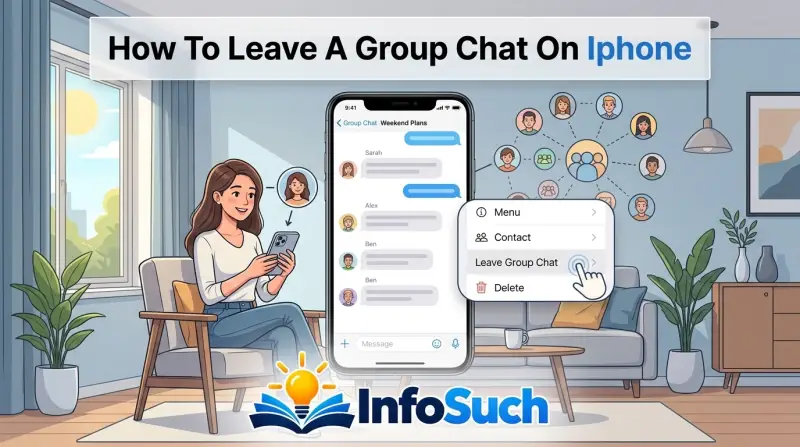
We've all been there. That group chat that started as a fun planning thread for a birthday dinner has somehow mutated into a 47-message-per-hour monster, and your phone hasn't stopped buzzing since Tuesday. You want out, and you want out now.
Learning how to leave a group chat on iPhone sounds like it should be a two-second task, but the reality is a bit more complicated depending on the kind of chat you're in.
Apple's Messages app splits group conversations into two distinct categories: iMessage (the blue bubbles) and standard SMS/MMS (the green ones). As of 2026, only one of these types actually gives you a "Leave" button, and the other leaves you with workarounds that range from mildly annoying to a complete block. Understanding which category you're dealing with is the entire game.
Quick Answer
Open the group chat. Tap the group icons at the top of the screen. If you see "Leave This Conversation" in red text, tap it and you're done.
If you don't see the button, you're in an SMS/MMS group with a green bubble, and you cannot leave. Use "Hide Alerts" to mute the thread or block the sender instead.
The Core Problem: Not Every Group Chat Can Be Left
Here's the truth that trips up most people: Apple only lets you leave a group chat if everyone in that chat is using iMessage. That means every participant needs an iPhone, iPad, or Mac, and they all need to have iMessage enabled on their devices.
If the group contains even one Android phone, the whole thread drops down to SMS/MMS protocol. In that scenario, the "Leave This Conversation" button doesn't just hide itself, it doesn't exist at all. Apple simply doesn't offer a way to exit an SMS group thread because the carrier-level messaging protocol doesn't support that feature.
So the first question you need to answer is simple: what color are the messages in your group chat?
- Blue bubbles: You're in an iMessage group. You can leave with one tap.
- Green bubbles: You're in an SMS/MMS group. You cannot leave, period. Your options are mute, delete, or block.
If you're staring at a green bubble thread right now, take a breath. There are still effective ways to reclaim your sanity, and we'll walk through each one in detail. But understanding this fundamental limitation is the foundation for everything else.
The Two Kinds of iPhone Group Chats
Before you start tapping around in the Messages app, you need to know exactly what kind of group you're dealing with. This determines your entire exit strategy.
iMessage Groups (Blue Bubbles)
These are Apple's native messaging threads. Every participant has an Apple device, and the messages route through Apple's servers rather than your carrier's SMS network. This is why the feature set is much richer.
Key characteristics:
- All messages appear in blue bubbles
- You can see when people are typing
- Messages can include high-resolution photos and videos
- End-to-end encryption applies
- Read receipts and delivery confirmations work
- You have the option to leave
Apple's official support documentation confirms that leaving a group chat is only available when all participants are using iMessage. If you see blue bubbles, you're eligible.
SMS/MMS Groups (Green Bubbles)
This is the catch-all for groups that include any non-Apple device. The messages route through your cellular carrier's text messaging infrastructure.
Key characteristics:
- Messages appear in green bubbles
- No typing indicators
- Photos and videos get compressed significantly
- No encryption
- No read receipts (unless using a third-party app)
- No "Leave" button
The reason for this limitation sits with the carrier protocols. The SMS and MMS standards that carriers use don't include a participant-removal feature. Carrier documentation from AT&T and Verizon historically confirms that group management features live entirely on the network side, meaning only the carrier or the group creator can remove someone.
How to Tell What You're In
Open the group chat and scroll up through the conversation. If every single bubble is blue, you're in an iMessage group. If you see any green bubbles mixed in, or if the entire thread is green, you're in an SMS/MMS group.
How to Leave an iMessage Group Chat (Blue Bubbles)
If you're in an all-Apple group, this is genuinely simple. The process takes about ten seconds from start to finish.
Step-by-Step Guide
- Open the Messages app on your iPhone. You'll land in your conversation list.
- Tap the group thread you want to leave. Make sure you're tapping the right one, especially if you're in multiple groups with similar names or participants.
- Tap the group icons at the very top of the screen. This appears as a circle with overlapping avatars or initials. It's directly beneath the navigation bar.
- Scroll down through the Group Info page. You'll see all participants listed, plus options like "Share Name and Photo" and notification settings.
- Tap "Leave This Conversation." It's in red text, located near the bottom of the screen, above the participant list.
The button is hard to miss once you're in the Group Info panel. If you don't see it, go back and check your bubble colors. A green bubble group won't show this option.
What Happens After You Leave
When you tap "Leave This Conversation," a few things happen simultaneously:
- The group gets a subtle notification. Members will see a system message that you've left the group. This appears in the chat thread itself.
- The conversation disappears from your Messages app. You won't see the thread in your list anymore.
- You stop receiving all future messages. New messages sent to the group won't reach you.
- Your old messages stay visible. Everything you already sent remains in the thread for other people to see.
One thing people often wonder about: can you rejoin after leaving? The answer is yes, but only if someone in the group adds you back. You can't just tap a link to return on your own.
What If You Don't See the Button?
Check your iOS version. Apple has tweaked the Messages interface several times. On older versions of iOS, the Group Info page had a slightly different layout.
If you're running iOS 13 or earlier, look for "Leave This Conversation" right beneath the participant list, not above it.
Also verify that you're not in a group that someone created using an Android device. Even if everyone in the group happens to be using iPhones now, if the group was originally started as an SMS thread, it may have locked into that protocol. The only fix here is to ask someone to create a fresh group using iMessage and start over.
Green Bubble Group Texts: When You Can't Leave
This is the frustrating scenario. You're in a group chat with your in-laws, and your brother-in-law just switched to a Samsung phone. Suddenly, that comfortable blue bubble group turned green, and your "Leave" button vanished into thin air.
Apple's hands are tied here. The SMS and MMS protocols are carrier standards, not Apple features. The carriers built these protocols decades ago without any concept of group membership management.
There simply isn't a command in the protocol that says "remove this number from the thread."
So what can you actually do? You have three realistic options, each with different trade-offs.
Option A: Mute with "Hide Alerts"
This is the least destructive path. It doesn't remove you from the group, but it silences all notifications from that thread.
How to do it:
- Open the group chat.
- Tap the group icons at the top.
- Toggle on "Hide Alerts."
That's it. Your phone will stop buzzing, dinging, and lighting up whenever someone sends a message to that group. The thread stays in your Messages list, but it sits there quietly.
The trade-off: You still see the unread count badge on the Messages app icon. And if you open the app, the group thread will show up with all the messages you've missed. You're not out, just quiet.
Who this is best for: Groups you don't want to be in but can't entirely escape. Family planning committees, neighborhood watch threads, or work groups where you need to occasionally check in without being constantly pinged.
Option B: Delete the Thread
This is a partial solution. Deleting the conversation removes it from your Messages app entirely, giving you the visual satisfaction of a clean inbox.
How to do it:
- Swipe left on the group thread in your Messages list.
- Tap "Delete."
- Confirm if prompted.
Here's the catch: Deleting the thread doesn't remove you from the group. The next time someone sends a message, the entire thread comes back to life in your Messages app. You'll see it again, with a new unread count, and you're right back where you started.
Who this is best for: People who are comfortable with the group coming back and want temporary relief. It's also good if you're okay with missing messages until someone actively pings the group again.
Option C: Block the Sender
This is the nuclear option. Blocking a contact stops all communication from that person, not just the group chat.
How to do it:
- Open the group chat.
- Tap the group icons at the top.
- Scroll down and tap "Block this Caller."
- Confirm the block.
What blocking actually does:
- You stop receiving all iMessages from that person
- You stop receiving all SMS/MMS messages
- You stop receiving FaceTime calls and audio calls
- Your calls to them may go through, but the behavior varies by carrier
For a group chat, blocking the sender removes you from the thread from your perspective. The group still exists for everyone else, but you're effectively out.
The trade-off: You can't selectively block someone for just one thread. If your mother-in-law is the one who created the group, blocking her means you lose all direct communication with her too. That's a relationship decision, not just a messaging one.
Who this is best for: Toxic or spam-heavy groups where you have no other relationship with the person who created the group. Also good for unknown numbers that keep pulling you into random threads.
What About Asking the Admin?
If you can't leave the group yourself, the other option is to ask someone to remove you. In iOS group chats, any participant can remove another participant in iMessage groups. But in SMS/MMS groups, removal typically requires the carrier or the original group creator.
A quick message to the group admin asking to be removed can save you a lot of hassle. It's the most polite option and keeps your relationship intact. Just know that not all SMS groups support this, so the admin might not be able to help even if they want to.
Common Mistakes People Make When Trying to Leave
You'd think leaving a group chat is straightforward. But the Messages app hides a few traps that turn a simple exit into a frustrating loop. Here's what goes wrong most often.
Mistake One: Deleting Instead of Leaving
This is the most common error. People swipe left on the conversation, hit delete, and assume they're out. They're not.
Deleting a conversation removes it from your screen. It doesn't remove you from the group. The next time someone sends a message, the thread reappears with a fresh unread badge.
If you're in an iMessage group and you have the "Leave" button available, delete does nothing to stop future messages.
The fix: Check for the "Leave This Conversation" button before deleting. If it's there, tap it first. Then delete the thread to clear your inbox.
Mistake Two: Blocking the Wrong Person
In a group chat, the "Block this Caller" option sits right below the participant list. It's tempting to tap it when you're frustrated. But here's the thing: blocking the group creator blocks that person everywhere, not just in the group.
You lose calls, FaceTime, and all direct messages from that contact. If it's your boss, your sister, or your neighbor you still need to talk to, this creates real problems.
The fix: Before blocking, ask yourself if you need any other form of communication with that person. If yes, use "Hide Alerts" instead.
Mistake Three: Looking for the Leave Button in Green Bubble Chats
You've read every help article and watched three YouTube videos. You open Group Info, scroll down, and there's no "Leave This Conversation." That's not a glitch.
Green bubble SMS/MMS groups don't support the leave feature. Apple can't add a button that the carrier protocol doesn't understand. No amount of scrolling, updating, or restarting will make it appear.
The fix: Accept the limitation and choose one of the three workarounds: mute, delete, or block.
Mistake Four: Forgetting About Other Devices
You leave the group on your iPhone, feeling victorious. Then your iPad dings. The notifications still come through because your other Apple devices are still in the group.
iMessage sync works across all your devices. Leaving on one doesn't automatically leave you from all of them.
The fix: After leaving on your iPhone, check your iPad, Mac, and Apple Watch. Open the group thread on each device and leave from there too. This catches people off guard constantly.
Mistake Five: Tapping "Report Junk" Instead of Leaving
If you're in a green bubble group that looks like spam, you might see a "Report Junk" option instead of the usual controls. Tapping it reports the sender to Apple and blocks their number.
That's more aggressive than you might want. The person on the other end gets flagged, and their messages to you get filtered. If they're just a chatty friend who happens to own an Android, this is the wrong move.
The fix: Use "Hide Alerts" if you want to stay in the group. Only use "Report Junk" if the messages are genuinely spam or scam attempts.
Muting vs. Leaving: When to Do What
This is the fork in the road that trips people up. Leaving and muting are different tools for different situations. Choosing the right one depends entirely on why you want out.
When to Leave
Leaving is permanent. You're cutting the cord completely. You stop receiving messages, the group gets notified, and the thread disappears from your list.
Choose leave when:
- The group has served its purpose (event planning is done, project is finished)
- The conversation has become irrelevant to your life
- You don't need any information from this group in the future
- You want zero association with the thread
Leaving is clean. It sends a message that you're done. There's no ambiguity about your status.
When to Mute
Muting with "Hide Alerts" keeps you in the group without the constant notifications. You still see the thread in your message list, but it doesn't buzz, ding, or light up your screen.
Choose mute when:
- You might need to reference information from the group later
- You don't want to hurt anyone's feelings by leaving
- The group is family and you'd rather avoid the awkward conversation
- You want to check in periodically without being bothered
Muting is the courteous option. It's invisible to other group members. They never know you've silenced the thread, and you can quietly keep up when you choose.
The Hidden Benefit of Muting
Here's what most people don't realize: muting doesn't just silence notifications. It also keeps your read receipts active but hidden from triggering your phone.
When you mute a group with "Hide Alerts," you still receive messages. You still see the unread count. But you can read messages without sending read receipts if you're careful, because group members won't see that you've seen their messages unless you intentionally view them while in the app.
This matters if you're the type who reads a message, ignores it, then gets called out later for "leaving someone on read." Muted groups soften that dynamic.
The Comparison Table
| Action | Removes You from Group? | Stops Notifications? | Others Notified? | Thread Disappears? | Can You Rejoin? |
|---|---|---|---|---|---|
| Leave | Yes | Yes | Yes | Yes | Only if added back |
| Mute (Hide Alerts) | No | Yes | No | No | N/A |
| Delete Thread | No | Only until next message | No | Yes (temporary) | N/A |
| Block Sender | Yes (effectively) | Yes | No | Yes | Only if unblocked |
A Real Scenario
Your book club group chat has 12 members. One person keeps posting political memes that have nothing to do with reading.
You have two paths. You can leave the group entirely, which means you miss the meeting location changes and the monthly book announcements. Or you can mute the group, check in once a week, and keep your sanity.
Muting wins for 90% of social groups. Leaving is better reserved for groups that genuinely no longer serve you.
What Happens After You Leave: The Aftermath Explained
You've tapped the button. The thread vanishes. Now what?
A lot of people assume the group chat is just gone, but the reality is more nuanced.
Does the Group Get Notified?
Yes. When you leave an iMessage group, a system message appears in the chat. It says something like "[Your Name] left the conversation." This shows up in the thread for everyone still in the group.
There's no way to leave silently. You can't ghost the group without members knowing. The notification is subtle, but it's there.
If you're worried about offending someone, that ship has sailed. Leaving is a visible action. Consider muting instead if you want a discreet exit.
Can You Be Re-Added?
Yes. Anyone in the group can add you back, but it requires an explicit action on their part. They'd have to create a new group or manually add you back to the existing one.
In iMessage groups, participants can add new members anytime. If someone really wants you in the group, they can drag you back in. The "Leave" button doesn't protect you from being re-added.
Apple doesn't have a "permanently block this group" setting. Your only defense against re-addition is telling people you don't want to be in the group.
Do Your Old Messages Disappear?
No. Everything you've ever sent in that group remains visible to other participants. Leaving doesn't retroactively delete your history.
This matters if you've shared sensitive information, photos, or location data. That information stays in the thread. There's no way to recall it once you've sent it.
What About Your Other Devices?
As we covered earlier, leaving on your iPhone doesn't automatically leave you from the group on your iPad or Mac. You need to manually leave on each device.
Apple's iMessage sync means your conversations appear everywhere. But the leave action is per-device. If you only leave on your iPhone, your Mac continues to ring.
Does the Group's Message History Stay Intact?
Yes. The conversation continues for everyone else. They just keep talking as if nothing happened.
Your departure is a small system message, and the chat rolls on.
If the group was active, the remaining members will likely continue their conversation without skipping a beat. Your exit doesn't reset the thread or clear anyone's messages.
What If You Want to Rejoin?
You can't rejoin on your own. You need someone in the group to add you back.
The most practical way is to ask an active member to add you again. They'll need to create a new group or add your contact info back into the existing conversation. There's no "undo" button for leaving.
The Nuclear Option: Blocking and Its Consequences
Sometimes muting isn't enough. Sometimes you need out so badly that you're willing to accept collateral damage. That's when blocking enters the picture.
What Blocking Actually Does
Blocking a contact on iPhone is comprehensive. It doesn't just silence messages. It cuts off all communication channels through Apple's ecosystem.
When you block someone:
- They can't send you iMessages
- They can't send you SMS or MMS texts
- They can't call you via FaceTime
- They can't call you via the standard phone app (behavior varies by carrier)
- Their FaceTime audio calls are automatically rejected
The block applies to the person, not just the group chat. You're severing the entire communication line with that individual.
When Blocking Makes Sense
Blocking the sender of a group chat is appropriate in specific situations:
You have no other relationship with the person. If a random number added you to a spam group, blocking is reasonable. You lose nothing by cutting contact.
The group is toxic and harassing. If messages are abusive, threatening, or consistently inappropriate, blocking protects your mental health. Apple's abuse reporting tools also allow you to report messages to Apple directly.
You want zero future contact. If you're moving on from a job, a relationship, or a social circle and never want to hear from this person again, blocking creates a clean break.
When Blocking Is a Mistake
Blocking the group creator is a terrible move in several scenarios:
Family groups. If your aunt runs the family group chat, blocking her means you miss birthdays, holiday updates, and emergency communication. Not worth it.
Work groups. If your manager created the work team chat, blocking them cuts your primary communication line for job matters. This can damage your professional standing.
Friendships you want to keep. If you're just annoyed by the group volume but value the person, blocking is disproportionate. Mute the thread instead.
The Escalation Path
Before you block, work through this sequence:
- Hide Alerts. Silences notifications. No commitment.
- Delete the thread. Clears your screen. No commitment.
- Ask the admin to remove you. Polite and direct.
- Leave the group (if iMessage). Permanent but clean.
- Block the sender. Last resort with real consequences.
Blocking should always be step five, not step one.
What the Group Sees When You Block
Here's the odd part: blocking the group creator doesn't notify the group. From their perspective, they just stop hearing from you. No system message says "You've been blocked."
Your messages stop reaching them. Their messages bounce back silently. The group continues, and you simply go quiet.
Can You Unblock Later?
Yes. Blocking is reversible. Go to Settings, Messages, Blocked Contacts.
You'll see a list of everyone you've blocked. Tap "Unblock" next to the person's name.
After unblocking, the group chat may not automatically reappear on your device. You'd need to ask someone to add you back or wait for new messages to trigger the thread.
The Decision Guide: Which Path Is Right for You?
We've thrown a lot of information at you. Let's distill it into something you can actually use right now.
The Blue Bubble Branch
If you're in an iMessage group (all blue bubbles), the answer is straightforward. Tap the group icons, scroll down, tap "Leave This Conversation." Done.
If you don't want to leave but want peace and quiet, toggle "Hide Alerts" on. If you're in the group for planning but want to stay, mute it. If you're done entirely, leave.
The Green Bubble Branch
If you're in an SMS/MMS group (any green bubbles), you have three options with clear trade-offs:
| Your Situation | Recommended Action | Why |
|---|---|---|
| Group is spam or unknown | Block the sender | No relationship to lose |
| Group is family or work | Mute with Hide Alerts | Keep access to important info |
| Group is annoying but tolerable | Delete the thread | Clean screen, group returns when active |
| Group is toxic or harassing | Block the sender | Protect your mental health |
The One-Question Test
Ask yourself this: "Do I need anything from this group in the future?"
If yes, mute it. You want access to the information flow without the constant interruptions.
If no, leave it. You're done with this thread and everything it brings.
If you're afraid of hurting feelings, mute it. Leaving is visible. Muting is silent.
You maintain the social harmony while reclaiming your peace.
The Final Recommendation
For 90% of people, the best move is to mute the group. It's reversible, invisible, and keeps the door open for future communication. You lose nothing by muting, and you gain hours of uninterrupted focus.
Leaving is for groups you'll never want again. Blocking is for people you never want to hear from again. Everything else, mute.
Do that first. You can always escalate if the notifications still find a way through.
Real Scenarios: When You'd Choose Each Option
Sometimes the abstract explanation doesn't stick until you see it in a real situation. Here are three common scenarios that show exactly how these choices play out.
Scenario One: The Family Group Chat
Your extended family has a group called "Thanksgiving 2025 Planning." It's been active for months. There are 14 people in it, and your cousin keeps sending chain mail and recipe videos at 2 a.m.
You're not the type to leave family chats. That would start drama at the next gathering. You need to know when the potluck starts and who's bringing the turkey.
The right move: Mute with Hide Alerts.
You stay in the group. You get the information you need when you check in. The 2 a.m. videos don't wake you up.
Someone asks why you didn't respond to a hilarious cat meme, and you say you've been busy with work. Nobody checks if you've muted the thread.
Scenario Two: The School Parent Group
Your son's soccer team has a group chat run by the coach. It's all game times, practice cancellations, and snack schedules. But half the parents use it to debate the team's snack policy at length, and the notifications have become endless.
You want to stay informed about game changes but you're drowning in chatter.
The right move: Mute with Hide Alerts.
You check the group once a day, scim through the conversation, and find the relevant info. You stop the constant buzzing while staying looped in.
Scenario Three: The Toxic Group
You joined a group for a writing workshop that ended six months ago. The organizer keeps it alive with constant motivational posts, but it's devolved into passive-aggressive arguments among members. People are posting conspiracy theories and unsolicited commentary on each other's lives.
This group doesn't serve you anymore. It actively drains you.
The right move: Leave if it's iMessage. Block if it's SMS/MMS.
If you leave an iMessage group, the members see a system message. That's fine here. You don't care about their feelings.
If it's a green bubble group, you can't leave, so blocking the organizer cuts you off from the thread entirely.
Scenario Four: The Spam Group
Your number got added to a group with strangers. None of the numbers are in your contacts. The messages are all links to "amazing deals" and "urgent investment opportunities."
This is a spam group. There's no social relationship to preserve.
The right move: Block the sender immediately.
You don't need to mute. You don't need to leave. You need this out of your life.
Blocking the creator stops all messages, and you can delete the thread to clear the screen.
Frequently Asked Questions
Why don't I see "Leave This Conversation" on my iPhone?
You're most likely in an SMS/MMS group chat with at least one Android user. Apple only shows the "Leave This Conversation" button in iMessage groups where every participant uses an Apple device with iMessage enabled. If you see green bubbles in the conversation, the button won't appear.
Your workaround is to mute the thread with Hide Alerts, delete it, or block the sender.
Can the group admin remove me instead?
Yes, but only if you're in an iMessage group. Any participant can remove another participant from an iMessage group by swiping left on their name in the participant list and tapping "Remove." In SMS/MMS groups, removal typically requires the carrier or the group's original creator to take action, and that capability is rarely available to the admin in practice.
Will leaving stop notifications from that chat?
Yes. Once you leave an iMessage group, you stop receiving all future messages and notifications from that thread. If you choose to mute with Hide Alerts instead, notifications stop as well, but you stay in the group and can check messages whenever you open the app.
How do I leave a group chat on an older iPhone?
The process is nearly identical across iOS 13 through iOS 18. Open the group chat, tap the group contact icons at the top, scroll down, and tap "Leave This Conversation." On iOS versions earlier than 14, the button appears directly beneath the participant list. Older versions also support Hide Alerts, which you'll find in the same Group Info panel.
If I leave, do my old messages get deleted from everyone's phones?
No. Your messages remain visible to everyone who stayed in the group. Leaving removes you from future participation but does not delete anything you've already sent.
If you've shared personal data or sensitive information, understand that it stays in the thread permanently.
Can I rejoin a group I've left?
Only if someone in the group adds you back manually. There's no "undo" feature. You'll need to ask a current member to create a new group or add you to the existing conversation.
This limitation applies to both iMessage and SMS/MMS groups.
One Last Thing: The iOS Version Factor
Apple updates Messages with every major iOS release. Features shift around, and new capabilities occasionally appear. As of 2026, the steps we've covered are accurate for iOS 14 through iOS 18.
If Apple introduces changes in future versions, check the settings within Group Info first.
One thing worth checking: whether your group has "Focus" integration. iOS 15 and later let you filter notifications by Focus mode. This is a temporary alternative to muting. You can set a Focus that blocks group notifications during work hours, then allows them in the evening.
That's not a permanent fix, but it's another tool in your belt if you want to control when the group reaches you.
A Quick Note on Third-Party Apps
Some people wonder if alternative messaging apps like WhatsApp or Telegram offer better group-leaving options. They do, but that doesn't help if the group is stuck in Apple's Messages app. The workarounds for SMS/MMS groups on iPhone are what we've covered, nothing more.
There's no third-party tool that can override Apple's SMS protocol limitations.
When Muting Becomes Forever
If you mute a group and then forget it exists, that's a win. The thread sits quietly in your message list. You never think about it.
The only sign of its existence is the unread badge counter when you open the Messages app.
That's the dream outcome. You've successfully exited the group emotionally, even if you haven't left it technically.
The Last Word on Leaving
You now have every tool you need. You know which groups you can leave, which ones you can't, and what to do when you're stuck. The rest is just deciding which outcome matters more: staying in the loop or staying sane.
Choose mute for the groups you need but hate. Choose leave for the groups you'll never return to. Choose block when nothing else works.
Your phone should serve you, not the other way around.