
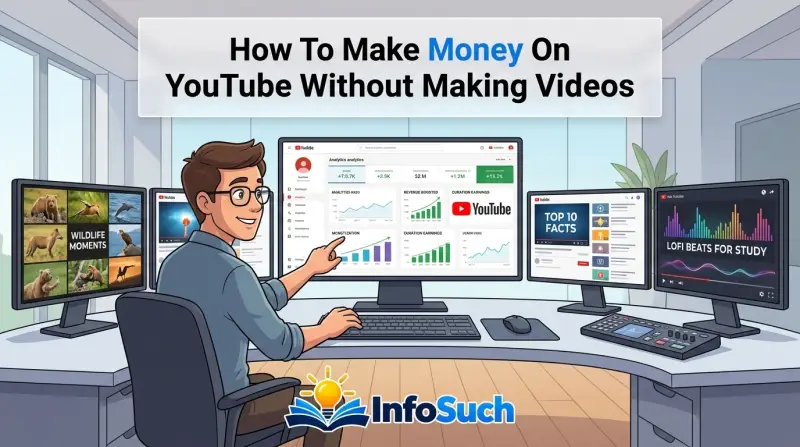
You've seen the videos. Endless compilations. Narration over stock footage.
Channels with millions of views and zero faces. It looks easy. Maybe too easy.
The truth about how to make money on YouTube without making videos is more complicated than the gurus let on, and most people quit before they ever see a payout.
The good news? It's absolutely possible. Successful faceless channels follow repeatable systems, not luck.
YouTube's Partner Program requires 1,000 subscribers and 4,000 watch hours as of 2026, which means you're playing a long game. But with the right workflow, a smart niche, and realistic expectations, you can build a genuine income stream without ever turning on a camera. Let's break down exactly how.
Quick Answer
You can make money on YouTube without filming by creating faceless content. Use stock footage, screen recordings, or AI narration instead. Focus on a specific niche with high advertiser demand.
Build watch time through consistent uploads. Monetize through AdSense, affiliate links, and sponsorships. Success requires 1,000 subscribers and 4,000 watch hours.
Expect six to twelve months of work before meaningful revenue.
The Honest Truth About "No-Video" YouTube Income
Let's crush the fantasy first. The internet loves stories about channels earning thousands of dollars a month from repurposed clips and robotic voices. Realistically, those stories are rare, and they almost always hide the work behind the scenes.
Faceless channels aren't a shortcut. They're a different kind of work.
You're trading camera time for editing time. You're trading personality for research. You're trading face-to-face connection for storytelling through visuals and voice.
That's not easier. It's just a different skill set. And it comes with a critical hurdle that most beginners don't know about: YouTube's reused content policy.
Under the YouTube Partner Program rules, channels that simply pull clips from other creators or broadcast content without adding substantial value get flagged. If that happens before you monetize, your application gets rejected. If it happens after, you risk demonetization.
Videos must be "transformative" and add original commentary, education, or entertainment value.
So the real question isn't whether you can make money without showing your face. It's whether you can create something genuinely useful or entertaining using tools that aren't a camera. If the answer is yes, there's a path for you.
If you're looking for a zero-effort automation scheme, you're going to have a bad time.
Why Most Faceless Channels Fail
Aggregate reviews of failed channels reveal the same patterns. People pick saturated niches like "top 10 facts" or "motivational quotes." They upload thirty videos of stock footage with generic voiceover. Then they wait.
Three months pass with hundreds of views and zero watch time. They give up.
Per YouTube's Creator Academy analysis, the algorithm rewards videos that demonstrate high audience retention and click-through rates. That's not about production value. It's about whether viewers actually want to watch your content.
A video with a strong hook and valuable information beats a polished video with no substance every single time.
Here's what that means for you. Your niche must have an audience that searches for answers, not just passive scrollers. Your scripts must provide information they can't easily get elsewhere.
Your thumbnails must make people curious enough to click. That's the real work. And it's entirely possible to do it without ever showing your face.
Your Skill & Resource Inventory
Before you pick a branch, you need to take an honest inventory. What can you bring to the table? What tools can you afford?
How much time do you actually have? These answers determine which path you should take.
The decision tree starts with three variables. Time, budget, and existing skills. Each branch of this guide optimizes for one of them.
Choosing wrong means fighting against your own constraints for months.
The 5 Questions You Must Answer Before Starting
How much time can you realistically commit each week? If you have ten hours, you can produce quality. If you have three, you need to adjust your production style. One long-form video per week is the minimum for growth.
Two is solid. Five is aggressive for a beginner.
What's your monthly budget for tools and assets? You can start with zero dollars using free tools like CapCut and Pexels. But free tools mean more manual work. A $30 monthly stack of Canva Pro and a stock footage membership speeds things up considerably.
Do you write better than you talk (or vice versa)? If you're a strong writer, script-based branches work well. If you're comfortable speaking, you can record your own voiceover. If neither, AI narration tools like ElevenLabs produce natural-sounding voices that don't require any skill.
How comfortable are you with editing software? CapCut is free and simple. DaVinci Resolve is free and professional. Your comfort level determines how complex your videos can be.
A slideshow with text overlays is easier than a multi-layer edit with b-roll, subtitles, and sound design.
What's your patience level for slow growth? This is the hardest question. If you need income in two months, faceless YouTube isn't for you. If you can go six to twelve months without meaningful revenue, you'll eventually succeed.
The average timeline to monetization across successful faceless channels is eight to fourteen months according to community-reported data.
The Skill and Resource Comparison Table
| Skill or Resource | Impact on Success | Required Level |
|---|---|---|
| Scriptwriting | High | Intermediate |
| Research | High | Intermediate |
| Video Editing | Medium | Beginner to Intermediate |
| Voiceover Work | Medium | Beginner |
| SEO and Keyword Research | High | Intermediate |
| Thumbnail Design | High | Intermediate |
| Consistency and Patience | Critical | Non-negotiable |
If you score low on two or more of the high-impact skills, your first month should focus on learning them. Not launching a channel. Trying to figure out editing, scripting, and thumbnails simultaneously while uploading weekly is a recipe for burnout.
The Time and Budget Matrix
Let's map your constraints to the right branch. This is the core decision tree logic.
If you have under 5 hours weekly and under $20 monthly: Start with Branch C (Shorts automation). Shorts take less editing time and the format tolerates simpler production. Build the habit first, learn the tools, then scale up.
If you have 5-10 hours weekly and $30 monthly: Branch A (stock footage) or Branch B (screen recording). Both require scriptwriting and solid editing. Your budget covers stock footage and basic tools.
If you have 10+ hours weekly and $50 monthly: Go deep on Branch A. Add premium tools like a professional TTS voice and a stock footage subscription. This is the sweet spot for serious growth.
If you're a strong writer but a weak speaker: Branch B feels natural. Screen recording tutorials with text explanations work without any voiceover. Or use quality TTS in Branch A.
If you're a decent speaker but a slow writer: Branch A with your own voiceover works well. You can riff on a topic from bullet points instead of a full script.
Now that you know your starting point, let's examine each branch in detail. The following sections introduce each route with specific workflows, tool stacks, and expected outcomes.
Branch A: The Stock Footage + Voiceover Route
This is the most popular faceless model. You write a script, record or generate narration, then edit it over stock footage. The result looks professional and feels like a documentary.
It's a proven format for education, history, finance, and science content.
Best For: Writers and researchers who can script compelling content
If you enjoy digging into a topic and explaining it clearly, this branch plays to your strengths. The script is the product. Everything else is assembly.
Strong writing carries weak visuals, but weak writing kills even beautiful footage.
Top performing niches in this space include finance (credit scores, investing basics, market breakdowns), history (unsolved mysteries, ancient civilizations, war stories), science (space, physics, biology explainers), and true crime (case breakdowns, court summaries).
Where to Source Quality Footage
Stock footage comes from a few reliable places.
Pexels and Pixabay offer free footage with no attribution required. Their libraries are solid for generic scenes, nature, cityscapes, and business settings. For most niches, these work fine.
Storyblocks and Artgrid offer subscription-based licensing. You pay monthly or yearly, then download unlimited clips. Storyblocks runs around $30 monthly for their unlimited plan.
Artgrid charges roughly $150 annually. The quality is higher and the selection is broader, especially for cinematic b-roll.
Archive.org hosts public domain historical footage. This is gold for history and documentary channels. Government agencies like NASA and the National Archives provide public domain material that's genuinely fascinating.
Avoid grabbing clips from other YouTube videos. That's how channels get copyright strikes and reused content flags. Even with attribution, embedding someone else's work without transformative commentary violates YouTube policy.
TTS vs. Hiring a Voice Actor: The Real Cost Breakdown
Your voiceover determines the viewer's connection to the content. A robotic voice kills engagement. A natural voice keeps people watching.
AI text-to-speech options as of 2026:
- ElevenLabs: The industry leader for natural voices. Plans start around $5 monthly for hobbyists and go up to $22 for their creator tier. The quality is genuinely impressive, with emotional range and realistic pacing.
- Murf.ai: Good quality, slightly stiffer than ElevenLabs. Plans start near $19 monthly.
- Microsoft Edge's built-in TTS voices: Free and surprisingly decent. Many beginners don't realize Edge has natural-sounding neural voices built in for Windows and Mac.
Hiring voice actors:
- Fiverr and Upwork have thousands of voice actors. Professional broadcast voices run $20 to $50 per 1,000 words delivered. For a 10-minute video script (roughly 1,300 words), that's $25 to $65 per video.
- Commercial rates for licensed voiceover start higher, but for YouTube faceless content, most channels use freelance talent.
The math gets interesting. ElevenLabs at $22 monthly for unlimited generation (their creator plan) replaces a $40 per video expense. If you upload twice weekly, that's $320 monthly in voiceover savings.
The AI route wins on cost and speed. The human route wins on nuance and authenticity.
Building a Repeatable Production Workflow
A structured workflow means you're not reinventing processes each video. Here's the step-by-step loop that successful channels in this branch use.
Step 1: Batch scriptwriting. Write three scripts in one sitting. Spend two hours researching and drafting. This protects you from writer's block and keeps you ahead of schedule.
Step 2: Generate voiceover. Run scripts through your chosen TTS or send them to your voice actor. Listen to the full audio track while reading the script to catch errors.
Step 3: Create a shot list. Break the script into scenes. For each 15 to 30 second segment, identify what visuals you need. Generic visuals include people working, city scenes, nature, money, and technology.
Step 4: Download all footage in one session. Don't piecemeal your downloads. Gather everything for one video in a single sitting to stay organized.
Step 5: Assemble in the editor. Place your voiceover track first. This locks in your timing. Then add footage aligned to the narration.
This is the core of the editing process.
Step 6: Add text overlays and captions. Viewers in public spaces watch without sound, so on-screen captions dramatically boost retention. CapCut has automatic caption generation that syncs to the audio.
Step 7: Design the thumbnail. Spend at least 30 minutes on this. The thumbnail drives clicks more than any other factor. Use high-contrast colors, a clear focal point, and text that adds curiosity.
The Pros and Cons of Branch A
Pros:
- Scalable to consistent schedules once the workflow is set
- No need to ever appear on camera
- Strong potential in high-CPM niches like finance and technology
- Content feels professional and polished
Cons:
- Stock footage can feel generic if not chosen carefully
- Requires strong writing skills or investment in quality TTS
- Niche competition is stiff, so differentiation matters
- High production time per video (8-15 hours typically)
Example Workflow in Action
Let's say you're building a finance channel about credit building. Your script for a 10-minute video covers the basics of FICO scores. You write the script in two hours.
You generate ElevenLabs narration in 15 minutes. You download 12 clips of people paying bills, checking phones, signing paperwork, and reviewing documents. Assembly takes four hours in CapCut, including captions.
The thumbnail takes one hour. Total time: roughly eight hours for one video.
Upload once weekly and you're producing four videos monthly. Per community-reported data, a well-optimized finance video can earn $5 to $15 RPM (revenue per 1,000 views). At 100,000 monthly views, that's $500 to $1,500 monthly from AdSense alone.
Plus affiliate links in descriptions add another layer.
Branch B: The Screen Recording + Commentary Route
This branch focuses on capturing your computer screen while you walk viewers through something. It's educational, practical, and directly useful. And critically, it satisfies YouTube's transformative content requirement because you're adding original commentary to a live process.
Best For: Niche experts and educators who can explain without showing their face
If you know a software tool inside out, if you can explain code, if you understand spreadsheet formulas, or if you can break down complex processes, this is your lane. The screen recording shows the "what" and the commentary delivers the "why." That combination is exactly what YouTube considers valuable content.
Sub-niches that flourish here include software tutorials (Excel, Photoshop, Notion, Google Workspace), coding and programming walkthroughs (Python, JavaScript, web development), design workflows (Figma, Canva, After Effects), and data analysis (Power BI, SQL, Google Sheets).
Turning blog posts and articles into video content
Here's a clever workflow. Find popular blog posts in your niche. Read the post and identify its main steps.
Then create a screen recording that demonstrates those steps in real time. This is technically repurposing, but it's transformative because you're showing the process, not copying the text.
Many successful channels in this space start from their own written content. If you've ever documented a process, you already have a script skeleton. You're essentially turning "how to" articles into "watch me do it" videos.
Software walkthroughs and how-to content
The format itself is straightforward. Record your screen, explain what you're doing, and highlight key actions with cursor effects and zoom. Tools like OBS Studio are free and open source.
ScreenRec and Loom offer cloud-based recording with basic editing.
For editing, CapCut works for simple cuts. DaVinci Resolve handles more complex timelines with speed ramps and annotations. You'll also want a simple cursor highlight tool, though many editors now include that natively.
Using free tools like OBS and CapCut
OBS Studio is the industry-standard free screen recorder. It captures high-resolution footage with audio. You can record multiple sources, including your webcam (if you ever want it) and system audio.
Setup takes about 10 minutes. There are countless configuration guides, but the default settings work for most users.
CapCut handles the rest. Import your recording, trim dead space, add zoom effects, insert text overlays, and generate captions automatically. The free version has everything you need.
The pro version adds noise reduction and automatic subtitle styling for about $10 monthly, but it's optional.
When screen recording feels "reused" vs. genuinely valuable
This matters more than you might think. A video that just shows someone clicking through a website without explaining anything is low-value. YouTube categorizes that as unoriginal content.
What turns it into original work? Context. Analysis.
Comparison. Personal experience. Specific guidance.
For example, recording yourself opening an Excel file and saying "here's a dataset" is empty. Explaining why you're cleaning data a specific way, what formulas you're choosing, and what the results mean is genuinely useful. That's the difference between a screen recording and a tutorial.
The Pros and Cons of Branch B
Pros:
- No need for stock footage or expensive assets
- Lower risk of reused content flags if you add real commentary
- Very high search intent from viewers looking for solutions
- Easy to pace production once your script is ready
Cons:
- Requires actual expertise or willingness to learn before teaching
- Screen recordings can be visually monotonous without editing
- Audio quality matters a lot; viewers tolerate bad video but not bad audio
- High competition in popular software tutorials
Why Audio Quality Is Non-Negotiable
Viewers will forgive a slight audio hum, but they won't forgive a muffled voice or harsh background noise. Aggregate reviews of tutorial channels consistently cite audio as the top reason for clicking away.
You don't need a $500 microphone. A decent USB mic like the Blue Snowball or Samson Q2U runs $50 to $70. Pair that with a quiet room and basic noise reduction in post.
That's a $70 investment that sets you apart from 80% of beginner channels.
Example Workflow in Action
You're teaching viewers how to use Excel for personal budgeting. You research the most-searched budgeting questions in Excel, such as "how to create a budget spreadsheet," "how to use SUMIF for expenses," and "how to make a chart in Excel." You write a script that answers these in sequence.
Recording takes one hour for a 10-minute video with maybe two takes per segment. Editing takes two to three hours. You add captions, zoom into key cells, and highlight formulas.
Total time: around five hours per video.
The monetization angle here is clean. AdSense revenue comes from high-intent viewers. Affiliate links to Excel courses, templates, or peripheral tools (like a good mouse or a monitoring app) perform well because the audience is actively seeking products.
Branch C: The Shorts Automation Route
YouTube Shorts changed the game. Short, vertical videos generated billions of views. And they're dramatically easier to produce than long-form content.
This branch focuses on aggregating clips, adding text overlays and commentary, and publishing fast. It's the fastest way to get a video out there, but also the hardest to monetize directly.
Best For: Quick wins, testing niches, and low-effort volume
If you're new to YouTube and want to learn the mechanics without committing to long-form production, Shorts are your training ground. They teach you the algorithm, give you fast feedback on which topics resonate, and help you build a subscriber base quickly. Shorts are also ideal for testing multiple niches before going deep on one.
The catch? Shorts revenue through the Shorts Fund is notoriously low. As of 2026, you earn a share of the Creator Pool, often working out to less than $0.10 per 1,000 views.
To make real money, Shorts are usually a funnel to get subscribers who then watch your long-form content or click affiliate links.
Repurposing clips with added text, captions, and commentary
This is where recycled content tempts people. Grabbing a viral clip and reposting it alone violates copyright. But selecting a clip, adding your own captioning, and providing commentary transforms it into a new work.
For example, a clip of a politician speaking becomes a political analysis when you add context, timestamps, and critique. A clip from a sports event becomes commentary when you break down what happened and why it mattered. The rule is simple: without your added value, it's stealing.
With it, you might have a defensible video.
How the Shorts algorithm differs from long-form
The Shorts feed is driven by swipes. Viewers decide within the first second whether to keep watching. That means you need a strong hook immediately.
The algorithm amplifies videos with high swipe-through rates and high completion percentages. It doesn't care as much about watch time as long-form does.
What this means practically is that your video's first frame must be visually interesting. Your caption must appear within the first second. Your narration or text must follow quickly.
If a viewer swipes away into the Shorts feed, that counts as a negative signal. The algorithm learns quickly.
The brutal reality of Shorts RPM (and why patience matters)
Let's put numbers to it. Community reports suggest that the Shorts Creator Pool hit around $1 to $2 per 1,000 views during some months, then dropped below that during others. Even at the high end, that means 1 million views earns you $1,000 to $2,000.
That's meaningful, but it's not a living.
For comparison, long-form finance content at $10 RPM earns the same $1,000 at just 100,000 views. That's an order of magnitude difference. The conclusion is clear: Shorts build an audience.
Long-form builds an income.
When to graduate from Shorts to long-form
Once your channel passes 1,000 subscribers through Shorts, start publishing long-form videos. Your Shorts audience becomes the foundation. When you upload a long-form video, some of your Shorts viewers will watch it out of curiosity.
You'll also gain organic search traffic.
The best strategy is cross-pollination. Publish a weekly long-form video that's part of your core strategy. Then create a Short from a compelling segment of that video.
This drives traffic to your long-form content while keeping your Shorts feed fresh.
The Pros and Cons of Branch C
Pros:
- Fast production times (30 minutes to 2 hours per Short)
- Low barrier to entry
- Fast feedback on topic performance
Cons:
- Extremely low direct monetization per view
- High competition for attention in the Shorts feed
- Risk of reused content flags if you're lazy about transformation
- Does not build deep audience loyalty like long-form does
Example Workout in Action
You're testing niches. You spend one week creating three Shorts: one about investing basics, one about productivity hacks, and one about healthy eating. You use clips from Pexels, add bold text overlays, and record a quick voiceover using ElevenLabs.
The investing Short gets 10,000 views. The productivity Short gets 200 views. The health Short gets 800 views.
That data tells you to double down on investing. You shift your channel name, profile, and thumbnails to that niche. This is market validation in real time.
You can't buy that feedback.
Building the Shorts Production Loop
The workflow is simple. Find a topic with search volume. Write a 20 to 30 second script.
Source one or two clips. Add captions. Record voiceover.
Assemble in CapCut in under an hour. Publish and repeat.
Use tools like TubeBuddy to identify trending keywords. Keep a running list of 50 potential topics so you're never stuck.
Matching Your Skills to the Right Shorts Approach
If you're a writer: Focus on "story" shorts that say something surprising in 30 seconds. These are shareable and grow fast.
If you're an editor: Focus on "visual" shorts that grab attention with quick cuts, zooms, and transitions.
If you're a researcher: Focus on "fact" shorts that present a surprising stat or a little-known piece of history.
All three approaches work. Pick the one that matches your skills, then build a content calendar around it.
What Actually Moves the Needle: The Workflow That Works
Building a faceless channel is a production process. You're running a small media company with one employee: you. The channels that succeed aren't the ones with the best ideas.
They're the ones with the most consistent, repeatable systems.
Per YouTube's Creator Insider analysis, channels that adhere to a consistent upload schedule outperform those that publish sporadically. The algorithm favors regular content because it gives the platform predictable signals about your activity. That means your workflow must be sustainable for months, not just a burst of energy that fades by week three.
The 6-Step Production Loop
Every video that succeeds follows this sequence. Master it and you can produce content in your sleep.
Step 1: Niche validation. Before you write a single word, confirm that people are actually searching for your topic. Use TubeBuddy or vidIQ to check search volume and competition. Enter your topic idea into YouTube's search bar and look at the autocomplete suggestions.
If there are dozens of videos with hundreds of thousands of views, you have demand. If everything has under 10,000 views, you might be in a dead niche.
The deeper signal is monetization potential. Search for your niche keywords on Google. If advertisers are spending money in that space (insurance, software, finance, real estate), the ad rates will be high.
If the only ads are for other YouTube channels, your CPM will be low.
Step 2: Scriptwriting. The script is the skeleton. It determines pacing, visuals, and information density. Write for the ear, not the page.
Short sentences. Direct language. Context before detail.
Ask a question, then answer it. Repeat key points in different ways.
For long-form videos, a 10-minute script runs roughly 1,300 to 1,400 words. That's about three to four pages double-spaced. Time yourself reading it aloud.
If a section drags, cut it. Viewers are one swipe away from leaving.
Step 3: Asset gathering. This is where you collect your footage, images, and music. For stock footage, search each scene keyword separately. For screen recording, list the exact windows and tools you'll show.
For Shorts, pull three to five clips max. Keep everything in a project folder with subfolders for footage, audio, and thumbnails.
Step 4: Assembly and editing. Place your voiceover track on the timeline first. This locks in your timing. Then add visuals aligned to the narration.
Use jump cuts to remove pauses and dead air. Add captions if the platform supports them. Export in the highest resolution your editing tool allows.
Step 5: Thumbnail and title optimization. This is 50% of the battle. Per YouTube's own guidance, thumbnails determine whether viewers click. Use high-contrast colors, a single focal point, and text that creates curiosity.
Titles should contain your primary keyword near the front and create a sense of outcome or mystery.
Step 6: Upload, schedule, and analyze. Publish at a consistent time when your audience is active. After 48 hours, check your analytics. Look at click-through rate, average view duration, and traffic sources.
Double down on topics that perform. Drop topics that don't. This loop is how you refine your strategy.
The Tools You Actually Need (and the ones you don't)
You can start with nothing. A phone, a computer, and free tools cover the basics. But certain paid tools accelerate your workflow dramatically.
| Tool | Purpose | Free Option | Minimum Paid Tier |
|---|---|---|---|
| Canva | Thumbnails and overlays | Yes | Pro: $12.99/month |
| CapCut | Video editing | Yes | Pro: $9.99/month |
| OBS Studio | Screen recording | Yes | N/A |
| ElevenLabs | AI voiceover | 10 min/month free | Creator: $22/month |
| Pexels / Pixabay | Stock footage | Yes | N/A |
| Storyblocks | Premium stock footage | No | $30/month unlimited |
| TubeBuddy | Keyword research | Limited | Legend: $4.99/month |
| vidIQ | SEO optimization | Limited | Boost: $7.99/month |
The $30 monthly starter stack that works for most people includes Canva Pro, TubeBuddy Legend, and ElevenLabs Creator. That's roughly $40 monthly. You can run a channel for your first three months on free tools alone.
Upgrade once you see traction.
The one tool worth spending extra on is ElevenLabs or a comparable high-quality TTS service. Your voice carries the emotional weight of your content. A robotic AI voice loses listeners fast.
A natural voice keeps them engaged through the entire video. The $22 monthly investment pays for itself in retention and watch time improvement.
The Editing Pattern That Saves Hours Weekly
Batch editing saves more time than any single tool. Instead of editing one video fully, then starting the next, do all your footage gathering on Monday. Write all your scripts on Tuesday.
Record or generate all voiceovers on Wednesday. Then edit on Thursday and Friday. You'll reuse templates and editing patterns across videos.
You'll also develop speed. The first video takes eight hours because you're learning the tools. By the fifth video, you'll hit three to four hours per video.
By the tenth, you'll be down to two to three hours. This is where the consistency pays off.
How Long Should a Faceless Video Be?
Long-form videos in the 8 to 15 minute range maximize ad revenue because they qualify for mid-roll ads. Videos under 8 minutes only qualify for pre-roll and post-roll ads. That difference is significant.
A 10-minute video can have four mid-roll breaks, which multiplies your revenue per view.
Shorts should stay under 30 seconds for maximum completion rates. The algorithm favors videos that keep viewers swiping through. A fast hook and quick payoff is the pattern that wins.
The Metrics That Matter Most
Not all analytics are equally important. Track these four and ignore the rest until you're monetized:
Click-through rate (CTR): This measures how often viewers click your video after seeing it. A CTR above 4% is solid. Above 6% is excellent.
Below 2% means your thumbnail and title need work.
Average view duration (AVD): How long viewers watch before leaving. For a 10-minute video, an AVD of 4 to 5 minutes is healthy. Below 3 minutes means your content is losing people early.
Retention graph: This shows exactly where viewers drop off. Look for sudden dips and smooth them out in your next video. Usually the dip comes after slow intros or overly long explanations.
Traffic sources: Understanding where views come from (search, suggested, browse, external) tells you what the algorithm wants. High search traffic means strong SEO. High suggested traffic means your content pairs well with others in your niche.
The Automation Question
Can you fully automate this workflow? Partially. Tools like OpusClip and similar services repurpose long videos into Shorts automatically.
AI script generators can draft initial outlines. But the final editorial judgment still requires a human. You need to verify facts, ensure quality, and maintain your unique voice.
Our recommendation is to automate the repetitive parts (captions, color grading, asset gathering) and spend your time on the creative decisions (script direction, thumbnail design, niche selection). That's where the competitive advantage lives.
The Money Map: What You'll Really Earn and When
Let's get into the numbers. Everyone wants to know how much they'll make and how fast. The honest answer is that it varies, but the structure is predictable.
You'll move through three phases: pre-monetization, early monetization, and stable income.
Monetization Timelines That Aren't Fantasy
Phase one is the grind. You're building watch hours and subscribers with zero revenue. Most channels take four to eight months to hit 1,000 subscribers and 4,000 watch hours with consistent two-video-per-week uploads.
Some hit it in two months if they focus on Shorts. Others take over a year.
During this phase, you focus exclusively on content quality and niche validation. Every upload is a test. Which topics get the most views?
Which thumbnails get the highest CTR? What patterns do you see across your top performers? The data you gather here determines everything that follows.
Phase two begins when you get accepted into the YouTube Partner Program. Your Subscriber count resets the clock on payouts, though. You need an additional 90 days of uploads and 4,000 watch hours in that rolling window to keep monetization active.
Your first check arrives about 21 days after you cross the payout threshold of $100.
In your first month of monetization, expect a modest check. Between $50 and $300 is typical for a channel with 100,000 to 200,000 monthly views. The RPM determines the exact number.
For entertainment and compilation channels, expect $0.50 to $2.00 RPM. For finance, tech, or software tutorials, expect $5 to $15 RPM.
Phase three is stable income. This happens when you've built a library of content that generates consistent views. Channels with 100 plus videos in a specific niche see compounding growth.
Old videos continue to pull in views from search and suggested traffic. That's when the passive income finally becomes real.
Real RPM by Niche (and why finance channels out-earn compilations)
RPM stands for revenue per 1,000 views. It's the standard metric for YouTube earnings. Here's the landscape as of 2026 based on aggregate publisher reports and community data:
| Niche | RPM Range | Why It's High or Low |
|---|---|---|
| Personal Finance | $8-$15 | High advertiser competition |
| Software / Tech | $6-$12 | Expensive B2B advertisers |
| Real Estate | $6-$10 | High-cost service advertisers |
| Education / History | $3-$7 | Moderate ad rates |
| Gaming | $2-$4 | Low ad rates, high volume |
| Entertainment / Compilation | $0.50-$2 | Generic audience, low ad rates |
| ASMR / Relaxation | $0.50-$1.50 | Low advertiser interest |
The pattern is clear. Niches where businesses sell high-ticket products or services command higher ad rates. Financial advisors, SaaS companies, and law firms spend heavily on YouTube ads.
Entertainment channels attract a young, budget-conscious audience that advertisers pay less to reach.
Income Scenarios: Month 6, Month 12, Month 24
Let's model three realistic timelines. These assume consistent uploads, optimization based on analytics, and persistence through slow periods.
The Steady Grower: Two long-form videos per week in the finance niche. 50 videos by month 6. By then, the channel has 50,000 monthly views. At $8 RPM, that's $400 monthly.
By month 12, with 200,000 monthly views, earnings hit $1,600 monthly. By month 24, with a library of 200 videos and 500,000 monthly views, you're looking at $4,000 monthly.
The Shorts Sprinter: One Short daily in a broad niche. 200 Shorts by month 6. The channel has 100,000 subscribers but only 1 million monthly views. At $0.10 RPM for Shorts, that's just $100 monthly.
The real money comes from redirecting that audience to long-form content. If even 5% of your Shorts viewers watch your long-form videos, you compound your earnings.
The Hybrid: Best of both worlds. One long-form video weekly plus three Shorts weekly. The Shorts drive subscriber growth. The long-form content builds watch hours and ad revenue.
This channel reaches monetization faster. By month 6, it might be making $600 monthly. By month 12, $2,000 monthly.
By month 24, $6,000 monthly.
Beyond AdSense: Affiliate Links, Sponsorships, and Digital Products
AdSense is the baseline. It's never the ceiling. Once you have an audience, you can layer additional revenue streams.
Affiliate marketing is the easiest add-on. After using a tool in a video, include an affiliate link in the description. When viewers buy, you earn a commission.
Amazon Associates pays 1 to 4% on most products. Software companies pay 20 to 40% recurring commissions. For a finance channel reviewing budgeting apps, affiliate income can double your AdSense earnings.
Sponsorships kick in around 10,000 subscribers or 100,000 monthly views. Brands pay $20 to $50 per 1,000 views for a dedicated mention. With 100,000 monthly views, that's $2,000 to $5,000 per sponsored video.
Many channels earn more from sponsorships than from AdSense.
Digital products are the highest margin option. Create a spreadsheet template, a PDF guide, or a mini-course. Sell it through your description and community tab.
A $20 product with 100 monthly sales is $2,000 extra monthly. This is where your niche expertise compounds most.
The key is to not overcomplicate this early. Focus on AdSense first. Add affiliates once you have 1,000 monthly views.
Pursue sponsorships after 10,000 subscribers. Create digital products once you have a proven topic that viewers keep asking about.
The Seven Deadly Sins of Faceless Channels
You know what works. Now let's talk about what kills channels. These mistakes are so common that they account for most failures in this space.
Avoid them and you'll outlast 90% of beginners.
Mistake 1: Reposting viral content without adding value
The temptation is real. Take a viral video, reupload it with a new title, and hope for advertising dollars. This fails on two fronts.
First, you'll likely get a copyright strike. Second, even if you avoid detection, YouTube's algorithms detect reused content and suppress it.
The YouTube policy is clear. Videos must be "substantially different from the original." Simply adding a caption or a transition isn't enough. You need to transform the material with original commentary, analysis, or new context.
Mistake 2: Ignoring audio quality
Viewers forgive slightly soft video. They don't forgive buzzing microphones or robotic AI voices. Audio quality is the number one factor in viewer retention, and it determines whether people trust your content.
Invest in a decent microphone if you're recording your own narration. Or use a premium TTS service. Test your audio on phone speakers, laptop speakers, and headphones.
If you can't hear crisp dialogue, your viewers can't either.
Mistake 3: Inconsistent upload schedules
The algorithm doesn't require daily uploads, but it does require routine. Publishing for four weeks, then disappearing for two, destroys your momentum. Every gap resets your audience's expectations and gives the algorithm a reason to stop recommending your content.
Pick a schedule you can maintain for six months. Whether that's one video per week or three per week is less important than sticking to it. Consistency builds trust.
Trust builds viewership.
Mistake 4: Choosing a niche with zero monetization potential
Some topics attract lots of views but no advertiser interest. Viral content like "funny animal compilations" pulls in millions of views but pays pennies per thousand. The CPM is just too low.
Pick a niche where advertisers spend money. Finance, technology, software, and real estate are proven high-CPM niches. Healthcare and wellness also command solid rates.
Content that serves a professional audience will always out-earn content aimed at the general public.
Mistake 5: Using copyrighted music or b-roll
Music licensing is a trap. A single copyright claim can block monetization on that video. Three strikes can terminate your channel.
The YouTube Audio Library provides free, uncopyrighted music. Sites like Epidemic Sound offer commercial licenses for a monthly fee.
The same applies to footage. Just because you find a clip on the internet doesn't mean you can use it. Always check the license terms.
Pexels, Pixabay, and Storyblocks provide the legal coverage you need.
Mistake 6: Neglecting the first 30 seconds
The opening of your video determines whether viewers stay or leave. The first 30 seconds is when you have their full attention. Start with a hook that creates curiosity.
Show the outcome. State the problem. Ask a question.
Then deliver value.
If your first 30 seconds are boring, viewers click away. That signals the algorithm to stop recommending your video. The result is a video that dies within 24 hours.
A strong hook is the difference between a 5% and 35% retention rate in the first minute.
Mistake 7: Giving up at month 4
The average faceless channel takes eight to fourteen months to monetize. Month four is usually the trough. You've published 30 videos.
The views are piling up but slowly. You're spending hours every week on content. Nothing seems to be working.
That's precisely when most creators quit. They abandon the channel right before the compounding effect kicks in. Successful creators push through this phase.
They treat month four as a testing period, not a verdict. They adapt, iterate, and keep uploading.
The Cost of Each Mistake
| Mistake | Immediate Impact | Long-term Impact |
|---|---|---|
| Reused content | Possible copyright strike | Channel termination or demonetization |
| Poor audio | Low audience retention | Stunted algorithmic growth |
| Inconsistent posting | Loss of algorithmic trust | Delayed monetization by months |
| No monetizable niche | Very low RPM | Wasted effort despite views |
| Copyright violation | Video blocked or demonetized | Three strikes policy risk |
| Weak hook | High early drop-off | YouTube stops recommending |
| Quitting early | Zero earnings | Time and effort wasted |
Real Scenarios: Three Channels, Three Outcomes
Let's look at three creators who could have started with the exact same resources. Their outcomes differ because of decisions, not luck. These are composites based on patterns from successful and failed channels in community reports and case studies.
The Homeworker
Sarah is a stay-at-home mom with six hours per week. She has a background in writing but no editing skills. She picks the stock footage route with a personal finance topic.
Specifically, she focuses on "how to build a credit score from zero."
She uses ElevenLabs for narration. She downloads footage from Pexels and Storyblocks. She scripts in Google Docs and edits in CapCut.
Thumbnails come from Canva templates.
Month one to three: She publishes two videos weekly. Views are low, between 500 and 2,000 per video. She analyzes search terms and adjusts titles.
By month four, a video about "how to raise your FICO score by 100 points" gets 20,000 views in a week.
By month eight, she reaches 1,000 subscribers and 4,000 watch hours. She's monetized. Her monthly views hover around 80,000.
AdSense pays $700 monthly at a $9 RPM. Affiliate links to credit monitoring tools add another $200. Total: $900 monthly for 24 hours of work per week.
It's not a fortune, but it's real money that compounds.
The Hustler
Marcus works full-time in tech. He has ten hours per week and a budget of $50 monthly. He picks the screen recording route.
His niche is software tutorials, specifically "Excel for small business owners."
He records his screen with OBS. He voices his own narration using a $70 USB microphone. His first ten videos are rough.
Views are low. But his Excel tutorials answer specific search queries. People find them through Google search and YouTube search.
By month six, he has 35 published videos. One on "how to create a profit and loss spreadsheet in Excel" gets traction. It ranks in the top three search results.
Over the next two months, that video generates 60,000 views alone.
He hits monetization at month ten. His monthly views average 120,000. With a $12 RPM (software niche), AdSense brings $1,440 monthly.
He adds a PDF workbook for $19 and sells 40 copies monthly, adding $760. Total: $2,200 monthly. He's now considering a sponsored video for an accounting software company at $1,500 per mention.
The Quitter
James sees a TikTok about making $10,000 monthly from faceless channels. He buys a cheap stock footage subscription and picks the compilations niche, specifically "best NBA moments of all time."
He uploads 20 videos in his first month without a script. He uses AI voices that sound robotic. He puts no thumbnails up, just auto-generated ones.
His titles are vague. He doesn't analyze analytics or adjust strategy.
Month two: views plateau at 100 per video. Month three: he's burned out. He has spent 40 hours producing content that gets no traction.
He gives up at week eleven. His total earnings: $0. He then writes a Reddit post warning others that faceless YouTube is a scam.
The Takeaway
Three creators. Same resources. Different results.
What separates them isn't talent or luck. It's the choice to treat the channel as a business, not a lottery ticket. That means studying the market, testing hypotheses, and committing to the long game.
The Homeworker and the Hustler both succeed with modest financial results. Their channels continue growing because they built a system. The Quitter fails because he looked for a shortcut.
In this game, the shortcut is the long way.
Your First 30 Days: The No-Nonsense Launch Plan
You have the branches. You have the tools. You have the money map.
Now here's your actual next month, day by day. No fluff, no theory, just actions.
Week 1: Niche Selection and Competitor Teardown
Start by picking your branch. If you're a writer, Branch A. If you're an expert, Branch B.
If you're testing the waters, Branch C.
Then spend 10 hours studying your competitors. Search for your top five niche keywords. Write down the channel names that dominate the first page of results.
Watch 10 of their videos. Note their average length, their title formula, their thumbnail style, and their commentary patterns. This is your silhouette.
Answer these five questions. What do they cover? What do they miss?
What do they do badly that you can do better? What format do they use? What topics generate their highest views?
Week 2: First Script and Asset Gathering
Write your first 1,300 word script. Don't aim for perfect. Aim for complete.
Open with a hook. Deliver your main points in a logical order. End with a clear takeaway.
Then gather assets. Source 12 to 15 stock clips or plan your screen recording. Download your background music.
Create a project folder. You should be 50% complete with your first video by the end of this week.
Use a quality TTS tool for Branch A. Record your screen in Branch B. For Branch C, script a 25 second voiceover and plan your clips.
Week 3: Editing and Publishing Your First Video
Edit your video. Add captions. Trim dead air.
Insert royalty-free music at low volume. Export and review, then cut 20% more.
Design your thumbnail. Use a bold font, a high-contrast image, and a curiosity gap in your title. Run your title through TubeBuddy or vidIQ's SEO scoring tool.
Your goal is an 80+ SEO score.
Publish your first video and set your second video to come out within seven days. This establishes your pace from day one.
Week 4: Analyzing Data and Doubling Down
Right now, you have almost no data. One video, a few hundred views at most. This week is about learning the rhythm.
Publish your second video. Start script number three.
Spend one hour reviewing your analytics. Look for any signs of life. A spike in retention at a specific point.
A search term you didn't expect. A video with a CTR above 4%. These are your leading indicators.
Then adjust for week five. If your first video has low CTR, change the thumbnail. If views drop after the first minute, restructure your opening.
Let the data guide your next script.
The 30-Day Rule
After 30 days, assess three things. Did you publish at least four videos? Did you maintain your upload schedule even when you wanted to quit?
Did you learn one clear thing about your niche?
If you answered yes to all three, you're ahead of the curve. If you missed uploads, adjust your schedule. Reduce to one video weekly.
Better to be consistent at a slow pace than burned out at a fast one.
Your First 30 Days at a Glance
| Week | Focus | Deliverable |
|---|---|---|
| 1 | Niche selection and competitor analysis | Chosen niche and content roadmap |
| 2 | Scriptwriting and asset gathering | Completed script and assembled assets |
| 3 | Editing and first upload | Published video number one |
| 4 | Analytics review and iteration | Video number two, data-informed adjustments |
The first month is not about views. It's about building the muscle memory of producing content weekly. The habit you build now is what lasts.
The Decision Guide: Which Branch is Right for You?
You've now seen the three main routes. Each one plays to different strengths and demands different commitments. The decision tree below helps you route your specific situation to the right path.
There's no universally "best" branch. There's only the branch that fits your constraints.
This decision tree uses three variables: available time, weekly budget, and existing skill set. Answer honestly. Don't pick a branch because it sounds cool.
Pick it because you can sustain it for six months.
If you're a strong writer with 5 to 10 hours weekly
Choose Branch A (stock footage and voiceover). Your writing gives you the hardest asset to create: a compelling script. Everything else is assembly.
You can generate a professional voiceover with ElevenLabs and edit in CapCut.
Your production loop is simple. Write the script. Generate the narration.
Gather footage. Assemble. You'll need 30 to 50 videos before you see meaningful traction, but your content will compound because scripts get better with practice.
If you're a hands-on expert with specific knowledge
Choose Branch B (screen recording and commentary). You have authority that stock footage can't fake. Your real value is in explaining complex topics with clarity.
That's transformative content in YouTube's eyes.
The risk is monotony. To keep visual interest, plan your recordings with multiple perspectives. Zoom into key areas.
Add text annotations. Use highlights and callouts. Treat the editing as a way to add teaching value, not just polish.
If you're new to everything and want to learn fast
Choose Branch C (Shorts automation). It's the cheapest and fastest way to understand the algorithm. You can publish three Shorts per week for one month with less effort than one long-form video.
That gives you immediate data on what works and what doesn't.
The catch is the revenue. Shorts alone won't pay your bills. Use them as a discovery tool.
When you find a topic that gets good views, expand it into a long-form video. That's how you graduate from the Shorts track to the long-form track.
The Hybrid Approach: Combining Branches for Faster Growth
You don't have to pick just one branch forever. The most successful faceless creators use all three. The pattern looks like this:
Long-form as your anchor. One or two videos per week in Branch A or Branch B. These generate the watch hours and ad revenue. They also build your search presence and authority in the niche.
Shorts as your top-of-funnel. Three shorts per week pulled from your long-form content. Each short is a teaser or a standalone insight from a longer video. This drives new viewers to your channel and helps you cross the subscriber threshold faster.
The testing loop. When you have an idea for a new topic, make a Short first. If it gets traction, invest in a full long-form video on that topic. This validates your content before you sink hours into it.
This hybrid model is more work than a single branch. But it shortens your time to monetization. A channel that grows subscribers through Shorts and watch hours through long-form can reach the Partner Program in four to six months instead of eight to fourteen.
Knowing When to Pivot or Start Fresh
Sometimes the data tells you to stop. That's not failure. That's good information.
Here's the decision framework:
If you're at 100 videos with under 1,000 total subscribers, your niche or content style isn't working. Pivot. Change your thumbnails.
Change your topic angle. Start testing new approaches in your next ten videos before abandoning the channel entirely.
If your retention is above 50% but your CTR is below 2%, your content is good but your packaging is failing. Redesign your thumbnails and rewrite your titles. Keep your content pipeline running while you fix the click-through layer.
If your retention is below 30% and your CTR is below 2%, your audience isn't getting value. Go back to the competitor analysis from your first week. Study the top channels in your niche again.
You need to match their clarity and pacing, not just their topics.
If you've been at it for 18 months with monetization but earnings under $100 monthly, your niche's RPM is too low. You can keep the channel running in the background, but start a second channel in a higher-paying niche. The skills you've built transfer directly.
Please, don't conflate a slow first six months with permanent failure. Even the Homeworker in our scenarios took eight months to monetize. The algorithm rewards persistence and adaptation.
If you're learning and iterating, you're still on the path.
Frequently Asked Questions
How much money can I realistically make in my first year?
Most faceless channels earn between $100 and $1,000 per month in their first year after monetization. A small percentage earn more. The difference comes down to niche, consistency, and how well you optimize content.
Treat the first year as a learning phase and measure growth rather than profits.
How long until I get my first payout from AdSense?
You need to cross the $100 payout threshold first. After that, Google issues payments about 21 days after the end of the month. If your channel earns $50 in total during month one, you'll need another two earnings months before your first check arrives.
Payments go through your AdSense account via bank transfer or wire.
Is the YouTube Partner Program the only way to get paid?
No. You can monetize a channel without YPP through affiliate marketing, sponsorships, and selling digital products. But the Partner Program is the most reliable baseline.
It requires 1,000 subscribers and either 4,000 watch hours in 12 months or 10 million Shorts views in 90 days.
What is the "reused content" policy and how do I avoid it?
Reused content means videos that offer no original value. Reposting clips from other channels, compilations of third-party content without commentary, and slideshow-only videos with no narrative are all at risk. YouTube's guidance emphasizes "substantial educational, commentary, or entertainment value added." Add genuine commentary and context to every video to stay safe.
Can I use stock footage and AI voiceovers without getting flagged?
Yes. Stock footage and AI narration are legitimate tools. The key is that your script and video assembly are original work.
Two channels using the same Pexels clips will not get flagged, because their scripts, structure, and editing differ. The "reuse" problem happens when the footage dominates the content and the commentary adds nothing.
Do I need to disclose that I use AI voices?
As of 2026, YouTube requires creators to disclose when AI-generated content is realistic and could be mistaken for a real person. For standard narration, the rule applies only when the content is synthetic or altered. Check your YouTube Studio dashboard for the disclosure toggle when uploading.
When in doubt, declare it. Transparency also builds viewer trust.
What are the three-strikes copyright rules?
A copyright strike is a formal legal claim. Three strikes within 90 days result in channel termination. You can avoid strikes by using licensed content, properly attributing under Creative Commons, and never using clips without checking ownership.
A Content ID claim is different. It just redirects ad revenue. Claims are manageable; strikes are not.
Do I need to spend money on tools to succeed?
No. You can start with free versions of CapCut, Canva, OBS Studio, and a free stock footage site. Quality tools speed up your workflow but don't replace research and storytelling.
Premium TTS services like ElevenLabs are worth it later because audio quality directly boosts retention. Upgrade after you've proven your niche and content approach.
What's the ideal video length for a faceless channel?
For ad revenue, shoot for 8 to 12 minutes. That qualifies your video for mid-roll ads, which multiply your earnings per view. For viewer retention, keep the video tight.
If a topic truly needs only six minutes, don't pad it just for ad breaks. YouTube rewards videos that hold attention rather than artificially long content.
How important are thumbnails for faceless channels?
Thumbnails are the difference between a video with 1,000 views and one with 100,000. With no face on screen, the thumbnail is your biggest visual hook. Spend as much time on the thumbnail as you do on the final edit.
Use high-contrast text, a clear focal point, and a promise that matches the video's content.
Can I outsource the editing to free up my time?
Absolutely. When your channel starts earning, the first thing to outsource is editing. Freelance editors on Upwork and Fiverr charge $30 to $100 per video depending on complexity.
This frees you to focus on scripts and strategy, which drive the channel most. Reaching a point where you can pay for help is a sign your channel is becoming a real business.
The Final Verdict: Your Step-by-Step Starting Point
You have the map. Now it's time to move. The hardest part isn't editing or scripting or picking a niche.
It's deciding to start and then sticking with it through the slow months. The creators who win in this space are the ones who treat it like a craft, not a lottery.
Your first step is simple. Choose one branch. Set one goal: publish four videos in the next 30 days.
That's it. No obsessing over the algorithm. No obsessing over perfect thumbnails.
Just publish and learn.
Your three non-negotiables from this guide: pick a monetizable niche, add genuine value to every video, and stay consistent for six months. Those three rules will carry you further than any single tool or hack. Everything else is iteration on feedback.
There's no guarantee this works for you. There's no such guarantee for any business. But the process is learnable, the tools are accessible, and the ceiling is real.
The Homeworker and the Hustler started with the same information you have now. They just didn't stop. Neither should you.
So close this tab. Open a fresh document. Write your first headline.
The channel you want to build starts with the video you're willing to make this week. Go make it happen.